Automated Accounting Software for Independent Contractors: What’s Worth Paying For
Crystal Harrison · November 12, 2026 · 15 min read
Automated Accounting Software for Independent Contractors: What's Worth Paying For
Automated accounting software for independent contractors sorts transactions, matches receipts and logs mileage. Whether it also works out your quarterly tax depends on the plan, so this guide shows what each piece of automation is worth paying for, what the tools cost, and what you are still doing by hand.
November 12, 2026 · 12 min read
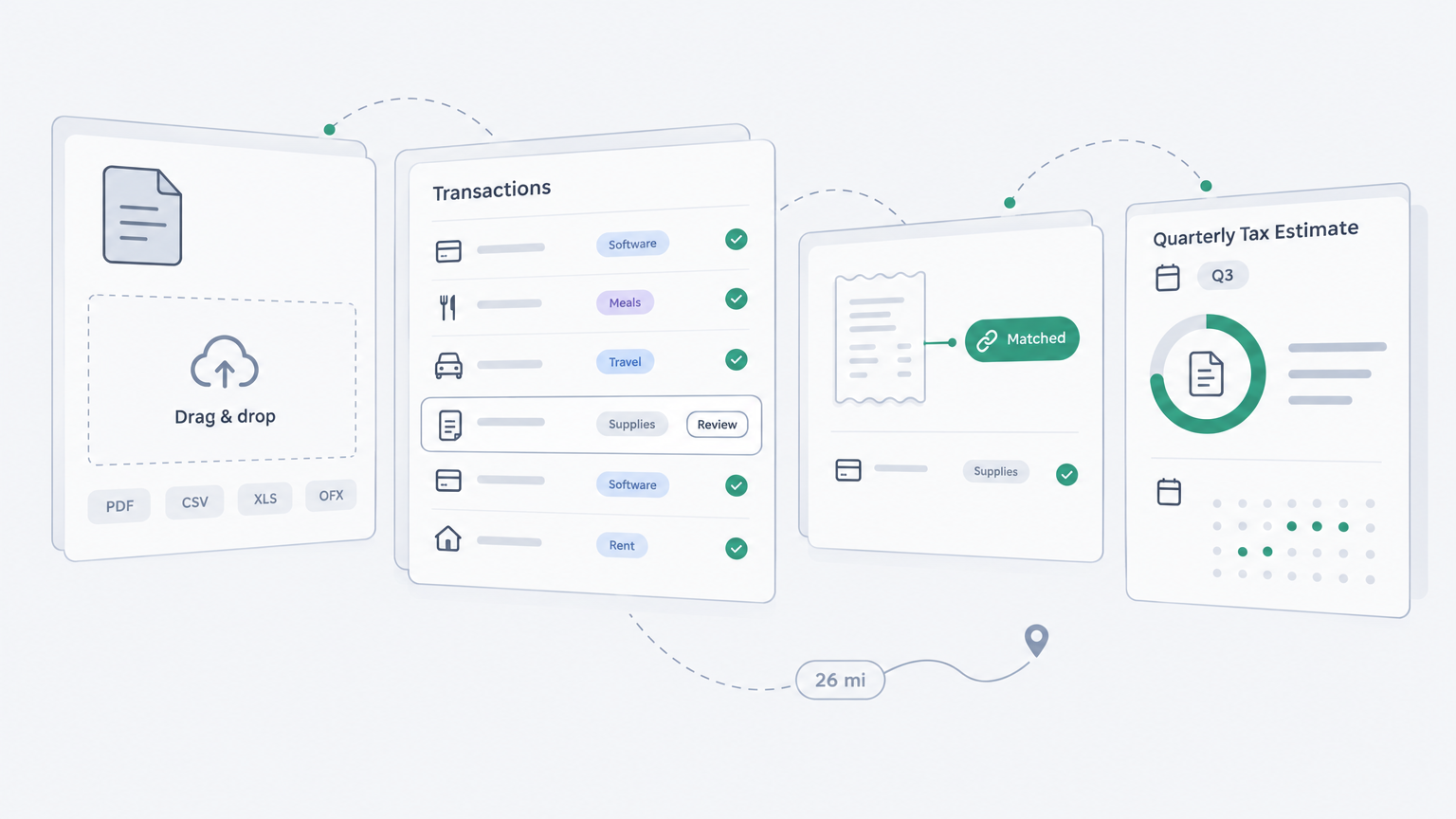
Quick Answer: Is automated accounting software worth paying for as an independent contractor?
Usually, yes, for the bookkeeping half. Automated accounting software for independent contractors can import bank transactions, sort them into categories, match receipts and log mileage, which is real work off your plate. Whether it also works out what to set aside for taxes is a separate question, so check the plan before you pay.
TL;DR
"Automation" in accounting software usually means four bookkeeping jobs: importing transactions, categorizing them, matching receipts and logging mileage.
Whether a plan includes a quarterly tax estimate varies. Some apps handle both, some put tax help in a higher plan, and some connect it to filing, so check the plan you are buying.
Some tools start free. Paid subscriptions vary by plan and billing cycle, and filing may cost extra.
If you drive regularly for work, mileage can be a meaningful deduction and an easy one to under-document; the IRS rate is 76 cents a mile in the second half of 2026.
SnapTax starts free with a basic quarterly-tax estimate and adds bookkeeping automation at $19.99 a month; it estimates, it does not file, although SnapTax does have an export function to send filing data directly to TurboTax so you don't have to manually enter information.
What does "automated accounting software" actually mean for a 1099 contractor?
For a 1099 contractor, "automated" describes four bookkeeping jobs and one tax job. The four bookkeeping jobs are getting transactions in, sorting them into categories, matching receipts to those transactions, and logging business mileage. The tax job, working out what you owe and when to pay it, is the one to check separately, because some apps include it and some do not.
SnapTax is built around the tax job. It estimates your federal income tax, self-employment tax and state tax where supported as income comes in, so the quarterly number moves with your actual year rather than sitting where you last set it. Here is what each piece of "automation" really covers.
The IRS does not require any particular system. You may choose any recordkeeping system that clearly shows your income and expenses, and the same rules that apply to paper books apply to electronic records (IRS).
Whatever the software does, you still need supporting documents such as receipts, invoices and account statements, because they are what back up the entries in your books and on your return (IRS).
Deductions only count if the expense is ordinary and necessary for your business, and per IRS Publication 334 property that lasts more than a year usually has to be depreciated rather than deducted in full.
Automation job | What it does | What it replaces |
|---|---|---|
Bank feed or statement upload | Pulls transactions in from a connected account, or reads a bank statement you upload | Typing every transaction into a spreadsheet |
AI categorization | Sorts each transaction into a suggested category | Picking a category for each line by hand |
Receipt matching | Pairs a saved receipt image with the transaction it belongs to | A shoebox of paper and a hunt every April |
Mileage tracking | Logs trips and applies the IRS rate. It can mean automatic trip detection, a start-and-stop tracker, or manual entry | A paper mileage log you have to remember to fill in |
Quarterly tax estimate | Works out what you owe and when it is due | Keeping a tally of what to set aside by hand |
Which automation is genuinely worth paying for?
The automation worth paying for is the kind that removes a task you would otherwise do by hand every week, and the strongest candidates are transaction import, categorization, receipt matching and mileage. Each of those four has a clear "before" and "after", which is a better test than the feature list.
Transaction import. A bank feed or a statement upload replaces typing. QuickBooks syncs bank and credit card accounts so transactions arrive on their own, and Wave's Pro plan auto-imports and auto-merges bank transactions through Plaid. SnapTax takes a different route on its Builder plan: you upload a bank statement as CSV, PDF, OFX or QFX, so there is no bank connection to keep alive if you would rather not link one.
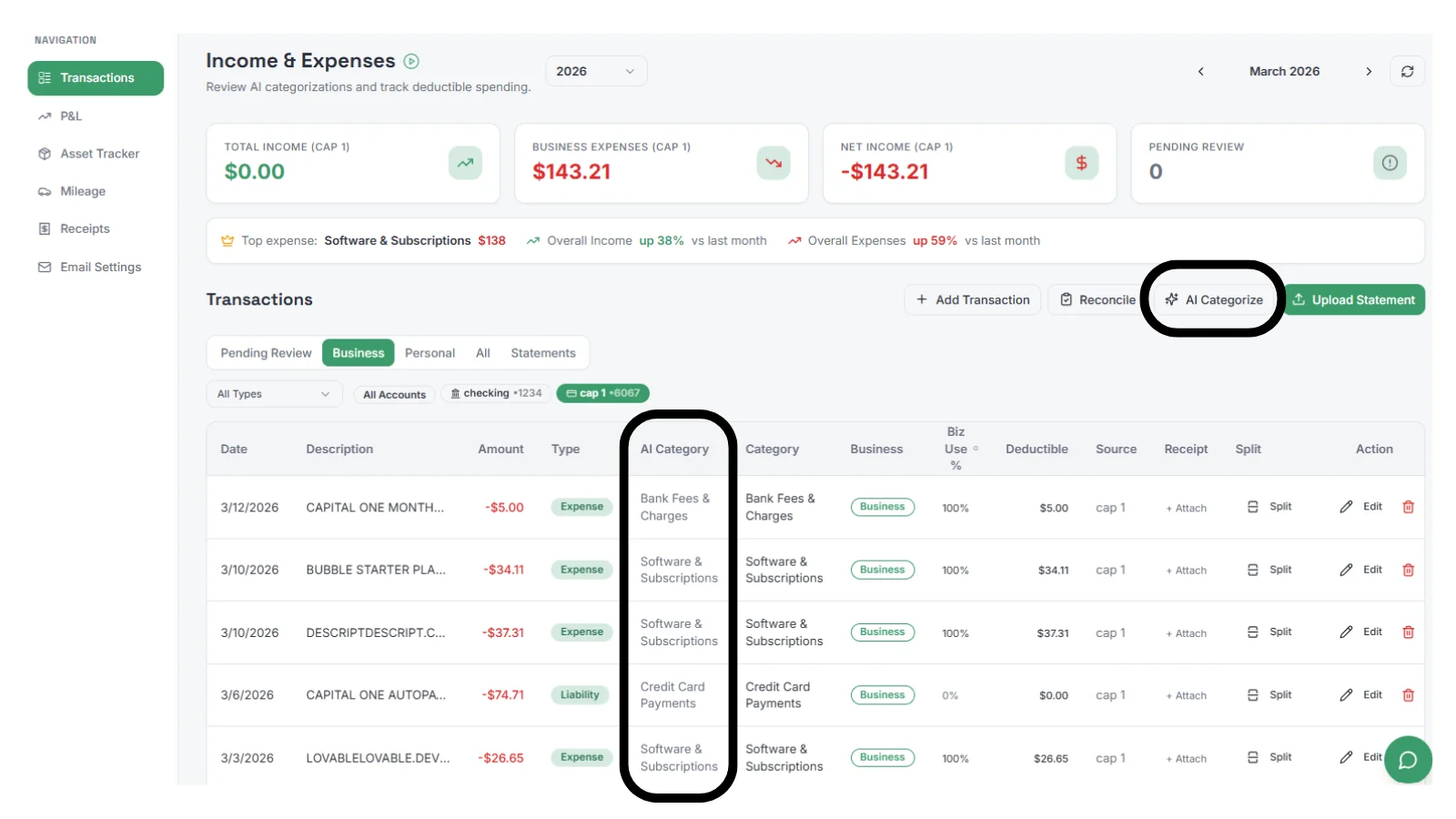
Categorization. This is where "AI" earns its keep, because sorting line by line is the chore that makes freelancers quit bookkeeping. QuickBooks sorts transactions automatically, Keeper categorizes them and flags likely deductions, and SnapTax sorts an uploaded statement and lets you fix a whole batch at once. AI suggests the categories so you are not starting from scratch. You review the results and correct anything that needs your judgment.
Receipt matching. A photo of a receipt is only useful if it lands on the right transaction. QuickBooks captures receipts on mobile, and SnapTax stores receipts and matches them to transactions, then reports the ones still missing.
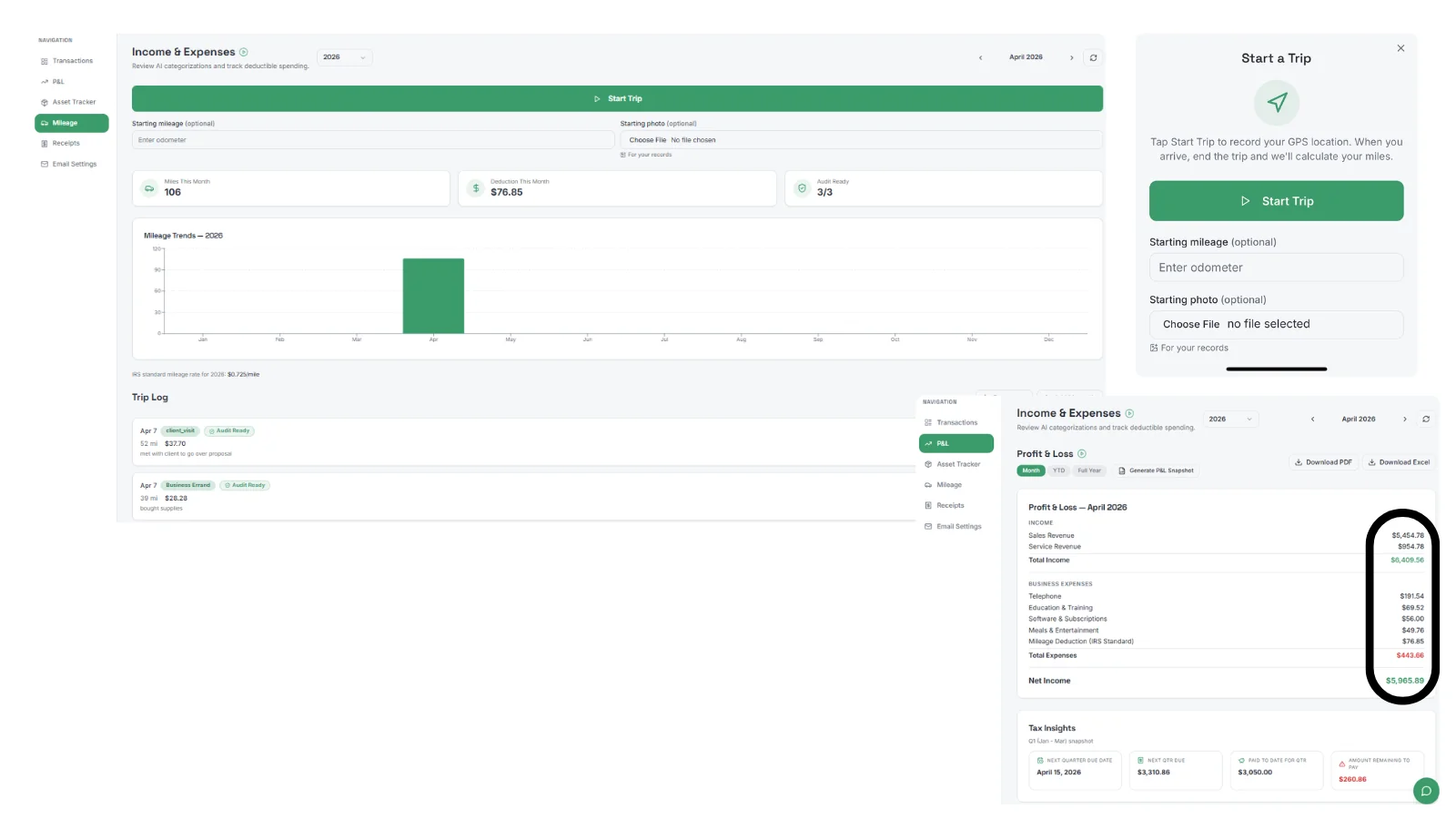
Mileage tracking. If you drive regularly for work, mileage can be a meaningful deduction, and an easy one to under-document. Mileage tracking can mean automatic trip detection, a start-and-stop tracker, or manual trip entry, so check which one the app actually offers. QuickBooks tracks trips by phone GPS, Everlance's paid Starter plan lifts the 30-trip monthly cap on automatic detection, and Hurdlr built its product around automatic mileage and SnapTax has GPS tracking that captures miles and the business reason and then automatically adds those miles to your companies Profit and Loss reports. The IRS rate for business driving is 76 cents a mile from July 1 to Dec. 31, 2026, and 72.5 cents for the first half of the year (IRS).
What are you still doing manually, even with "automated" tools?
You are still making the judgment calls and keeping the proof, because automation sorts and totals but it does not decide for you. Here is what still needs your attention.
Confirm the category. AI can make the first pass. You still know whether that coffee was a client meeting or your Saturday morning stop. Review the suggestions before they become part of your books.
Splitting business and personal use. When something is partly business and partly personal, you separate out the personal part, and the personal part is generally not deductible (IRS Publication 334).
Deciding what is deductible at all. The test is whether an expense is ordinary and necessary for your business, and no categorizer can make that call for your situation (IRS Publication 334). Categorization alone is not enough, you must also document the business purpose for each transaction. It is not enough to just say it was a software subscription, you must also state the business purpose for that software.
Keeping the documents. Receipts, invoices and statements are what support the entries in your books and on your return, so the files have to exist even when the software does the adding up (IRS).
Choosing a mileage method. You pick between the standard rate and actual expenses, and per IRS Topic no. 510 you generally have to choose the standard rate in the first year you use the car for business. You can run both to see which gives the bigger deduction. Click here for more information on choosing the mileage method.
Do you need full accounting software, or just the tax estimate?
Simple books are still real books. The question is how much system your business needs. If you mainly need to track income, expenses, receipts and taxes, you do not need an accounting department's worth of software. If you need payroll, inventory, detailed accrual accounting or more advanced reporting, a broader platform may be the better fit.
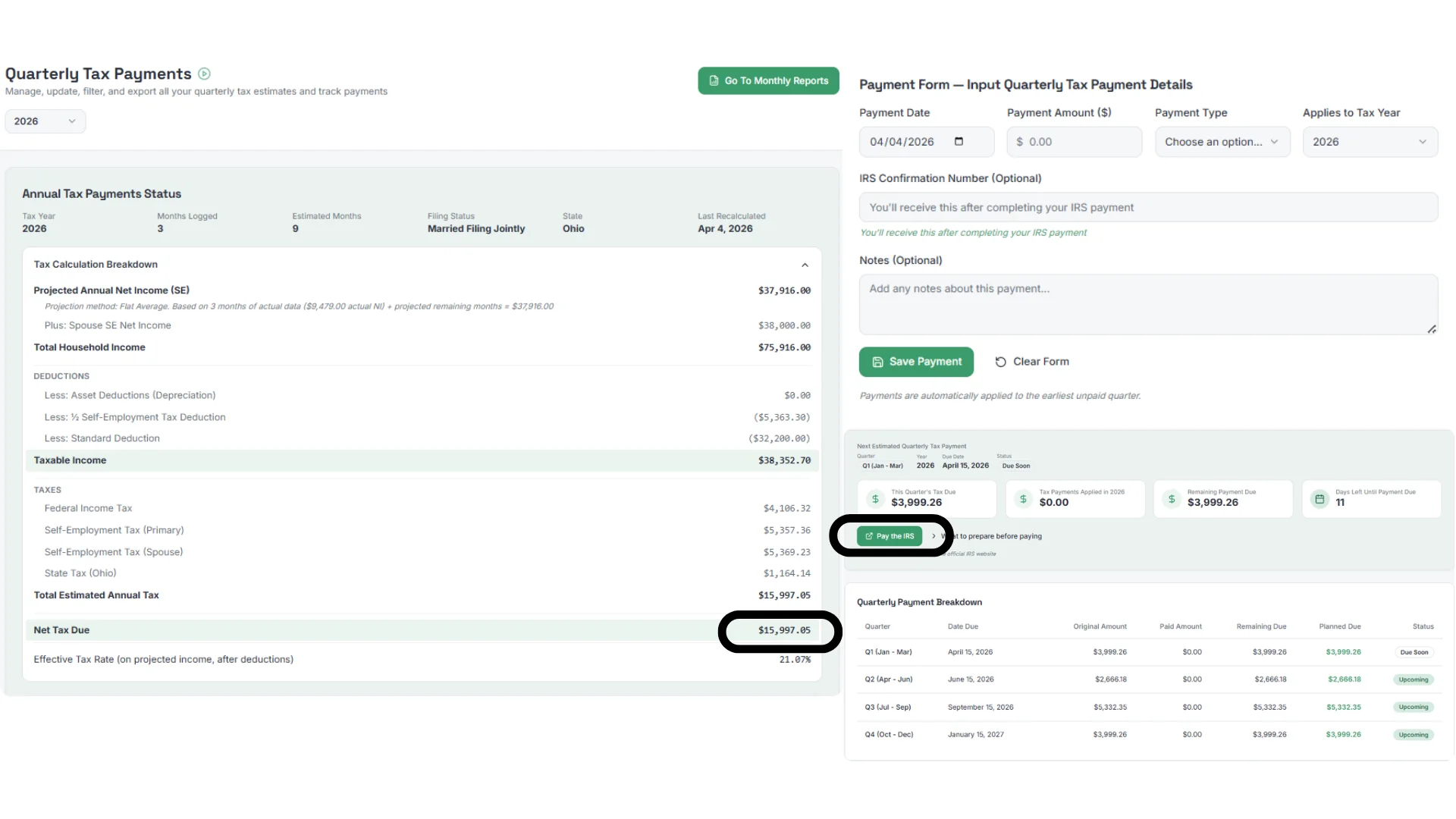
That is the gap SnapTax aims at. It is tax-planning software rather than a full accounting suite: it estimates federal income tax, self-employment tax and state tax where a state is supported, and it recalculates the estimate as your income changes through the year.
The free plan gives you a basic quarterly-tax estimate with all four IRS quarters, the payment dashboard and deadline reminders, at no cost (SnapTax pricing).
The Builder plan at $19.99 a month adds the bookkeeping automation: bank statement upload, AI-assisted categorization, receipt matching, a mileage tracker and a month-end close checklist (SnapTax pricing). As of November 24, 2026, the Builder plan also includes the Business Center: customers and invoices, vendors and 1099s, sales tax tracking, and a balance sheet.
SnapTax provides estimates and planning tools; it does not file your tax return. The SnapTax pricing page lists what each plan includes, and you still file through a filing product or a preparer.
Does the plan actually include the tax estimate?
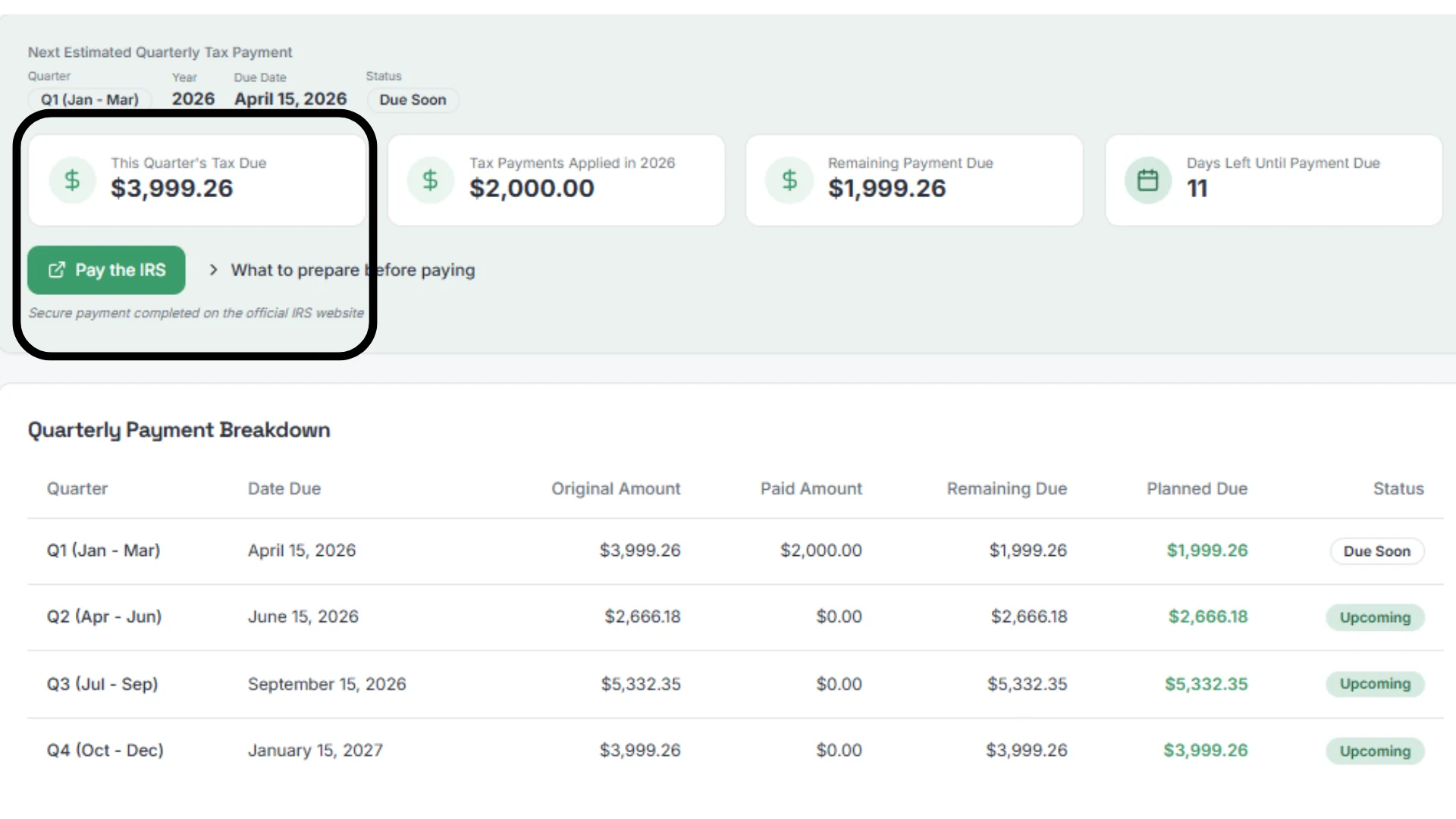
A clean expense list is useful. It still does not tell you what to pay. Check whether the plan includes an estimate, what information goes into it, and whether you can update it during the year.
Getting your transactions organized and knowing what to set aside are two different jobs. Some apps handle both, some put tax help in a higher plan, and some connect it to filing. Before you pay, make sure the plan you are buying answers the question you actually need answered.
A payment target and a forecast are not the same thing. A prior-year safe harbor may help you avoid an underpayment penalty when you meet the rules and pay on time. An updated projection helps you see whether you are saving enough for this year's actual tax bill (IRS).
You may need to make estimated payments when you expect to owe at least $1,000 after withholding and refundable credits. But that is not the whole test: withholding, safe-harbor rules and payment timing matter too.
Look at what the better-known tools actually offer.
FreshBooks pairs bookkeeping with invoicing and reports, and points you toward help at filing rather than an in-year quarterly estimate on its pricing page.
Wave automates bank import, categorization and receipt capture on its Pro plan, and its pricing page frames tax as something you sort out separately.
QuickBooks advertises automatic quarterly estimated taxes for its self-employed product, and its paid Solopreneur plans add tax help powered by TurboTax (QuickBooks).
TurboTax is built around filing. It can calculate upcoming estimated payments and produce Form 1040-ES vouchers when you file. Eligible Premium users also get a year-round estimator after filing. That is a different workflow from starting with an ongoing bookkeeping-and-tax-planning app.
Keeper advertises quarterly taxes on its Premium ($399 a year) and Business ($1,199 a year) plans, and not on the $199 Standard tier.
What does automated accounting software cost, and when is it worth the money?
Published by SnapTax. This comparison uses the vendor pages linked below, not hands-on testing of every product. Prices and plan features can change.
Most of these tools start free or cheap. What you pay depends on the plan and the billing cycle, and filing services often charge separately. The money is worth it when the tool removes a task you were doing by hand or catches a deduction you were missing. The table below shows what each tool automates, and where the tax estimate sits.
Tool | Entry price | What the automation covers | Quarterly tax estimate | Files your return |
|---|---|---|---|---|
Free; Pro $19/mo | Pro: auto bank import, auto-categorize, receipt capture | Not advertised on the pricing page | No | |
Varies by product and plan | Transaction import, categorization, receipts and mileage vary by plan | Advertised for QuickBooks Self-Employed; check the exact product | Tax services vary by offering | |
Lite $23/mo; Plus $43/mo | Bank import, invoicing, reports, receipt capture | Not advertised on the pricing page | No | |
Free; Premium $100/yr or $9.99 month-to-month; Pro $200/yr | Premium: automatic mileage, automatic expense tracking, receipt capture | Yes | Pro only | |
Free (Basic); Starter $89.99/yr or $10.99/mo; Professional $119.99/yr or $19.99/mo | Starter: unlimited automatic mileage, expense tracking, receipt uploads; Professional adds automatic expense tracking | Not stated on the pricing page | Professional (all-inclusive tax filing) | |
Bookkeeping only $20/mo; Standard $199/yr; Premium $399/yr; Business $1,199/yr | AI categorization and deduction finding, receipt scanning | Premium and Business ($399/$1,199 a year) | Standard and up | |
Federal price varies by current offer; state filing may cost extra | 1099 import, mileage, home office, Schedule C | Estimated-payment vouchers when you file; post-filing estimator | Yes | |
Free; Starter $4.99/mo; Builder $19.99/mo | Builder: statement upload, AI categorization, receipt matching, mileage, month-end close | Yes, on every plan | No |
Two things stand out in that grid. The free tiers are real but limited: Everlance's free plan caps automatic detection at 30 trips a month. Wave's free plan covers basic bookkeeping, automatic bank imports come with Pro, and receipt capture is included with Pro or available as a paid add-on. And the quarterly tax estimate is the least consistent feature of the group, since some plans include it, some put it in a higher tier, and some leave it to your filing product.
The break-even is easier to see with a number. At 76 cents a mile, 8,000 qualifying business miles in the second half of 2026 produces a $6,080 deduction, not $6,080 back in your pocket (IRS). A paid tracker earns its place if it helps you keep a usable log, catch trips you would otherwise miss, or save enough time to justify the subscription.
So which automation should you actually pay for?
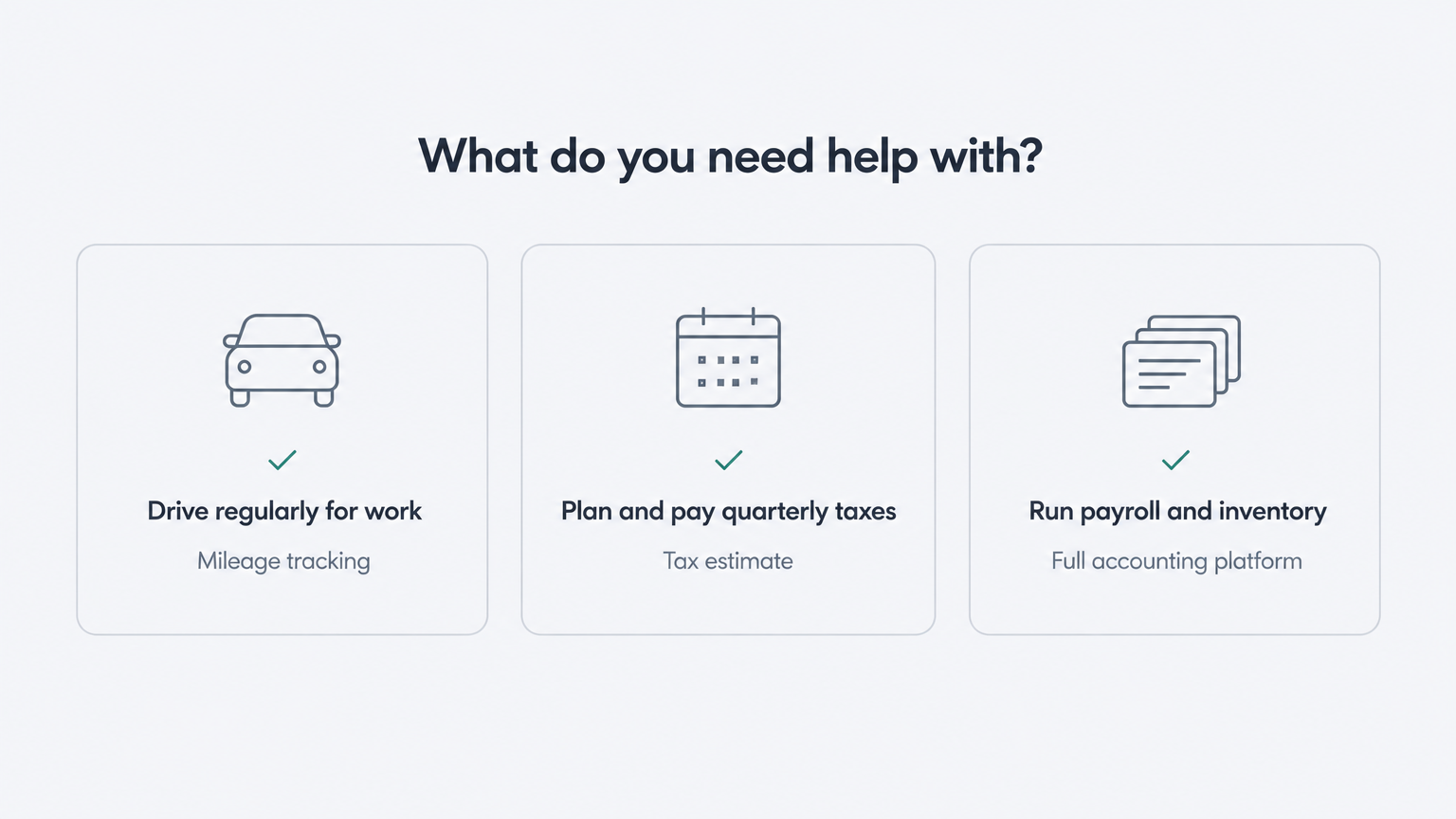
Buy the feature that matches the chore you are actually avoiding. Here are three places to start.
You drive regularly for work. Pay for mileage tracking first. It is a deduction that is easy to under-document and the one you will forget to log by hand, which is why a mileage-first tool like Everlance or Hurdlr exists.
Your books are simple and the tax number is what worries you. Pay for a tax estimate, not a suite. This is the case SnapTax is built around.
You need payroll, inventory, or more complex accounting workflows. Pay for full books. Invoicing, a chart of accounts, payroll and reports start to matter, which is a case for evaluating a full accounting platform such as FreshBooks or a QuickBooks Online plan.
What mistakes should you avoid when buying automated accounting software?
The most expensive mistake is treating "automated" as "handled" and never looking at the output, because the software will keep sorting transactions you should have questioned. The second is paying for a tier whose features you will not use.
One more, if a car is involved: you generally have to choose the standard mileage rate in the first year you use the vehicle for business, so the method you pick early is worth getting right (IRS Topic no. 510).
Four habits keep both mistakes in check.
Check the tier, not the home page. Receipt capture, quarterly tax support and mileage tracking are often gated to a higher plan, as Keeper's quarterly support (Premium and Business) and Everlance's automatic expense tracking (Professional) both are.
Review before you save. Auto-categorization is a first pass. Confirm the categories, split out personal use, and decide deductibility yourself (IRS Publication 334).
Keep the proof even when the software does the math. Receipts and statements are what support the entries on your return (IRS).
Remember the subscription is a deduction. Business software is a cost of carrying on your business, so per IRS Publication 334 the fee itself can be claimed as an ordinary and necessary expense.
Try SnapTax
You do not need more software just to feel organized. You need a routine you will actually keep, and an estimate that helps you plan.
SnapTax brings statement uploads, AI-suggested categories, receipt matching, mileage tracking and tax projections into one straightforward workflow. Start with the free quarterly-tax estimate. If you need the bookkeeping tools too, Builder adds them without asking you to learn a whole accounting system.
SnapTax estimates and helps you plan. You still file through your tax software or preparer (SnapTax pricing).
"Most of the companies out there today are technology companies that built something but don't understand the real pains my clients were going through. I had a unique perspective in building this."
Crystal Harrison, founder of SnapTax, on the Thriving Through podcast
Update (November 24, 2026): New SnapTax features now live
Updated November 24, 2026
As of November 24, 2026, the SnapTax Business Center is live. It's included in every Builder and Optimizer plan and is a free add-on for existing customers. If an earlier version of this post said SnapTax doesn't offer these tools, that has changed:
Customers & Invoices: a customer list and simple invoicing, with payments recorded against open invoices.
Vendors & 1099s: a vendor list and 1099 Center that flags vendors you paid $2,000 or more in 2026 and prepares 1099-NEC and 1099-MISC forms. SnapTax doesn't e-file them; you file through Track1099 or the free IRS IRIS portal.
Sales Tax Tracking: a Sales Tax Center that tracks the sales tax on your invoices by state, records it as a liability (not an expense), and records each payment to the state.
Assets, Liabilities & Balance Sheet: track what your business owns and owes, with a simple cash-basis balance sheet.
On the Optimizer plan, Multi-company support and a separate tax-adjustment layer (personal deductions and credits that feed your tax estimate without cluttering your P&L) are now available in Early Release.
Frequently Asked Questions
Is automated accounting software worth it for independent contractors?
Usually, for the bookkeeping half. Automated accounting software for independent contractors can import bank transactions, sort them into categories, match receipts and log mileage, which removes weekly manual work. Whether the same plan also works out your quarterly tax estimate varies, so check that separately before you pay.
What does automated accounting software actually automate?
Four bookkeeping jobs and, on some tools, one tax job. The bookkeeping jobs are transaction import, AI categorization, receipt matching and mileage tracking. The tax job is the quarterly estimate, which is the least consistent feature of the group: some plans include it, some put it in a higher tier, and some leave it to your filing product.
Do I still have to do anything manually with automated accounting tools?
Yes. You still confirm categories, split business and personal use, decide what is deductible, keep supporting documents such as receipts and statements, and choose a mileage method. Automation sorts and totals. It does not make those judgment calls for you.
Do automated accounting tools calculate quarterly estimated taxes?
It depends on the plan, so check before you buy. Hurdlr and SnapTax estimate quarterly taxes, and SnapTax includes an estimate on every plan including its free tier. Keeper advertises quarterly taxes on its Premium and Business plans. TurboTax can figure your estimated payments and print 1040-ES vouchers when you file. Wave and FreshBooks frame tax as something you handle separately. Expecting to owe $1,000 or more is a reason to check whether you need estimated payments, not the whole test. Withholding, safe-harbor rules and payment timing matter too.
How much does automated accounting software cost for a freelancer?
Entry prices run from free to about $70 a month. Wave, QuickBooks Solopreneur, Everlance, Hurdlr and SnapTax have free tiers, most paid plans land near $20 a month, and Keeper's Premium is $399 a year. Pay when the tool removes a task you were doing by hand or catches a deduction you were missing.
