Automatic Bank Statement Sorting for 1099 Tax Deductions: How AI Categorization Works
Crystal Harrison · October 29, 2026 · 8 min read
Automatic Bank Statement Sorting for 1099 Tax Deductions: How AI Categorization Works
SnapTax · October 29, 2026 · 6 min read
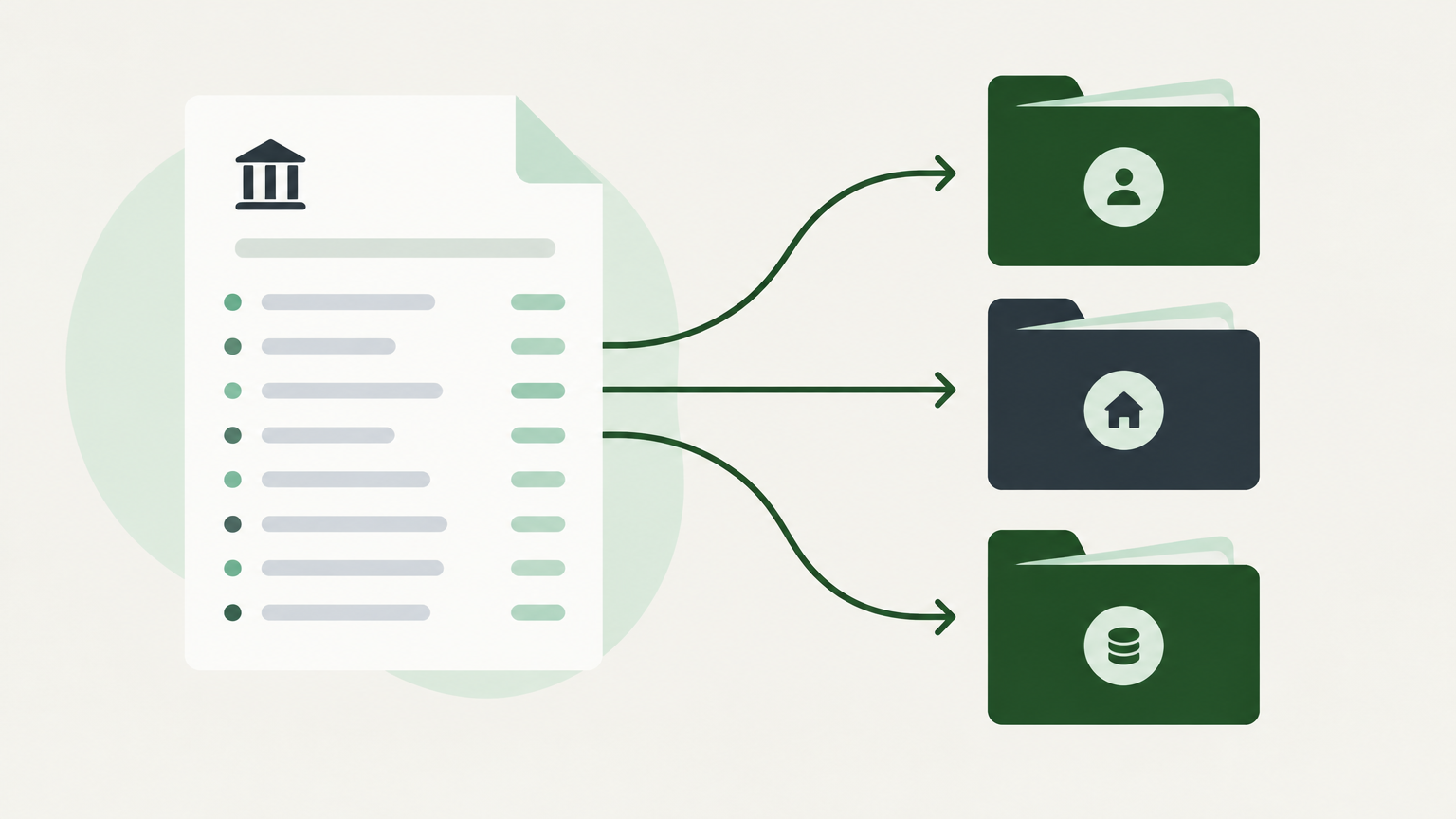
The short version: Automatic bank statement sorting reads each line of your bank or credit card statement and suggests whether it's business or personal, plus which IRS Schedule C category it belongs in. SnapTax does this as soon as you upload a statement, so your deductions and your quarterly tax estimate stay current all year instead of only at tax time.
What is automatic bank statement sorting for 1099 tax deductions?
It's software that reads your statement for you and labels every transaction. You upload a file, and the tool suggests which charges are business, which category each one belongs in, and how that affects your tax estimate.
It separates business spending from personal spending, even when both are on the same account.
It suggests an IRS Schedule C expense category for each business charge.
It feeds those categories into your profit and loss report (your income minus your business expenses), which drives your quarterly estimate.
Schedule C is the tax form used to report "income or loss from a business you operated or a profession you practiced as a sole proprietor." Most independent contractors and freelancers who haven't set up a separate company file it (IRS).
How does AI read a bank statement?
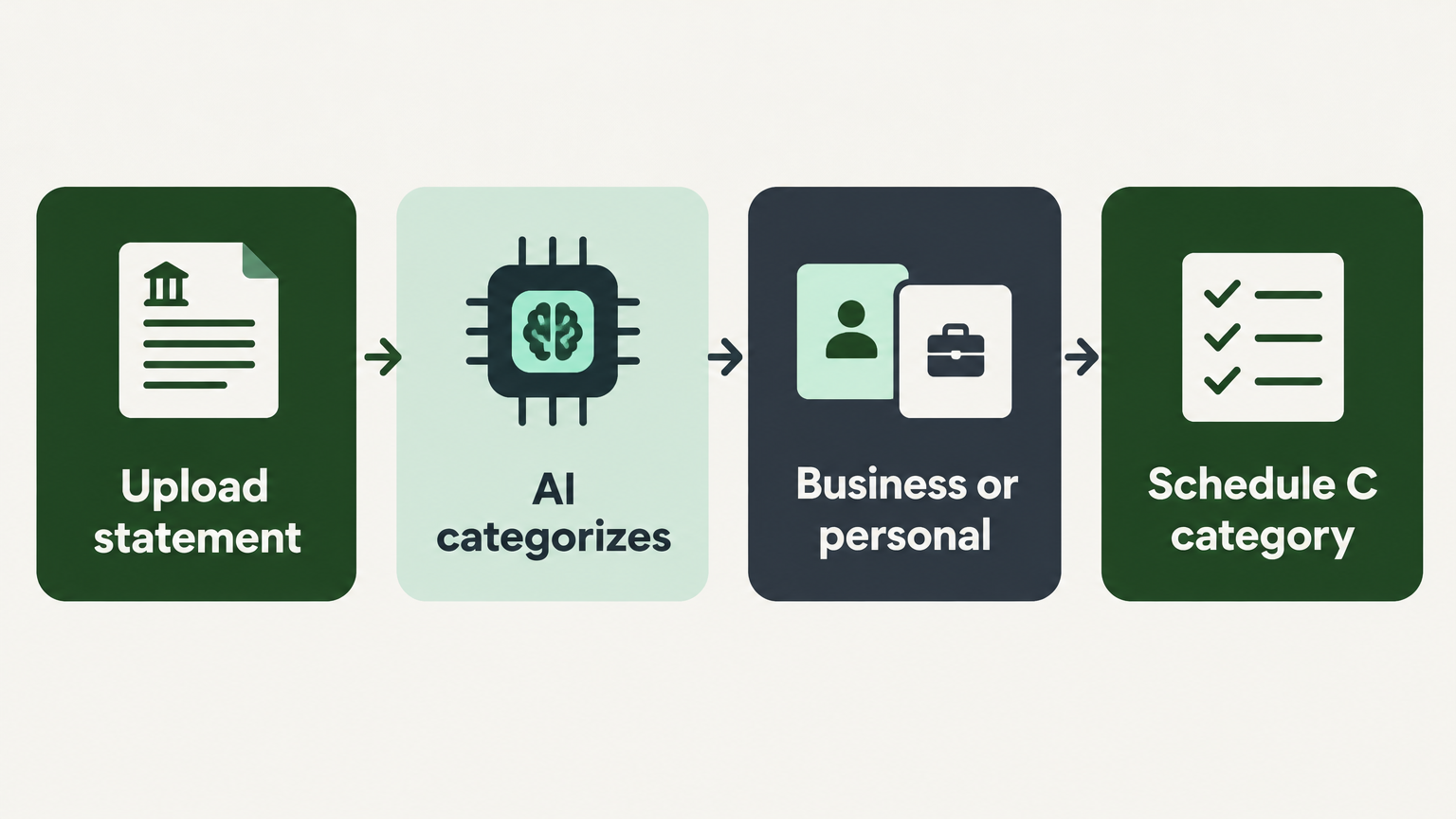
It brings in your transactions first, then looks at each one. When you upload a statement, the tool pulls out the store or company name, the amount, and the date, then suggests a category based on what it has learned from your past choices (SnapTax).
Import: you upload your bank or credit card statement as a file. Most banks have a "Download" or "Export" button that gives you a CSV (a spreadsheet file), a PDF (the statement you'd print), or an OFX or QFX (files made for money software).
Read: the tool pulls the name, amount, and date from each line.
Sort: it compares that information with what it has learned and suggests a category.
This is more than reading text. Simple text scanning sees "Amazon $47.00" and stops there. Categorization tries to work out what the charge was for, and you have the final say.
What Schedule C categories do bank transactions map to?
They map to the expense lines on Schedule C. The tool turns a jumbled name on your statement into the category your tax return uses. Here are some typical examples:
What your statement says | Who it really is | Typical Schedule C category |
|---|---|---|
ADOBE *CREATIVE CLD | Adobe | Other expenses (software) |
STAPLES | Staples | Office expense |
UNITED AIRLINES | United | Travel (business trips with an overnight stay) |
FIVERR | Fiverr | Contract labor |
SHELL OIL | Shell | Car and truck expenses, but only if you deduct actual car costs |
AMZN MKTP US | Amazon | Depends on what you bought |
Schedule C has lines for categories such as advertising, car and truck expenses, contract labor, office expense, supplies, travel, and meals (IRS Schedule C instructions).
These are typical matches, not guarantees. Two catches are worth knowing:
Gas: the IRS lets you deduct either your actual car costs (gas, repairs, insurance, and so on) or a flat rate for each business mile, but not both. If you use the mileage rate, gas is already built into that rate, so mark gas as personal to avoid counting it twice (IRS).
Travel: a flight only counts as business travel if the trip was for business and you stayed overnight away from home (IRS).
How does vendor name matching work?
The tool figures out which business is behind the shortened name on your statement, then suggests the category that usually goes with it. The name your bank prints next to a charge is often shortened or cut off, with extra codes added, so it doesn't always look like the store's real name.
Take one line: "ADOBE *CREATIVE CLD".
Read the name on the statement: ADOBE *CREATIVE CLD.
Match it to a known vendor: Adobe.
Suggest that business's usual category: Other expenses (software).
Some stores, like Amazon or Walmart, sell almost everything. For those, the store name isn't enough to know the category. Check what you actually bought.
When you change a category, SnapTax learns from it. The AI gets smarter over time as it learns your spending patterns (SnapTax).
Why does sorting matter for quarterly taxes and not just bookkeeping?
Because your business expenses lower the profit your tax estimate is based on. If you work for yourself and expect to owe $1,000 or more in federal tax for the year, the IRS generally expects you to pay during the year, in four installments called estimated taxes. Those payments cover both income tax and self-employment tax, which is the Social Security and Medicare tax self-employed people pay on their own. Your business profit (what you earned minus your business expenses) is one of the biggest pieces of that math (IRS).
A business expense left marked as personal makes your profit look higher than it really is, so your estimate can come out higher than you need.
A personal charge marked as business does the opposite. Your estimate comes out too low, and you could owe more (plus a possible penalty) later.
If you only clean up your categories at year-end, the estimates you made earlier in the year were based on incomplete numbers.
Picking the exact Schedule C line matters at tax time. For your quarterly estimate, what matters most is whether a charge is business, and how much of it.
Payments are generally due April 15, June 15, September 15, and January 15 of the following year. If a due date falls on a weekend or holiday, you have until the next business day (IRS).
How does manual sorting compare with automatic sorting?
Automatic sorting covers the same steps as manual sorting. You just don't have to do each one by hand.
Step | Manual sorting | Automatic sorting |
|---|---|---|
Read the statement | You go through every line | The tool brings in every line |
Identify the business | You figure out the shortened name | It matches the name to a business |
Assign a category | You choose the category yourself | It suggests a Schedule C category for you to review |
Split business use | You work out the percentage | You set it on a transaction, or on many at once |
Update the estimate | When you catch up on your books | Every time your numbers change |
Does automatic sorting make an expense deductible?
No. Sorting suggests what a charge was and where it belongs, but you still need records that show the expense and its business purpose. The IRS says your records should show who you paid, how much, proof of payment, the date, and a description showing it was a business expense (IRS).
A category label alone doesn't prove a charge was for business.
Keep a receipt or other record for each business expense. A bank statement shows who you paid and how much, but usually not what you bought or why.
Review the suggestions. They're a starting point, not the final word.
How does SnapTax sort bank statements?
SnapTax sorts your statement and then puts the results to work. On the Builder plan, you upload a bank or credit card statement, and the AI sorts every transaction as business or personal. For anything you use partly for business, like a phone bill that's 60% for work, you set a business-use percentage so only the business share counts (SnapTax).
Upload your statement as a file. No bank login or connection required.
Change the category, business-use percentage, or status on many transactions at once (SnapTax).
You can also add a business purpose and AI learns that as well, because a category is not always enough to explain to the IRS what the expense was for. A charge to Amazon categorized as an office expense is not enough. You must state that that office expense was printer cartridge refills for your office.
Your profit and loss report and your quarterly tax estimate update right away (SnapTax).
Builder is $19.99 a month with a 30-day free trial. SnapTax also has a free plan with quarterly tax estimates, but statement sorting is a Builder feature. There's no long-term commitment, and you can cancel any time (SnapTax).
Frequently Asked Questions
What is automatic bank statement sorting for 1099 tax deductions?
It's software that reads your bank or credit card statement and suggests whether each transaction is business or personal, plus a Schedule C category, so you don't have to type everything in yourself.
How does AI categorize a bank transaction?
The tool pulls the name, amount, and date from each line, compares them with what it has learned from your past choices, and suggests the closest Schedule C category (SnapTax).
What happens when the AI picks the wrong category?
You change it. SnapTax learns from your changes and gets better over time (SnapTax).
Can I sort a personal account for business deductions?
Yes. You set a business-use percentage on a transaction, so only the business share counts toward your tax estimate (SnapTax).
Does sorting a statement replace keeping receipts?
No. Sorting organizes your transactions, but you still need records that show what you bought and why it was for your business (IRS).
How do I start sorting my statements automatically?
Upload one statement and check the categories it suggests. That's the quickest way to see whether automatic sorting matches how you actually spend.
SnapTax sorts your transactions when you upload them, then shows how they change your quarterly estimate. Start a 30-day Builder trial to sort your own statements. If you only want a quarterly tax estimate for now, the free plan covers that.
Estimate your taxes free: Use the free 1099 tax calculator to see your self-employment tax, federal income tax, and quarterly payment in minutes.
