Best Mobile Apps for Freelancer Tax Management in 2026
Crystal Harrison · October 12, 2026 · 15 min read
Best mobile apps for freelancer tax management in 2026
The best mobile apps for freelancer tax management in 2026 - compared on GPS mileage, receipt capture, and real-time quarterly estimates.
October 12, 2026 · 18 min read
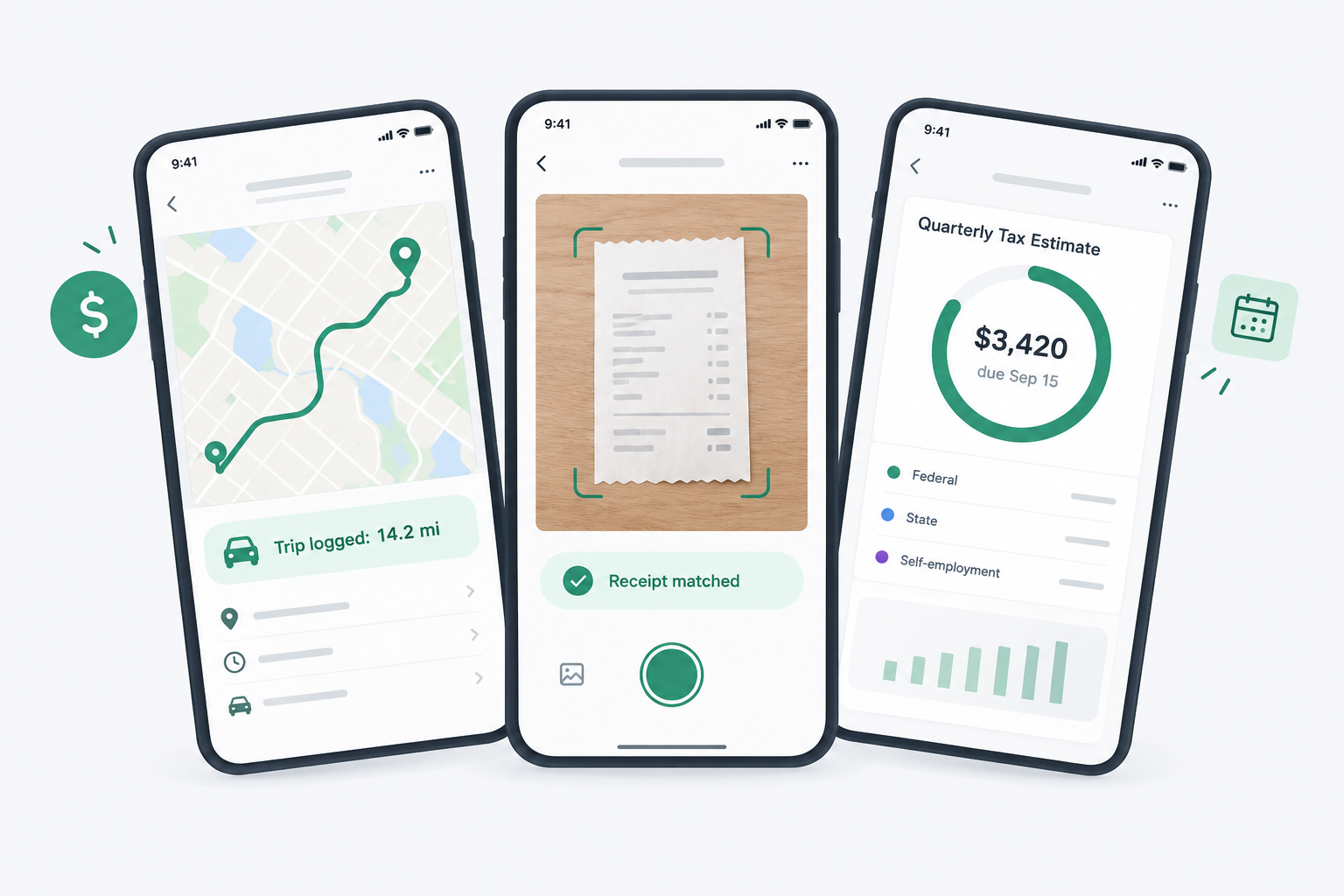
This article is published by SnapTax. All comparisons are based on publicly available pricing, features, and user reviews as of October 2026. Features and prices may change; verify current details directly with each provider before subscribing.
TL;DR
The best mobile apps for freelancer tax management do three things well on your phone: log miles automatically via GPS, capture receipts before you forget them, and show you a live quarterly tax estimate you can check before a client meeting. SnapTax Builder does all three and keeps your estimated quarterly tax projection current as income comes in - making it a strong all-in-one option for 1099 workers in 2026. Hurdlr is the better pick if mileage is your main deduction and you already have a CPA or tax software for filing. Keeper Tax is worth considering if you want tracking plus professional tax filing in one annual plan. QuickBooks Solopreneur fits best if you want invoicing alongside mileage and expense tracking in the Intuit ecosystem. SnapTax's 30-day trial requires a credit card; Hurdlr's free plan does not.
Why does mobile-first matter for freelance taxes?
Most freelancers miss deductions not because they do not know the rules, but because tracking happens at the wrong moment.
You log a client visit two weeks later, when you have forgotten the exact mileage. You stuff a receipt in your bag, and it is gone by April. You guess at your quarterly estimate because opening the laptop feels like too much friction before a client meeting.
The best freelance tax apps solve these problems by meeting you where the actual work happens - in your car, at a coffee shop, walking out of a hardware store. The right mobile experience is not a stripped-down version of desktop software. It is a workflow built around how freelancers actually move through their day.
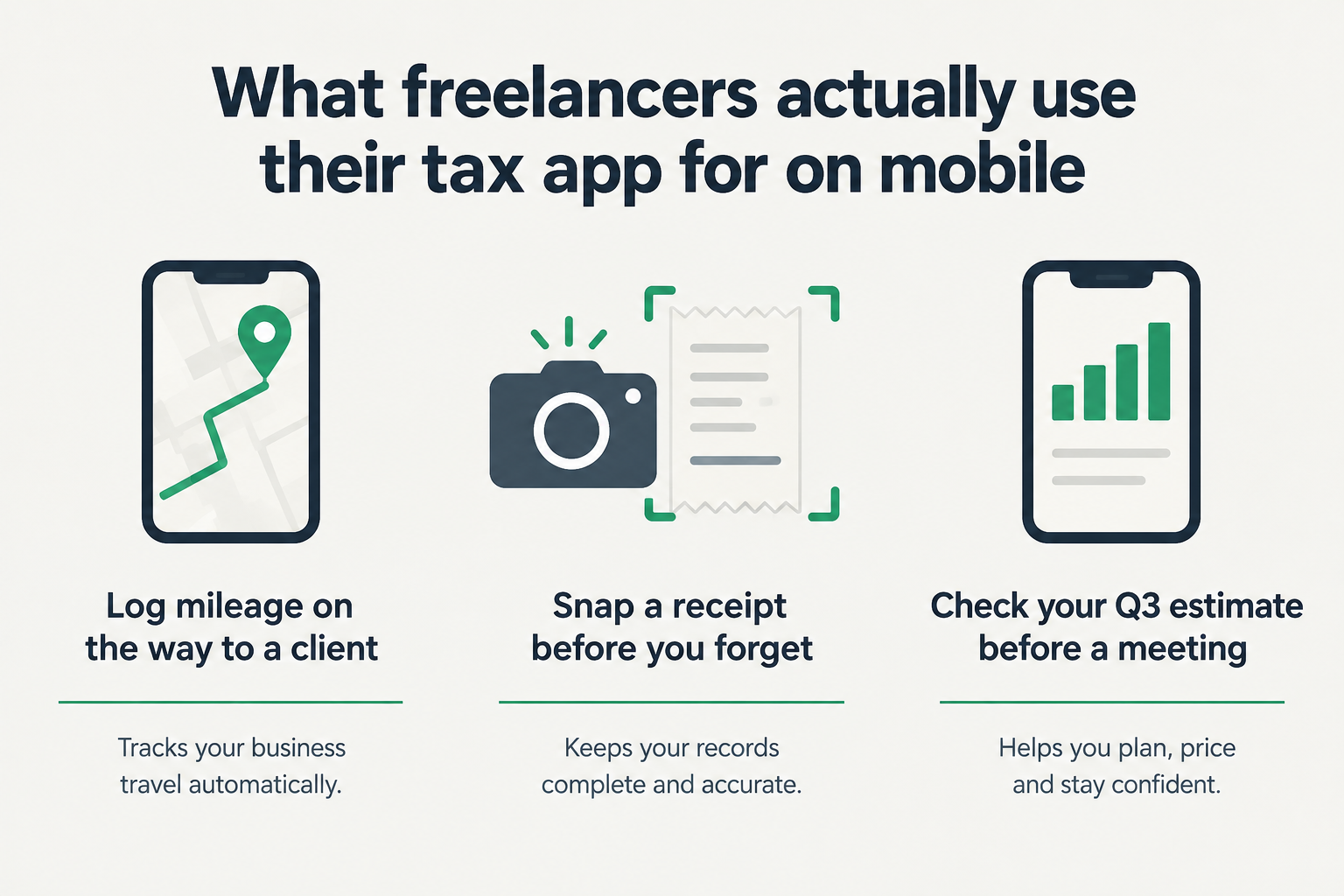
According to the IRS, the standard mileage rate is 72.5 cents per mile from January through June 2026, and 76 cents per mile from July through December 2026. That means every 100 miles you fail to log costs you $72.50 to $76 in potential deductions. For a freelancer driving to client sites three days a week, missed mileage adds up fast.
How did we compare these apps?
This is a desk-researched comparison based on publicly available product descriptions, pricing pages, support documentation, and selected customer reviews checked in October 2026. We did not independently test every feature or verify every review allegation. Pricing and features may change; confirm current details directly with each provider before subscribing.
Apps were evaluated on five criteria specific to mobile freelance tax management: GPS mileage capture, receipt photo workflow, quarterly tax estimates, expense categorization, and pricing. User reviews on the App Store, Google Play, Trustpilot, and the Better Business Bureau were reviewed to identify patterns that aggregate ratings can mask.
The focus was on the mobile experience specifically. An app with strong desktop features but a limited phone interface is noted accordingly.
Quick comparison: the best mobile tax apps for freelancers in 2026
App | Best for | GPS mileage | Receipt capture | Live tax estimate | Annual cost |
|---|---|---|---|---|---|
All-in-one quarterly tax management | Yes | Yes + AI match | Yes, updates estimated projection | About $240/yr (monthly billing) | |
Mileage-heavy contractors | Yes (auto, Premium) | Yes | Yes | $100/yr | |
Tracking + filing bundle | No | Yes | Partial | $199-$399/yr | |
Invoicing + expense tracking in Intuit ecosystem | Yes | Yes | Yes | Varies; free plan available |
1. SnapTax Builder - does your phone make quarterly taxes feel manageable?
Yes. SnapTax Builder is built specifically to give freelancers an up-to-date view of their quarterly tax projection, recalculated continuously as income and expenses come in.
SnapTax was founded by Crystal Harrison, a professional bookkeeper with 20+ years of experience working with self-employed clients. The core insight behind the product is that most 1099 workers are not making tax mistakes at filing time. They are making them in February, when they guess at their quarterly estimate without current numbers, and in June, when they fail to adjust after a slow month.
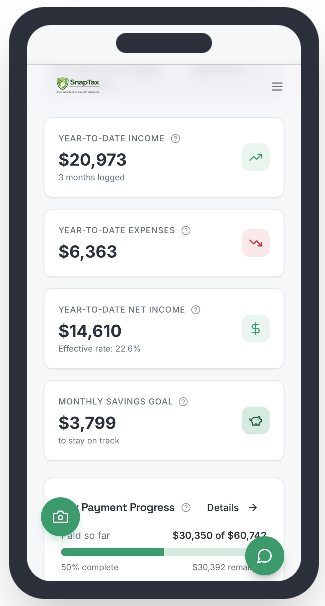
SnapTax Builder fixes this with a mobile-accessible dashboard that recalculates your federal tax, state tax, and self-employment tax projection every time you upload a statement.
What does the mobile experience actually look like?
On the phone, the core workflow breaks into three tasks freelancers do every day.
GPS mileage tracking. The mileage tracker logs trips via GPS and calculates the deduction using the current IRS standard mileage rate. Completed trips flow directly into your P&L and update your running tax estimate. You can see your mileage trends, total trip log, and the exact dollar value of deductions accrued - all from your phone.
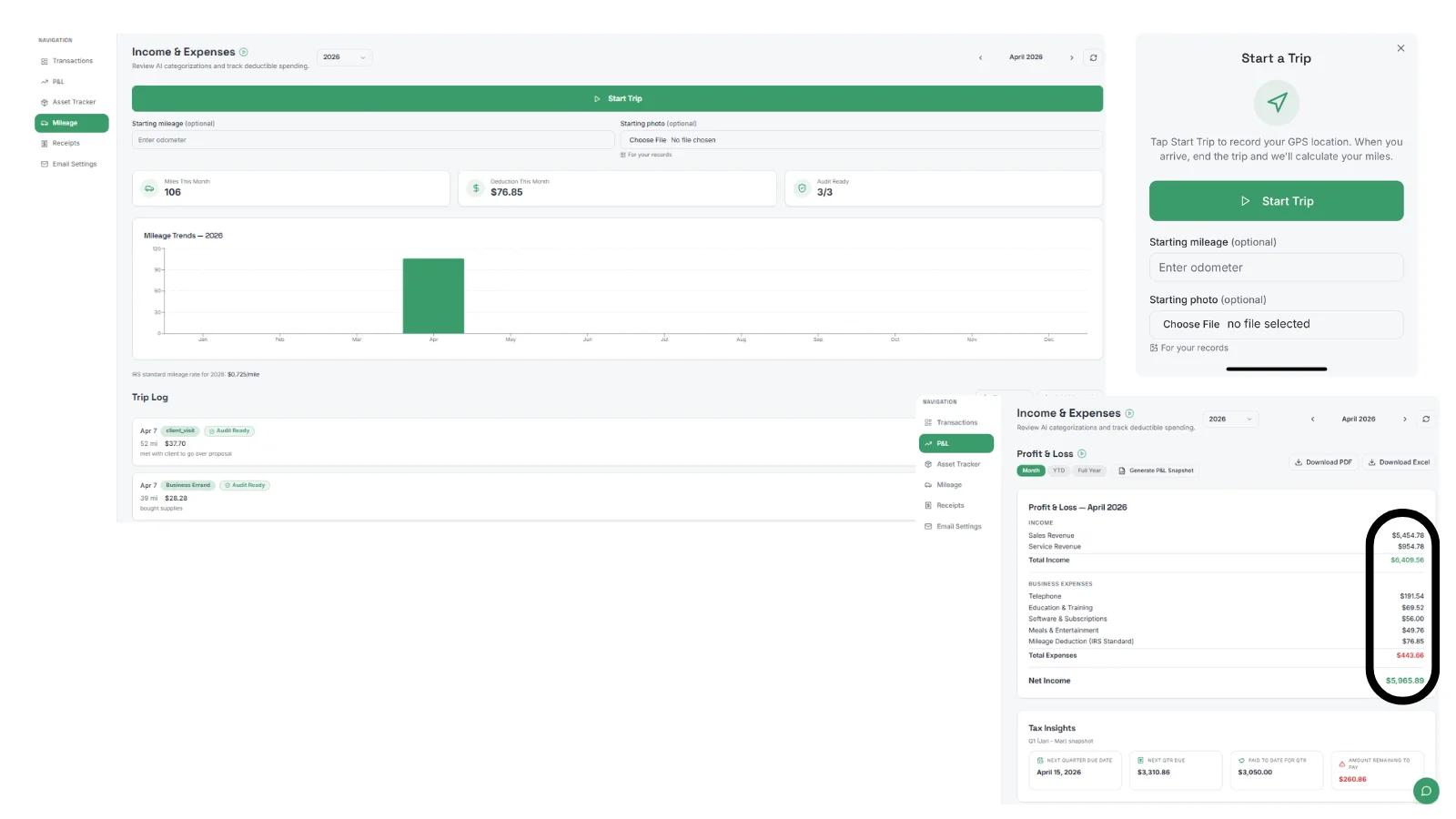
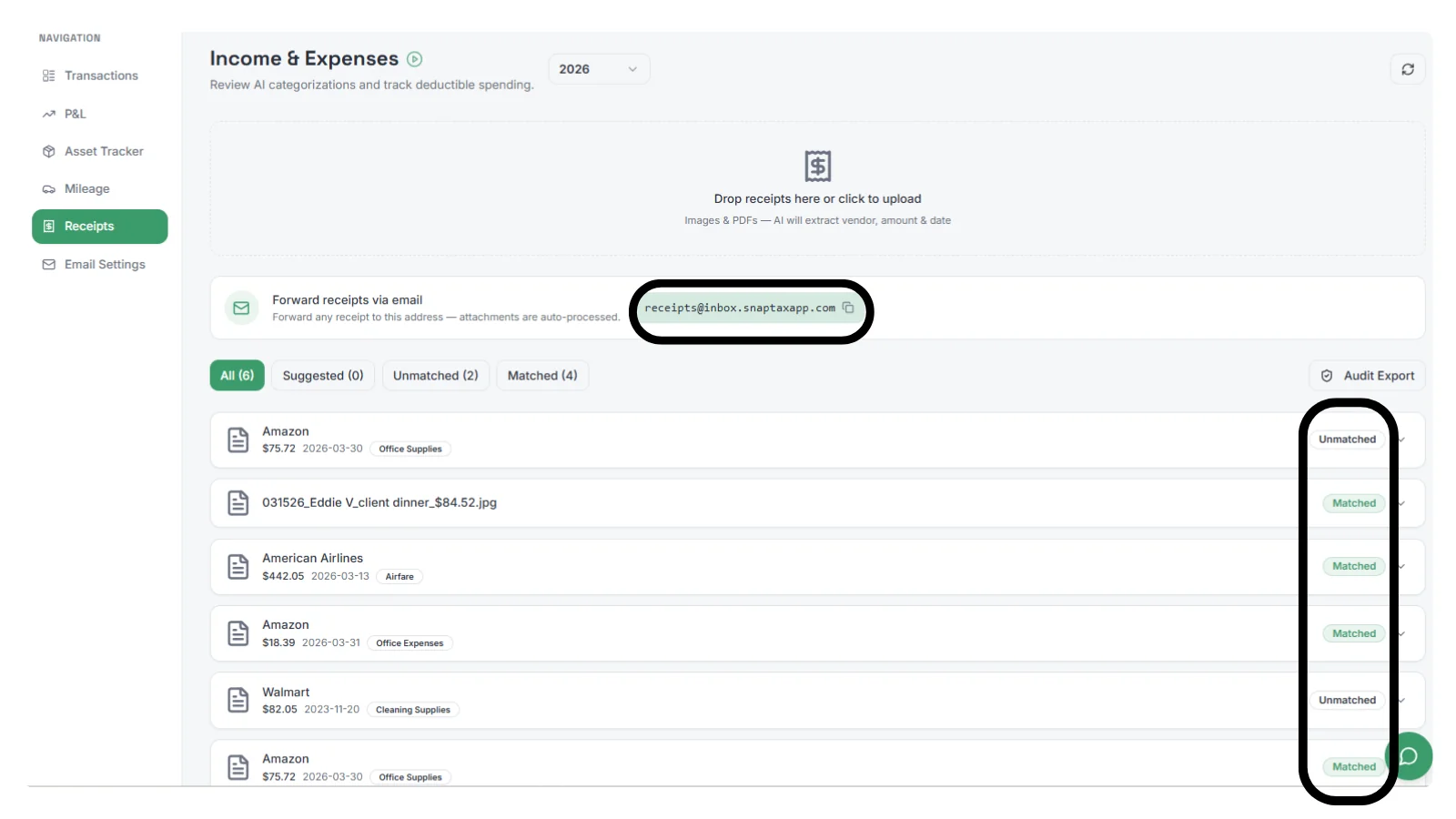
Receipt capture. You snap a photo of a receipt and the AI matches it to an existing transaction in your bank statement upload. The receipt storage feature also generates a receipt report that prioritizes documentation gaps using SnapTax's internal review criteria. These priorities are not an IRS audit-risk score or a prediction of whether a return will be audited - they are a practical guide to which missing records to address first.
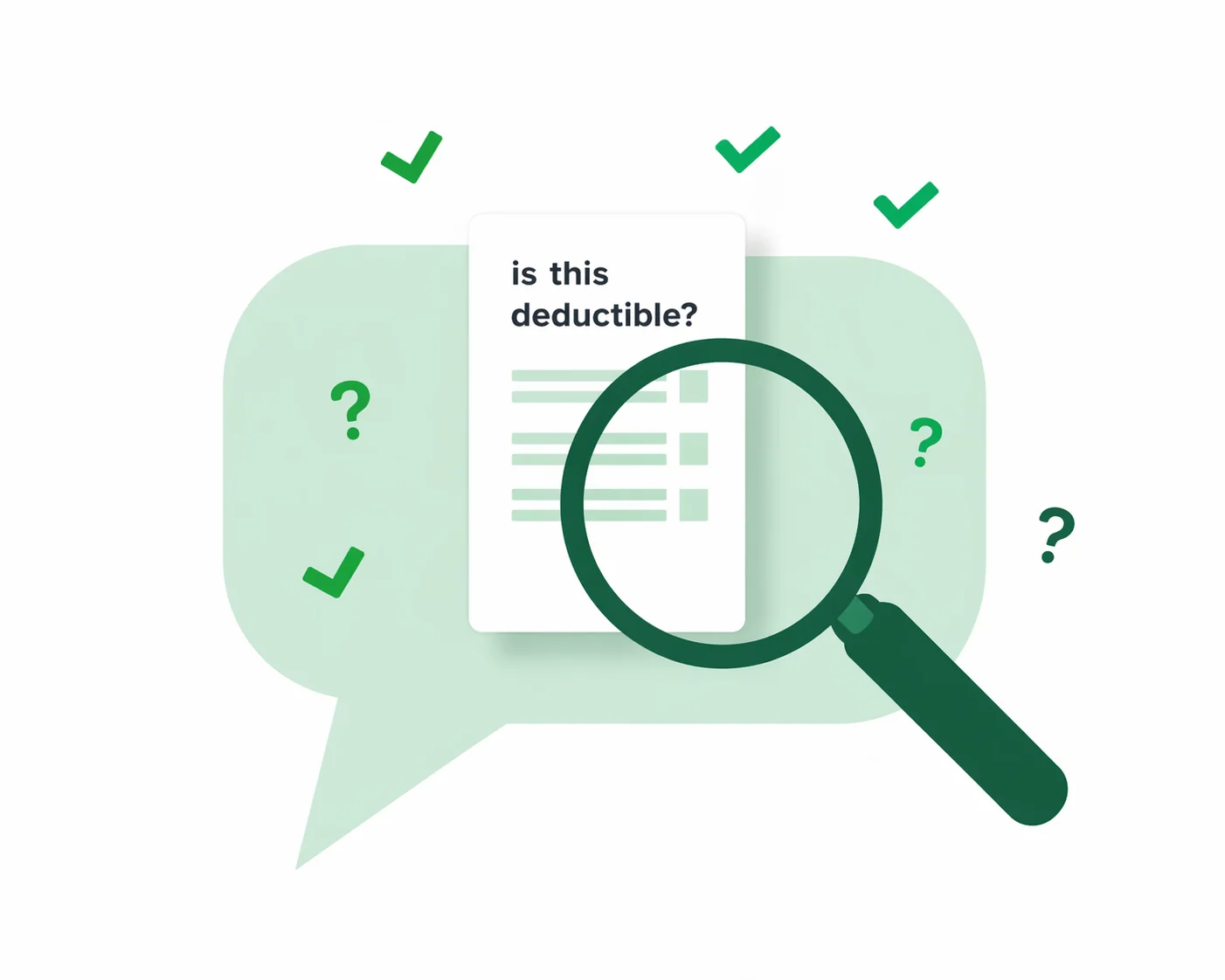
The "Is This Deductible?" wizard. Describe an expense in plain language - "dinner with a client I was pitching," "new camera lens for my photography business" - and the wizard provides a preliminary explanation based on the facts entered and relevant tax guidance. It can help identify applicable conditions and documentation needs. Complex or uncertain cases may require professional review.
What does SnapTax Builder cost?
SnapTax offers a free plan for basic projected annual tax calculations. Paid plans include a 30-day trial (credit card required). No contracts, cancel anytime.
Plan | Monthly price | Who it is for |
|---|---|---|
Free | $0 | Basic projected annual tax calculation |
Starter | $4.99/mo | Manual income/expense entry, quarterly estimates |
Builder | $19.99/mo | Full AI expense management, mileage, receipts, real-time P&L |
Optimizer | $39.99/mo | Advanced deductions, capital gains, Retirement planner, home office, multiple businesses |
Builder is the right plan for most freelancers actively managing mobile tax workflows. Starter works if you want quarterly estimates only and are comfortable entering data manually.
Our take: SnapTax Builder is a strong choice for freelancers who want one app that handles GPS mileage, receipt capture, AI expense categorization, and an estimated quarterly tax projection - all on your phone. It is purpose-built for 1099 workers in a way that general accounting tools do not match.
2. Hurdlr - is it really the best app just for mileage tracking?
For automatic GPS mileage tracking, Hurdlr is genuinely best-in-class - but it offers more than mileage.
Hurdlr was built from the ground up for gig economy and independent contractor workers who drive to clients. Hurdlr reports more than $8 billion in finances tracked and more than $300 million in tax savings identified for users - these are company-reported marketing figures. The app has a 4.7/5 rating on the Apple App Store.
According to Hurdlr's pricing documentation, the free version includes semi-auto mileage tracking, manual finance tracking, real-time tax estimates, and report exports. Premium ($9.99/month or $100/year) adds automatic mileage and finance tracking, AI-suggested expense rules, detailed tax calculations, and payment tracking. A Pro tier adds invoicing, accounting, and financial reports.
The app is not a full tax filing platform; you will need separate tax software or a CPA for the actual return.
"HURDLR IS PERFECT FOR 1099: helps 1099's claim maximum tax deductions. Perfect for Uber drivers, Lyft drivers, and other mobile independent contractors." - App Store reviewer
The Shared Economy CPA puts it well: "Hurdlr offers a lot of great features at an affordable price... If you're just getting started with your business and need to mind your budget, Hurdlr will get the job done."
Users on Reddit's r/realtors specifically moved to Hurdlr from QuickBooks after QuickBooks terminated features and stopped honoring rebates.
Our take: Both Hurdlr and SnapTax combine mileage and expense management with real-time tax estimates. Compare their receipt workflows, categorization controls, tax inputs, reporting, and payment-tracking features to decide which suits your business. One concrete difference is SnapTax's bank-statement-upload workflow, which batches expense categorization from your existing bank records - worth comparing against Hurdlr's automatic finance tracking to see which fits how you work.
3. Keeper Tax - does it actually simplify filing for freelancers?
For freelancers with straightforward returns, yes. For more complex situations, it depends on which plan you choose.
Keeper Tax positions itself as "the modern tax platform where AI meets human accountants." The Standard plan at $199/year bundles expense tracking with professional tax filing reviewed by a licensed tax pro and covers federal returns plus up to two state returns. The Premium plan at $399/year - labeled "Most popular" on Keeper's pricing page - adds coverage for three or more states, rental property, and K-1s. A Business plan is also available for S-corps.
The mobile experience centers on daily nudges. The app scans your linked bank and credit card accounts via Plaid integration and pushes categorization prompts throughout the day. It is effective for freelancers who struggle with bookkeeping discipline - the nudges create a habit.
Where Keeper Tax draws mixed reviews is on complex returns. The Better Business Bureau shows a 1.8/5 rating (as of October 2026), with multiple documented complaints about state returns and unexpected charges when free trials auto-convert at the end of the trial period. The platform's Trustpilot rating is 4.8/5 (as of October 2026).
Our take: Keeper Tax earns its place for part-time freelancers with a W-2 job who want deduction tracking bundled with filing. Check the current pricing page carefully to select the right plan for your state count and return complexity. We would set a calendar reminder for the trial cancellation deadline before signing up.
4. QuickBooks Solopreneur - does it fit if you want invoicing alongside taxes?
QuickBooks Solopreneur covers mileage, expenses, quarterly estimates, and invoicing in one place - and connects directly to TurboTax for filing.
QuickBooks Solopreneur is Intuit's dedicated product for freelancers and 1099 contractors. It is a distinct product from QuickBooks Self-Employed, with a different feature set. It handles expense categorization from linked bank accounts, GPS mileage logging, receipt capture via mobile camera, quarterly tax estimates, and invoicing. A limited QuickBooks Free plan is available; confirm current features and limits on Intuit's pricing page, as promotional pricing and plan features change frequently.
The mobile app gets consistent positive mentions for receipt capture in user reviews. The integration with TurboTax for filing is a selling point for users already in the Intuit ecosystem. Invoicing is the one feature area where QuickBooks Solopreneur stands out from SnapTax and Hurdlr's Premium tier.
Hurdlr also offers invoicing through its Pro tier; confirm which features are included in the particular plan you are comparing.
Our take: QuickBooks Solopreneur may suit freelancers who want invoicing, connected financial records, and access to Intuit's tax services. Verify the current plan's estimated-tax features, supported inputs, mobile functions, and filing costs before subscribing.
How does the pricing actually shake up across these apps?
Annual cost matters more than monthly pricing when you are budgeting as a freelancer.
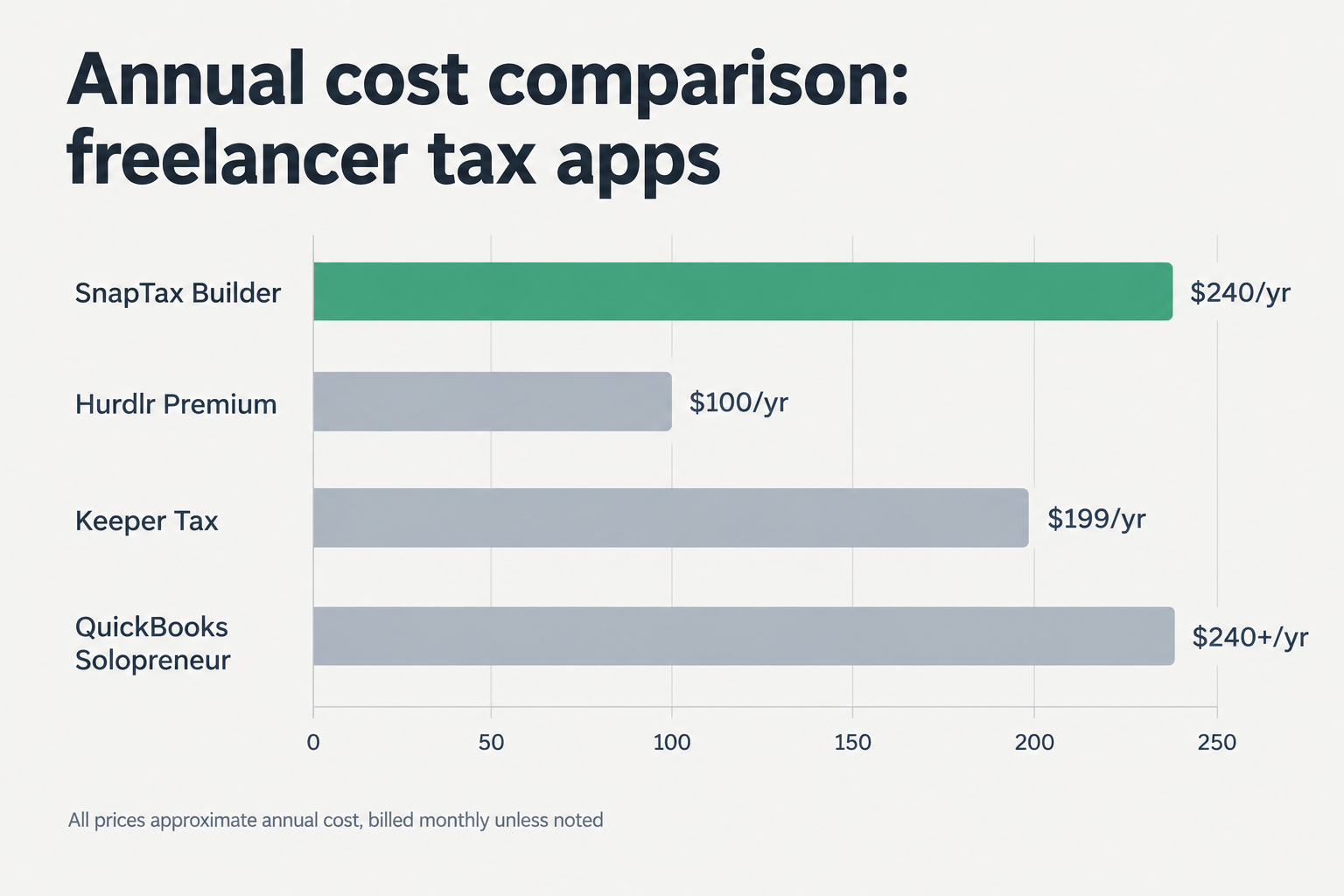
Here is how the full pricing compares:
App | Free plan | Starter paid | Most popular paid | Annual cost (popular plan) |
|---|---|---|---|---|
Yes (basic projected tax calculation) | $4.99/mo | Builder $19.99/mo | About $240/yr (monthly billing) | |
Yes (semi-auto mileage, manual finance, real-time estimates) | $9.99/mo | Premium $100/yr | $100/yr | |
No | Standard $199/yr | Premium $399/yr | $399/yr | |
Yes-limited (QuickBooks Free); confirm current features | Check site | Solopreneur | Check site |
A few things worth knowing before you pick:
SnapTax requires a credit card for all paid trials but offers a genuinely free tier. Keeper Tax auto-converts at the end of the trial period. Hurdlr's free plan is genuinely free.
SnapTax and Hurdlr have no contracts. Cancel anytime.
Keeper Tax's annual fee bundles filing. The others do not file your taxes through the app itself; filing is handled separately by your CPA or tax software.
The SnapTax white-glove setup option ($49 one-time) gives you a 30-minute session with founder Crystal Harrison to configure your estimate from your actual numbers.
How does a mobile-first tax workflow actually work day to day?
The best apps fit into the natural rhythm of a freelancer's day without adding mental overhead.
The workflow looks like this in practice:
Driving to a client meeting. Record the eligible business trip using the app's supported mileage-tracking method, then review the trip's distance, classification, and business purpose. Check each app's settings to confirm how it handles trip detection.
Buying supplies for a project. You snap the receipt at the register. The AI matches it to the credit card transaction in your next bank statement upload.
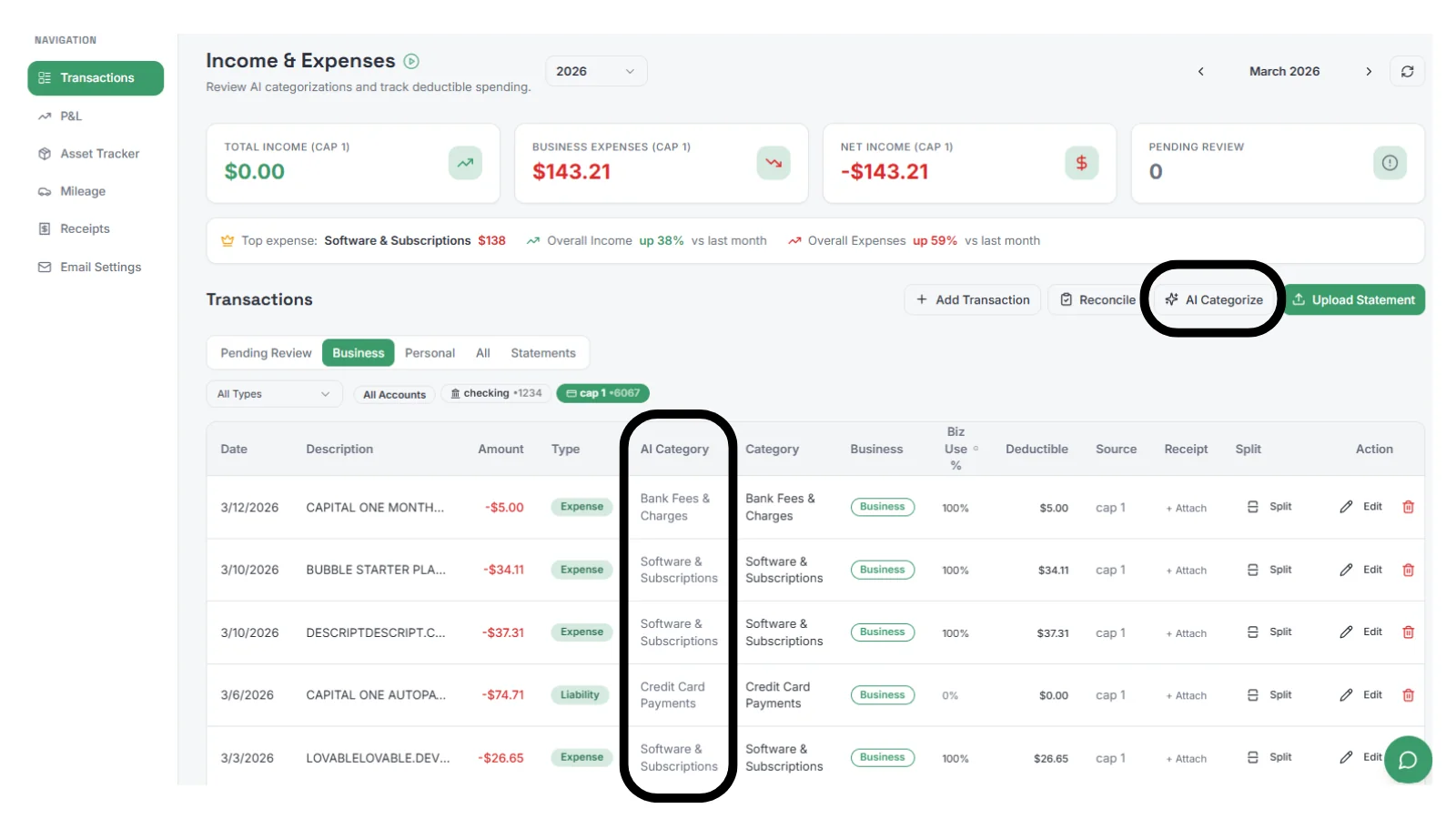
End of the month. You open the app, upload your bank statement, and the AI categorizes transactions. Anything ambiguous gets the "Is This Deductible?" wizard. Your P&L updates.
Two weeks before the Q3 deadline. You open the app on your phone and see your current estimated tax projection. Review the app's estimated payment amount and relevant warnings, make the payment through the appropriate IRS payment service, and record it in your payment tracker.
This is the loop that the SnapTax mileage deduction guide and quarterly tax tools are built around. The goal is to keep your records and projections current so you can plan for payments and reduce avoidable surprises.
One thing most freelancers do not realize: federal estimated-tax safe harbors generally compare your withholding and timely estimated payments with installment requirements based on the smaller of 90% of current-year tax or 100% of prior-year tax. The prior-year percentage generally increases to 110% when prior-year adjusted gross income exceeds $150,000 - or $75,000 if your current filing status is married filing separately. The prior-year return must cover 12 months. An updated projection helps with planning, but it does not by itself establish penalty protection. State rules differ. See IRS Publication 505 for details.
How do you pick the right app for your situation?
The right choice comes down to what you actually do most on your phone for taxes.
Your biggest deduction is mileage, and you already have a CPA: Hurdlr Premium at $100/year does the tracking job cleanly. Your CPA handles the rest.
You want one app for the whole quarterly cycle - mileage, receipts, estimate, payment reminder: SnapTax Builder at $19.99/month covers this in one place, on your phone, with AI doing the categorization work.
You are a part-time freelancer with a W-2 job and want filing handled too: Keeper Tax bundles tracking with a professionally reviewed return. Check the pricing page for the plan that matches your state count and return complexity.
You want invoicing alongside mileage and expense tracking: QuickBooks Solopreneur and Hurdlr Pro both offer invoicing. Confirm current features and costs on each provider's pricing page.
You want to see a basic projected tax estimate without paying anything: SnapTax's free plan gives you a basic projected annual tax calculation. Hurdlr's free plan also includes real-time tax estimates alongside semi-auto mileage tracking.
The most common mistake freelancers make is picking an app based on price alone. Hurdlr at $100/year is excellent value - but if you never log more than a handful of miles, you are paying for a feature you do not use. SnapTax Builder at $19.99/month costs more, but for freelancers who drive to clients, snap receipts, and need to know their quarterly number before each deadline, the integrated workflow may justify it.
For most 1099 workers who drive to clients, snap receipts, and need to know their quarterly number before each IRS deadline, the mobile-first quarterly tax management workflow that SnapTax Builder provides is the clearest path to actually staying on top of it.
Try SnapTax Builder
SnapTax is built specifically for 1099 workers, freelancers, and independent contractors who want real-time quarterly tax estimates without manually building a spreadsheet. Complex tax situations may still require professional advice.
The Builder plan gives you GPS mileage tracking, AI receipt matching, real-time P&L that feeds directly into your tax estimate, and the "Is This Deductible?" wizard for any expense you are unsure about. All of it works on your phone.
There is also a free plan if you want to start with a basic projected annual tax calculation before committing. All paid plans start with a 30-day trial (credit card required). No contracts. Cancel anytime.
Frequently Asked Questions
What is the best mobile app for freelancer tax management in 2026?
SnapTax Builder is a strong all-in-one option for freelancers who want real-time quarterly tax estimates alongside GPS mileage tracking, receipt capture, and AI expense categorization. For freelancers whose primary need is mileage logging, Hurdlr Premium is a strong, affordable option at $100/year.
Do I need to pay for a tax app trial, or are they free to try?
It depends on the app. SnapTax requires a credit card to start a 30-day trial on all paid plans. SnapTax also has a permanent free plan for basic projected annual tax calculations. Hurdlr has a free tier with semi-auto mileage tracking, manual finance tracking, and real-time tax estimates that requires no credit card.
Can I manage my freelance taxes entirely from my phone?
You can manage many tracking and planning tasks from your phone using apps like SnapTax Builder - including mileage logging, receipt capture, and estimated tax projections. Filing capabilities depend on the product and your tax situation.
What is the difference between Hurdlr and SnapTax for mileage tracking?
Both Hurdlr and SnapTax Builder offer GPS mileage tracking, expense management, and real-time tax estimates. Compare their receipt workflows, categorization controls, tax inputs, reporting, and payment-tracking features to decide which suits your business.
Does Keeper Tax work well on mobile?
Keeper Tax has a mobile app that pushes daily expense categorization prompts. It works well for freelancers with straightforward returns. However, users have reported issues on complex returns and surprise auto-charges after the free trial ends. Check the current plan tiers and trial terms before signing up.
