Best Ways to Track 1099 Expenses for Taxes in 2026
Crystal Harrison · November 16, 2026 · 15 min read
Best Ways to Track 1099 Expenses for Taxes in 2026
The four best ways to track 1099 expenses for taxes, compared by how well each fits your situation and how easily each connects to a quarterly tax estimate.
November 16, 2026 · 13 min read
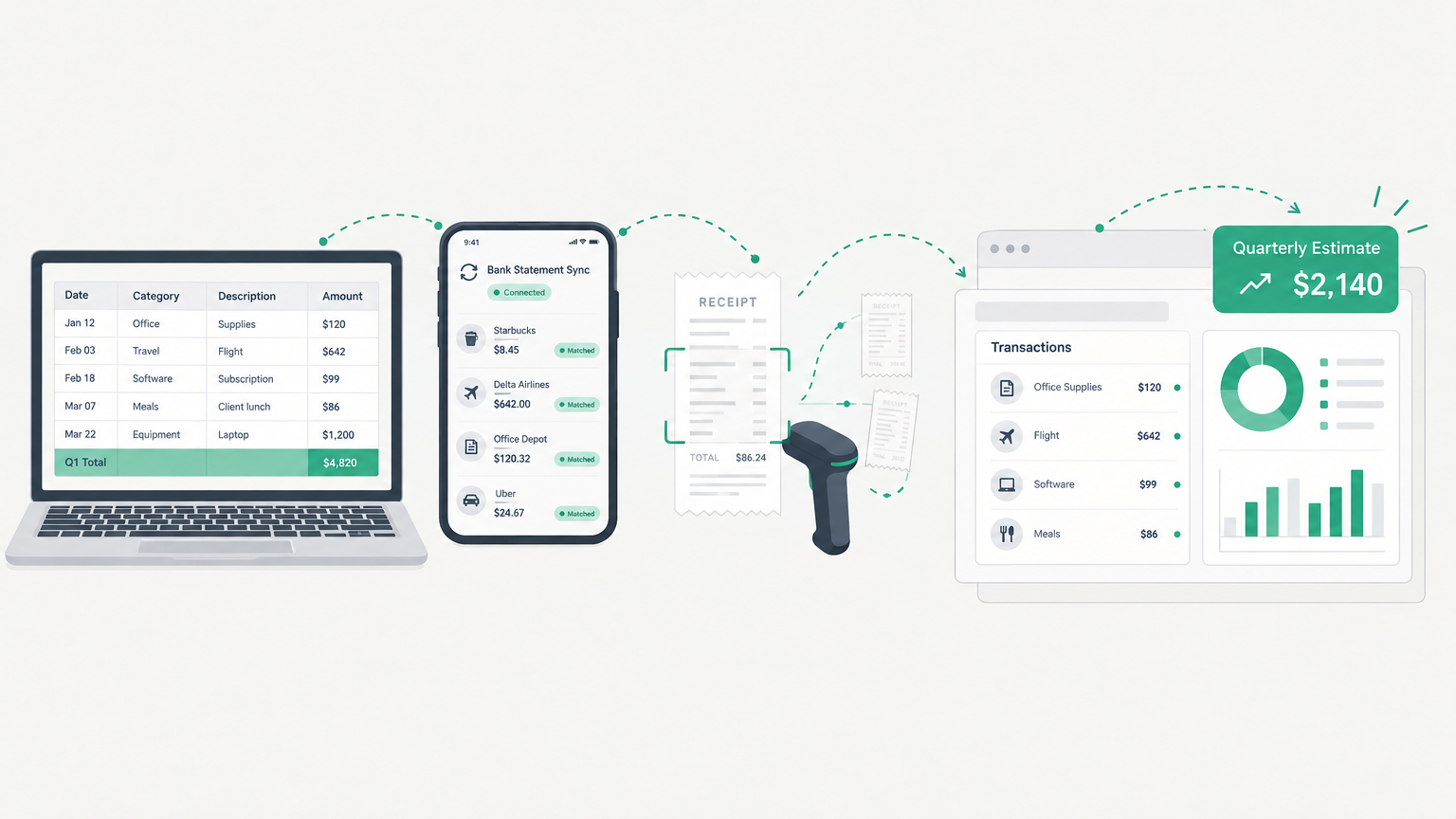
Quick Answer: What is the best way to track 1099 expenses for taxes?
The best ways to track 1099 expenses for taxes pair a separate business account with a method that captures every transaction and feeds a running tax estimate. A spreadsheet can work when transactions are light, while bank imports, receipt scanning, and an all-in-one platform cut the manual work and keep more of your spending on record. Keep the receipts and statements that prove each expense.
TL;DR
Tracking expenses as a 1099 worker has one job: turn a year of transactions into a net profit you can trust, so your quarterly estimate is real rather than a guess (IRS).
There are four practical methods: a spreadsheet, bank and card imports, a receipt-scanner app, and an all-in-one platform that tracks and estimates in one place.
The method that matters most is the one wired into a tax projection, because that helps you spot a shortfall while there is still time to plan.
Whatever you use, the IRS wants records that clearly show your income and expenses, with the documents that support them (IRS).
SnapTax brings transaction tracking, receipts, mileage, and tax projections into one workflow. Upload a statement, let AI suggest categories, match your receipts, and the estimate updates as your numbers change. It estimates and plans; it does not file your return.
Why does your tracking method matter more than which app you pick?
Your expenses set your net profit, and your net profit feeds the tax you owe, so a sloppy method costs you money, not just time. The tool is secondary. The method is what decides whether the number you act on is right.
A survey-based study of self-employed workers finds they spend an extra 5 to 8 percentage points of gross pay, on average, on unreimbursed business expenses compared with traditional employees (NBER).
"Net profit" is business income minus business expenses, and that single number drives your income tax and your self-employment tax (IRS).
The IRS lets you choose any recordkeeping system that clearly shows your income and expenses, and for most small businesses the business checking account is the main source of entries in the books (IRS).
The IRS lists sales slips, paid bills, invoices, receipts, account statements, and canceled checks as supporting documents, and suggests organizing them by year and by type.
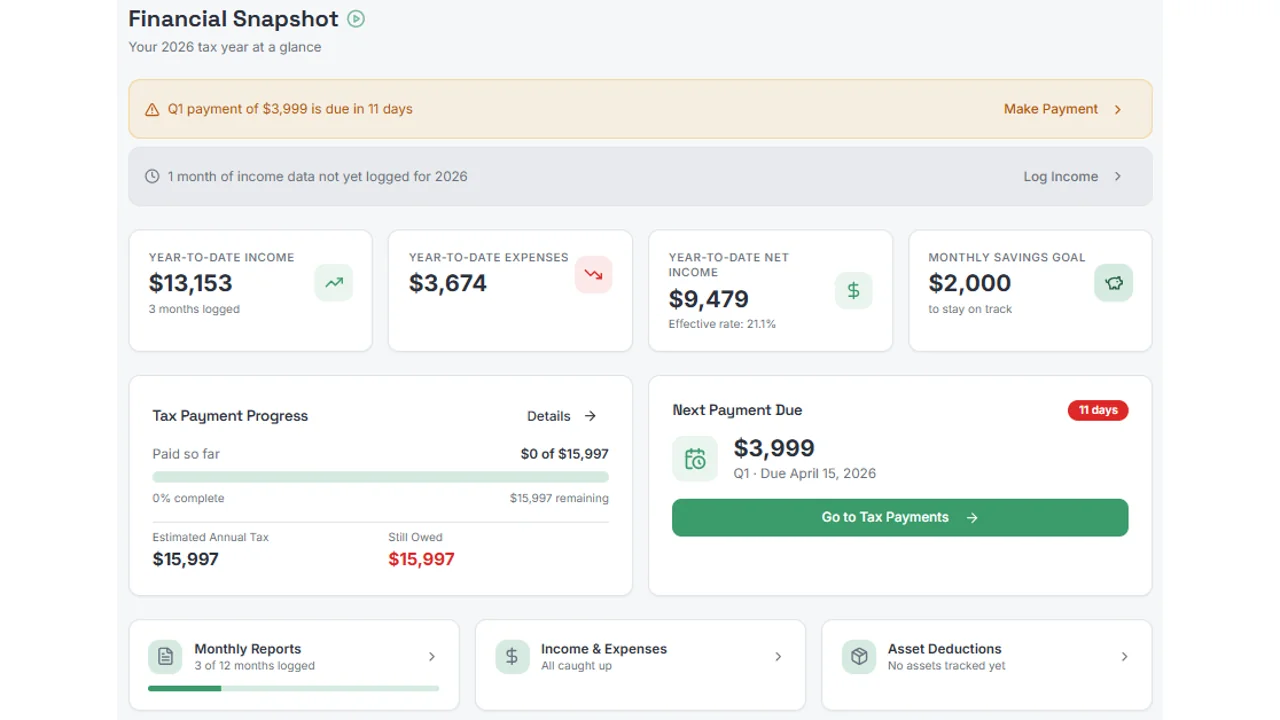
Here is the shift most expense-tracking advice misses. You are not tracking expenses to build a tidy shoebox for an accountant who may never see it. You are tracking them so the amount you set aside each quarter is based on what you actually earned and spent, which is the difference between a planned tax bill and a scramble in April. That is the gap SnapTax was built around: it estimates your federal income tax, self-employment tax, and state tax where supported as income comes in, so the number moves as you add and update your financial information.
What goes untracked is usually small, and it adds up quietly.
It's not always the big expenses that drain your earnings. Sometimes, it's the tiny daily ones you don't track.
LinkedIn, Oluwatosin ADEGOROYE, ACA, Oct 3, 2025. See the post on LinkedIn.
What are the four practical ways to track 1099 expenses?
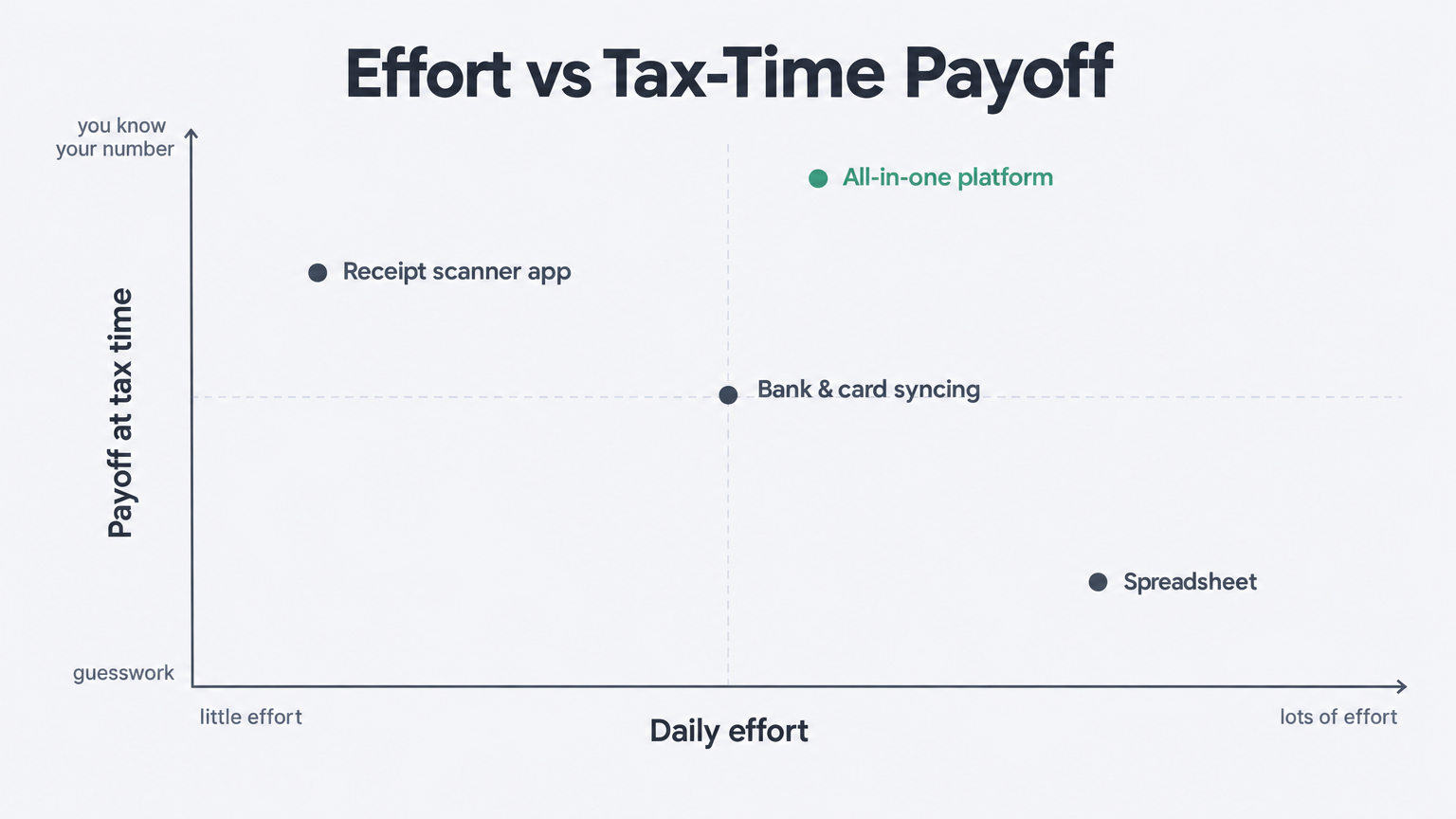
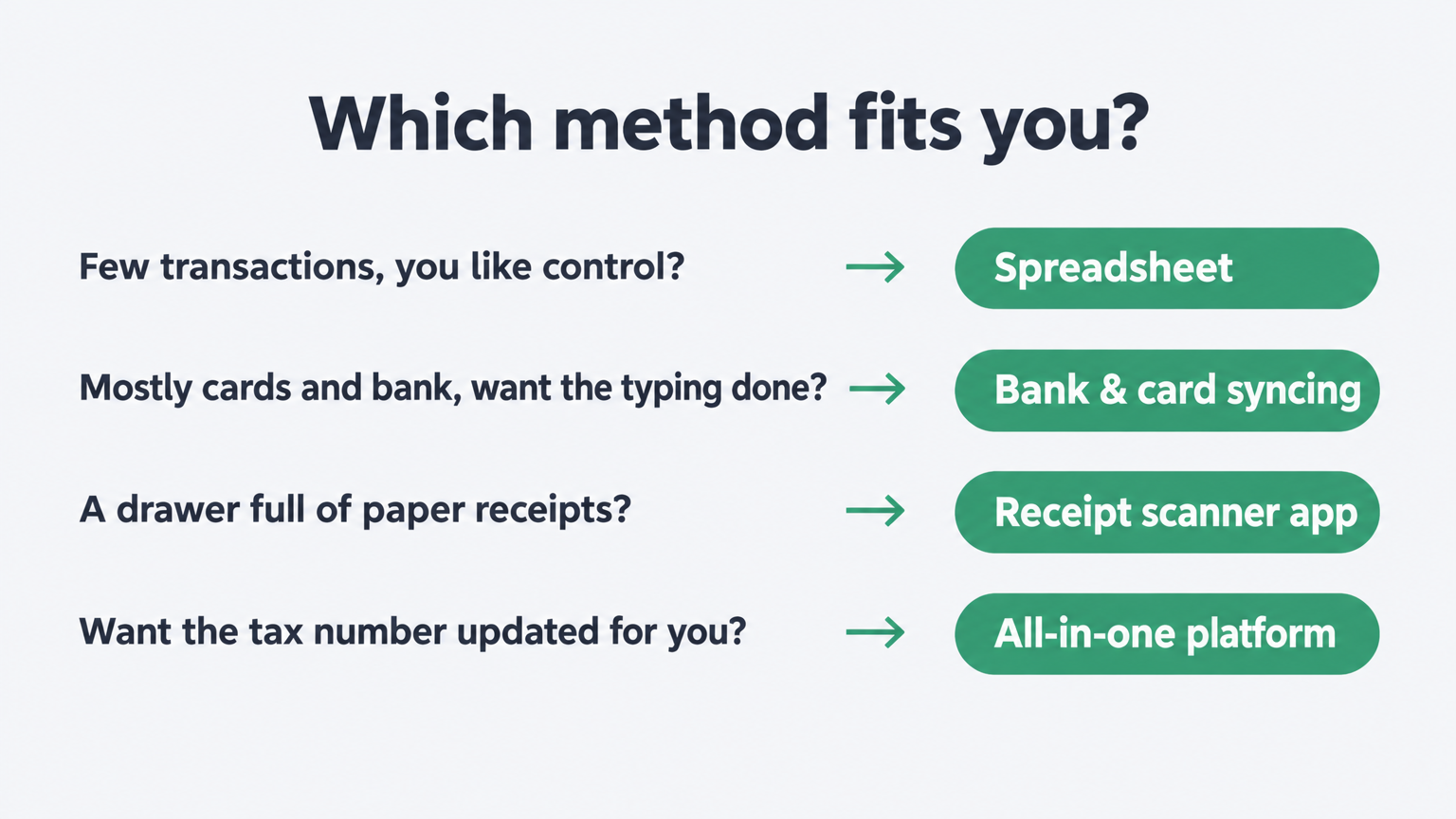
There isn't one tracking method that wins for everyone. A spreadsheet can work well when transactions are light. Bank imports cut the typing. Receipt scanning keeps the proof organized. An all-in-one platform connects those records to your tax planning. The best choice is the one you'll keep current and review.
Method | Best for | How it works | What still needs your attention | Ongoing effort | Feeds a quarterly estimate? |
|---|---|---|---|---|---|
Spreadsheet | Very few transactions, and you want control | You type or paste each expense into rows | Enter every transaction, check totals, and keep supporting records | High, every week | Only if you total it yourself and update a tax estimate |
Bank and card imports | Most spending runs through cards or a business account | Transactions import automatically and get sorted | Review categories, catch duplicates, and add spending from unconnected sources | Low once it is set up | Sometimes, if the tool also estimates tax |
Receipt scanner | A pile of paper receipts, and a lot of mileage | You photograph receipts and the app reads them | Match receipts to transactions and track income separately where needed | Low to medium | Rarely on its own |
All-in-one platform | You want one number you can act on | Tracking, sorting, and a tax projection in one place | Review imported information, business-use allocations, and tax-profile assumptions | Low | Yes |
The last column is the one most advice skips. Owning a stack of tidy records helps your accountant. A method that shows you the tax effect of those records helps you.
Is a spreadsheet good enough to track 1099 expenses?
A spreadsheet is good enough when your volume is small and you fill it in on a schedule. It is the cheapest method and the one with the fewest moving parts, but it asks the most of you, and it only works if the upkeep actually happens.
If you already know your way around a spreadsheet, it can be a low-cost place to start. The trade-off is that you are responsible for keeping it complete and checking the totals.
The risk is human: the IRS expects a system that clearly shows your income and expenses, and a sheet you forget to update for two months shows nothing (IRS).
A spreadsheet can still work at the end of the chain. If you also link the totals to a tax estimate, it feeds the same result as any app. If you don't, the sheet is only half the job.
The disciplined version of this really does exist, and the upkeep is short when it is a habit:
I use a Google Sheet because I don't want to pay for software and my finances aren't complicated enough to justify it yet. Just income in one column, expenses categorized in others, running totals at the bottom. Takes like 5 minutes a week to update and I can see everything at a glance.
Reddit, r/Solopreneur, u/Not_A_Vampire23, Oct 23, 2025. See the comment on Reddit.
Our take: Pick a spreadsheet if you have a few transactions a month and you genuinely enjoy the control. Skip it if you are stalling, because a half-updated sheet can give you a false sense that you are caught up.
Is importing your bank and card spending the easiest way to track 1099 expenses?
An import only sees the sources you give it. Cash purchases and spending from an unconnected account still need to be added. A check may appear on the statement without enough detail to tell you what it was for.
The IRS calls the business checking account the main source for entries in the books, which is why importing it works so well (IRS).
A bank statement shows money moved. It may not show what you bought or why it was a business expense, so keep the receipt, invoice, or other supporting record that fills in those details (IRS).
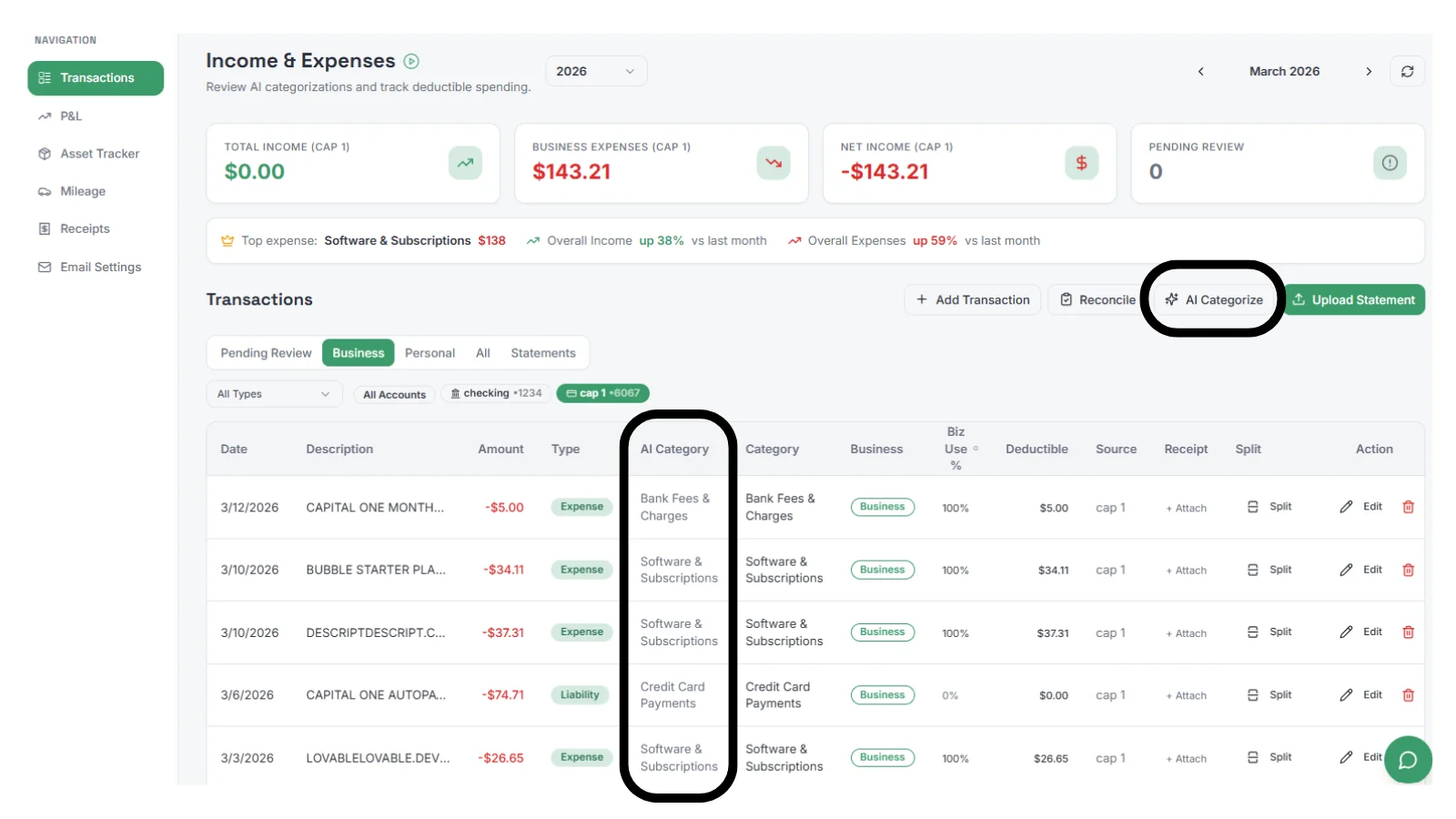
An import brings in each transaction and, in most tools, suggests a category. You still review the suggestions, because a miscategorized expense is a missed deduction.
The blind spots are predictable: cash, checks you rarely write, and any business purchase made on a personal account you have not connected. Add the missing transaction first, then apply the business-use share if the expense was mixed. Changing a percentage will not bring an unrecorded purchase into your books.
Importing only removes the work when it is actually switched on, which is the catch free plans tend to bury:
I use wave. It's free and their software is intuitive and easy. Can run some nice reports. I don't [have] a very transaction heavy business though. If I did, I would probably need the paid version because it categorizes your expenses by being linked to your bank account. I just enter them manually.
Reddit, r/Solopreneur, u/jdehoff3, Oct 22, 2025. See the comment on Reddit.
Our take: Choose bank and card imports if almost everything you spend runs through one account and you will actually review what comes in. If cash is a big part of your week, pair it with a receipt app or move to a platform that also captures photos.
Does a receipt-scanner app solve 1099 expense tracking on its own?
A receipt-scanner app solves the paper problem, not the whole problem. It captures what you photograph and often logs mileage too, but it usually does not know your income, so on its own it cannot tell you what you owe.
Electronic records can work, but the files need to remain complete, readable, and accessible. Taking a photo is the capture step, not the whole recordkeeping system (IRS).
Many receipt apps bundle mileage as well, which matters because the standard mileage rate is a real deduction for anyone who drives for work (IRS).
What a scanner app rarely does is connect the captured expenses to a quarterly estimate. You get a tidy folder, not a number.
What a scanner buys you shows up at tax time, when the alternative is a pile of paper.
I have been using SimplyWise Receipt Scanner for keeping up with receipts and expenses. I can just scan them with my phone, and having everything organized when tax time comes around is a big help. Definitely saves me some time.
Reddit, r/AskAccounting, u/Critical-Drummer6837, Nov 4, 2026. See the comment on Reddit.
Our take: Use a receipt-scanner app if receipts are your real bottleneck and your income is simple enough to estimate elsewhere. If you want the tax number to come out of the same place, it is a stopgap, not the destination.
What does an all-in-one platform make easier?
The advantage is fewer handoffs. Your transactions, supporting records, and tax projection live in one workflow, so you are not copying totals between tools every month. That can make the routine easier to keep, not eliminate the need to review it.
SnapTax brings transaction tracking, receipts, mileage, and tax projections into one workflow. That means fewer handoffs: you are not stitching four separate tools together yourself.
Manual entry: the Starter plan logs monthly income and expenses by hand, which is the spreadsheet habit kept in one place (SnapTax).
Statement uploads: bring in your bank transactions without connecting a live bank feed, and AI suggests categories you review before saving (SnapTax).
Receipts: you upload, store, and match receipts to transactions, and a receipt report flags the ones that are missing (SnapTax).
Mileage and business-use split: GPS mileage tracking flows to the profit and loss view (SnapTax), and a business-use percentage keeps the personal part of a shared expense out of your taxable numbers.
The result is a profit and loss figure that feeds your quarterly estimate on federal income tax, self-employment tax, and state tax where supported. SnapTax provides estimates and planning tools; it does not file your tax return. What it does is keep the estimate current as your income changes, which is the reason to track expenses at all.
Our take: Choose an all-in-one platform if you want one number you can trust instead of several tools that never quite agree. Its limit is real, though: if your books are genuinely complex, you are past what a solo tool is built for.
Which method actually keeps your quarterly estimate honest?
The method that keeps your estimate honest is the one that feeds a live tax number, not the one that produces the prettiest records. Any of the four can capture an expense. Only some of them tell you what that expense does to what you owe.
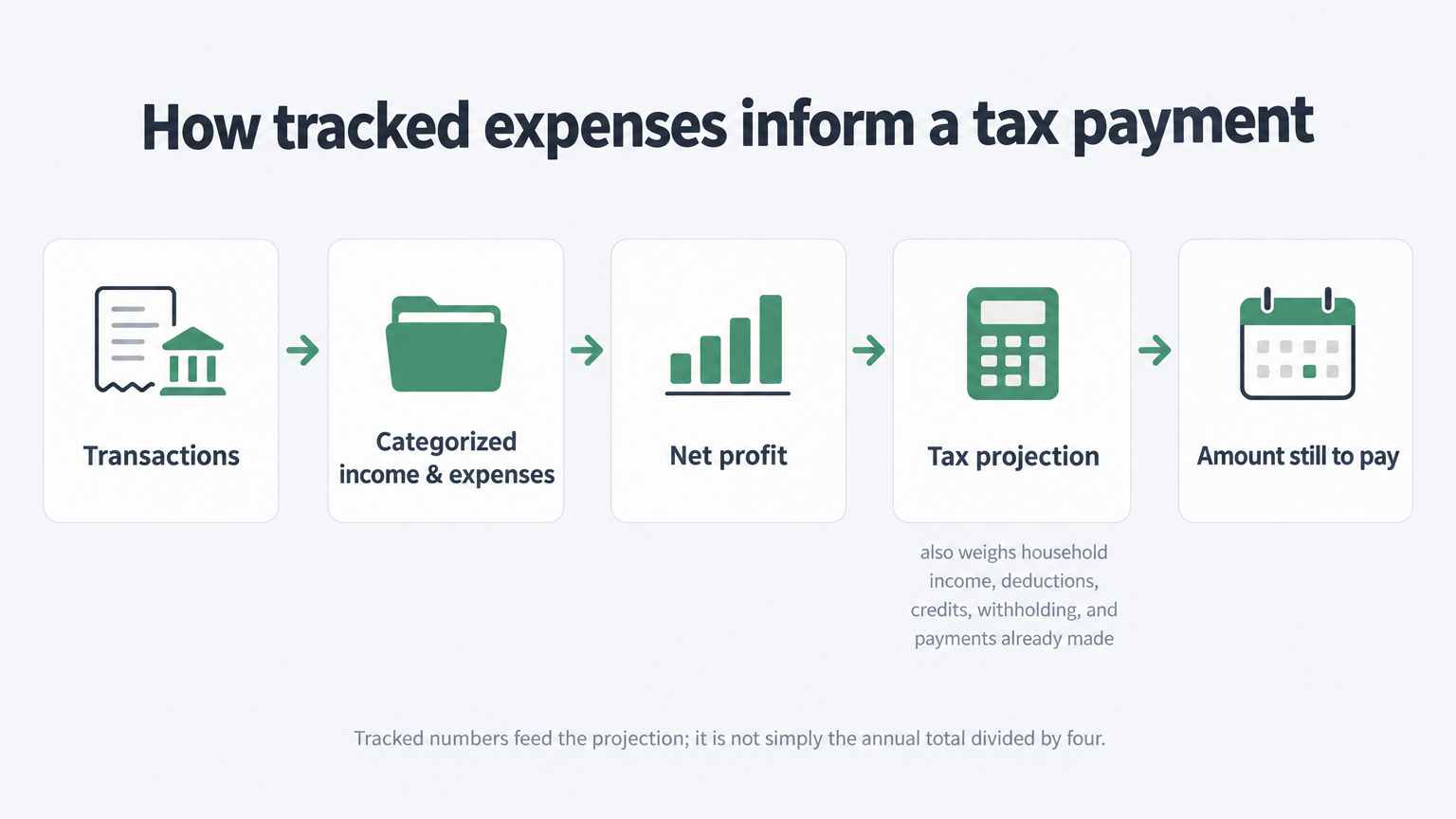
Your tracked income and expenses help establish business profit. That feeds the tax projection alongside household income, deductions, credits, withholding, and payments already made. From there, you can work out what still needs to be paid and when. It is not always the annual total divided by four.
Federal income tax is a pay-as-you-go tax: you are expected to pay it as you earn, which is why the four quarterly deadlines exist (IRS).
Underpayment penalties apply when you miss the required payments and timing rules, subject to safe-harbor exceptions (IRS).
Self-employment tax is added on top against 92.35% of net profit (IRS Topic no. 554), at a 15.3% rate under the regular method.
How do you keep expense tracking accurate without it taking over your week?
Accuracy comes from a few small habits, not from effort: keep business money separate, review on a schedule, and keep the documents behind the big numbers. Do those and any of the four methods will get you to a reliable result. If you want the routine spelled out month by month, SnapTax's guide to simple accounting for independent contractors walks through it.
Keep a separate business account. The IRS says one of the first things to do when you start a business is open a business checking account and keep it separate from your personal checking account (IRS Publication 583). Or choose a tool that does a good job of separating business and personal expenses like SnapTax.
Review monthly, not annually. A timely kept record has more value than one written later, when recall is weaker (IRS Publication 463). Capture receipts, business purpose, and mileage while the details are still fresh, and treat the review as a way to catch gaps, not to remember every trip and purchase from scratch.
Keep the documents that prove the numbers. A supporting record should identify the payee, the amount paid, proof of payment, the date incurred, and a description of what it was for (IRS).
Split shared costs at the business-use percentage, because the personal part is generally not deductible (IRS Publication 334).
Missing a receipt does not always mean the deduction is gone. Look for a duplicate invoice, an order confirmation, or other evidence that supports the expense (IRS Publication 463). Some expenses have stricter documentation rules, so do not assume a note written months later will be enough.
What mistakes cost 1099 workers the most at tax time?
Missing payments, missing records, and categories you never reviewed can all cost you. The fix starts with keeping the routine small enough to stick with.
A 2023 GAO report cited IRS estimates attributing about $80 billion in annual unpaid taxes to sole-proprietor income underreporting. That is a compliance issue, not a measure of how much a typical freelancer loses by forgetting receipts (GAO).
Missing a required quarterly payment can trigger an underpayment penalty, depending on your withholding, payment amounts and timing, and the safe-harbor rules (IRS).
Missing records can leave a legitimate expense hard to support. Keep the receipt, invoice, or other evidence that explains what you bought and why it belonged to the business. If something is missing, look for a duplicate before giving up on it.
Waiting until filing season to work out what you owe turns a planning problem into a bill.
The people who do it well are not more organized than everyone else. They just made the tracking small and steady enough to keep doing. This is the gap SnapTax sits in: it is built for a solo contractor, not an accounting department, so the monthly routine stays short, upload a statement, review the categories, and check the updated estimate.
Try SnapTax
SnapTax is tax-planning software for freelancers and 1099 workers, built by Crystal Harrison, a professional bookkeeper with more than two decades of experience keeping books for the self-employed. It brings transaction tracking, receipts, mileage, and tax projections into one workflow, so the number moves as you add and update your financial information.
There is a permanent free plan for a basic quarterly-tax estimate, and paid plans each carry a 30-day trial. There is no contract, so you can cancel at any time.
Plan | Price | Best for |
|---|---|---|
Free | $0 | A basic quarterly-tax estimate, forever |
Starter | $4.99/mo | Monthly manual tracking with a live estimate |
Builder | $19.99/mo | Statement upload, AI categorization, receipts, mileage |
Optimizer | $39.99/mo | Advanced deductions, capital gains, and retirement planning |
SnapTax provides tax estimates and planning tools; it does not file your tax return. See the full breakdown on the SnapTax pricing page, start with the free 1099 tax calculator, or browse the rest of the SnapTax blog. Everything you need to begin is on the site.
If you have spent years guessing your quarterly taxes and dreading April, you can start free on the SnapTax site and see where your numbers stand.
Frequently Asked Questions
What is the best way to track 1099 expenses for taxes?
There is no single method that wins for everyone. The strongest setup pairs a separate business account with a method you will keep current and review: a spreadsheet when transactions are light, or bank imports, receipt scanning, or an all-in-one platform like SnapTax that connects your records to a quarterly estimate. Keep the receipts and statements that prove each expense, as the IRS expects.
Do I need a separate bank account to track 1099 expenses?
For a sole proprietor, a separate account is a practical way to keep business spending clear, not what makes an expense deductible. The IRS recommends keeping business and personal accounts separate. If you operate through an LLC or corporation, check the requirements and separation practices that apply to that entity.
Can I track 1099 expenses with a spreadsheet?
Yes, if your transaction volume is small and you update it on a schedule. A spreadsheet has no cost and no learning curve, but the risk is human: a sheet you forget for two months shows nothing. If you want the totals to feed a tax estimate automatically, step up to bank imports or an all-in-one platform.
How long do I need to keep records of my 1099 expenses?
Three years is a common federal starting point, not a rule to delete everything on the third anniversary. Longer periods can apply, including for substantial omitted income, certain loss claims, unfiled returns, and property records. Check the IRS retention guidance before clearing old files.
Is a free expense tracker enough, or should I pay for one?
A free tracker can capture expenses, but it often will not connect them to a tax estimate. SnapTax has a permanent free plan for a basic quarterly-tax estimate, and paid plans add statement upload, AI categorization, receipts, and mileage. SnapTax provides estimates and planning tools; it does not file your tax return.
