Why a Tax App Built by a Bookkeeper Works Differently for Freelancers
Crystal Harrison · November 4, 2026 · 8 min read
Why a Tax App Built by a Bookkeeper Works Differently for Freelancers
A bookkeeper with more than two decades of experience built SnapTax after watching freelancers struggle with taxes. How that experience shaped the app is the point.
November 4, 2026 · 6 min read
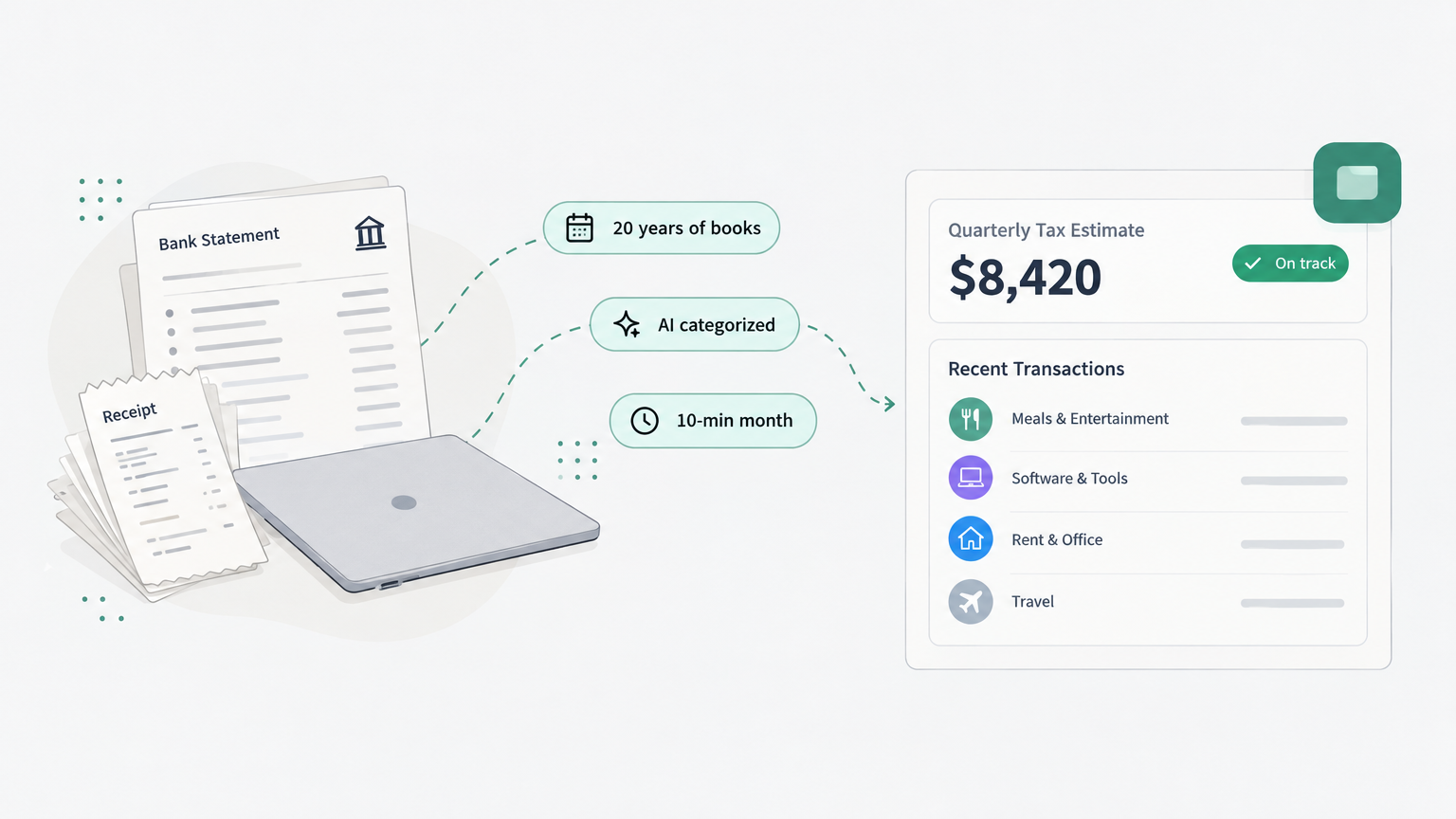
Published by SnapTax. This founder story draws on Crystal Harrison's Thriving Through interview and October 2026 coverage in Inc.
TL;DR
Crystal Harrison spent more than two decades helping small businesses straighten out their books. Many of her clients were freelancers, independent contractors, and consultants who needed a manageable way to track spending and plan for quarterly taxes, not another complicated accounting workflow.
SnapTax grew out of that experience. She built it with AI-assisted development tools and funded it through the cash and know-how of her bookkeeping business, with no investors or loans (Inc.). The smaller build budget is only part of the story. Harrison brought that bookkeeping experience to the design: which tasks freelancers need help with, where mistakes happen, and how to keep the workflow manageable.
Related guide: New to keeping your own books? Our independent contractor accounting guide walks through income tracking, expense categories, recordkeeping, and quarterly taxes in one place.
What does 20 years of keeping freelancers' books teach you?
It teaches you that the software is often the problem, not the taxes. Crystal Harrison kept the books for small businesses for a living, most of it through client referrals.
Most of her clients were solo entrepreneurs, independent contractors, and consultants (Thriving Through transcript).
Those clients were handed full accounting software built for bigger companies, with payroll, balance sheets, and inventory (Thriving Through transcript).
"QuickBooks was overkill for them," she has said (Thriving Through transcript).
The pattern was not that freelancers could not do the math. It was that the tools assumed a kind of business they were not running.
What happens when freelancers are handed software built for big companies?
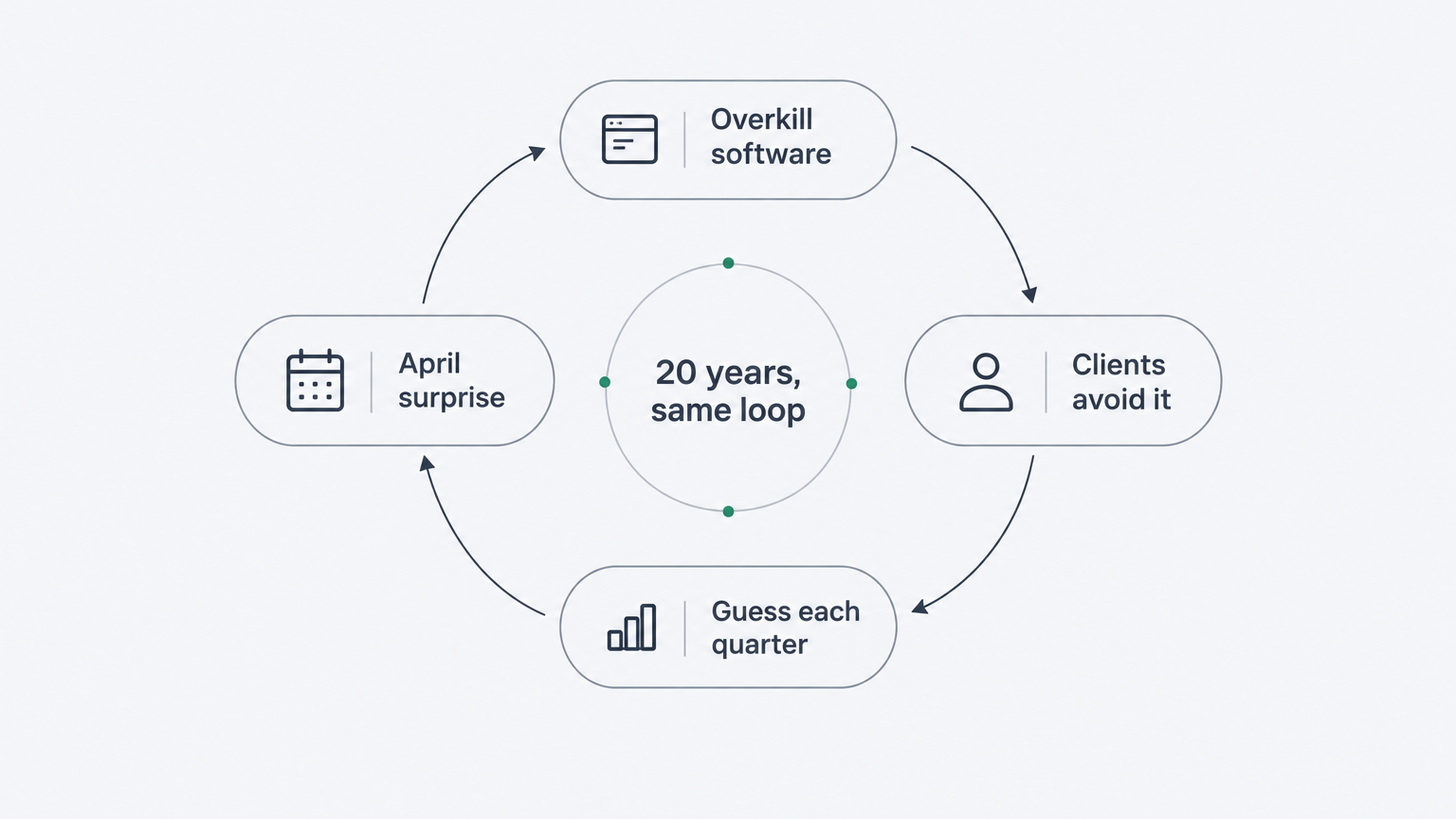
For some of Harrison's clients, the result was avoidance: the books went untouched, and the cleanup became urgent when tax season arrived.
One client told her: "I get hives literally every time I open up QuickBooks. I freak out and close it" (Thriving Through transcript).
Another arrived in April with a year of business expenses paid on personal credit cards and no receipts. Reconstructing it cost about $2,000 of Harrison's time, plus a week of the client's (Thriving Through transcript).
Her summary of the behaviour: "Most people either just ignore it and hope for the best." Her view of that: "When you're dealing with financials, hope for the best should never be a strategy" (SnapTax).
That loop is what she watched repeat. So when she set out to build a tool, she started from the loop, not from a feature list.
What did she design the tool to do, and what should it never become?
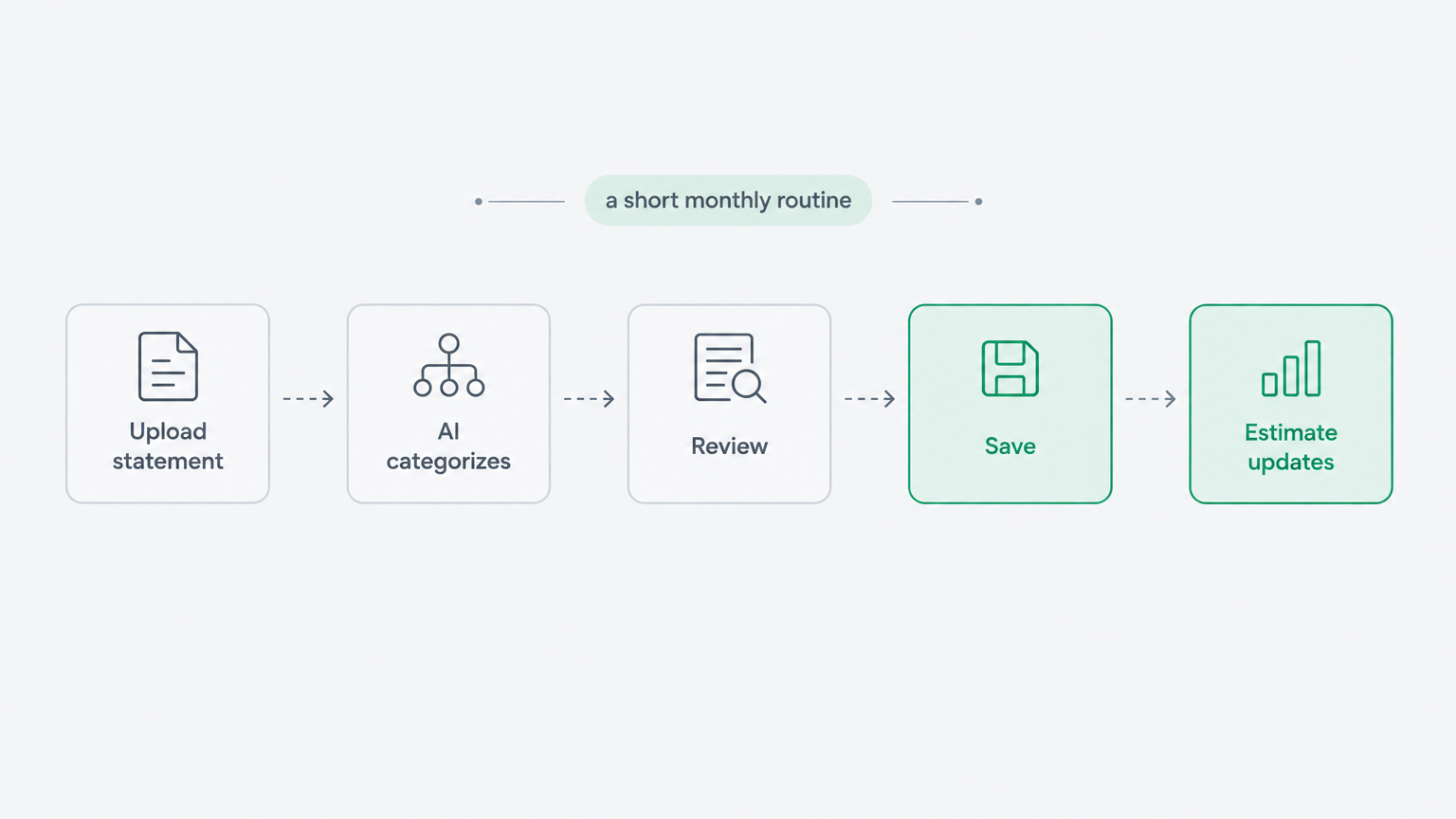
SnapTax was designed around a short monthly routine: upload statements, review AI-suggested categories and business-use allocations, save, and check the updated tax projection. Harrison's target is about 10 minutes for a straightforward month once setup and recurring classifications are in place; actual time depends on transaction volume and review needs.
The routine she designed: "You sit down, you hit 'Upload Bank Statement,' you hit 'AI categorize,' you review, make sure you're good, hit save. And you're done" (Thriving Through transcript).
What it should not become: she wanted users to manage their finances without learning journal entries or navigating an enterprise-style accounting system. The goal was a straightforward monthly workflow, with additional tools available when a business needs them.
Why the short routine matters: "The greatest tool on the planet, if you don't use it or you don't use it properly, you might as well not even buy it" (Thriving Through transcript).
Why does an AI tax app need a bookkeeper's guardrails?
Knowing the tax code and knowing the mistakes freelancers actually make are two different skills. Harrison built SnapTax herself using AI and no-code tools. Her edge was not the code. It was knowing what the code should do.
"I'm not a technical person," she has said. "I'm a bookkeeper" (Thriving Through transcript).
On why she could finally do it: "With AI coming around the way it was, I started figuring out that I might actually be able to do this myself" (Thriving Through transcript).
On the gap she was filling: "Most of the companies out there today are technology companies that built something but don't understand the real pains my clients were going through. I had a unique perspective in building this" (Thriving Through transcript).
After more than two decades in bookkeeping, I saw the same problem over and over - freelancers didn't need more accounting software, they needed clarity.
Crystal Harrison, founder, SnapTax press release (Cape Cod Times)
The principle is simple. You have to know what you are building and why. AI can generate features quickly. It cannot know which features a freelancer will use every month, or where a workflow should stop before it turns into the software people avoid. That judgment comes from having done the work.
What does SnapTax do differently because a bookkeeper built it?
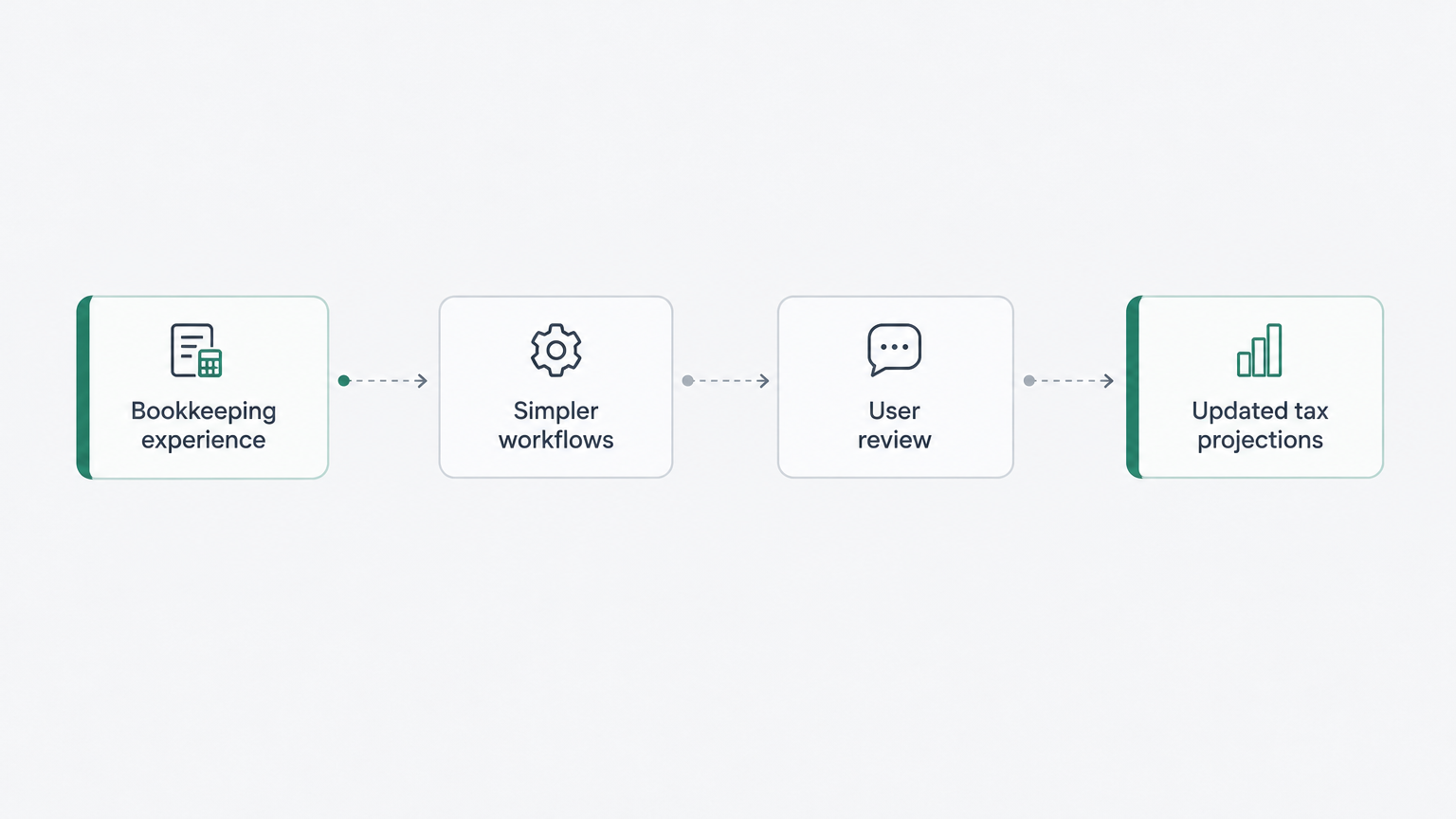
The design choices map to the problems she watched repeat in her practice. Each row below pairs a problem Harrison encountered with a corresponding SnapTax workflow.
Problem Harrison repeatedly encountered | Corresponding SnapTax workflow |
|---|---|
Books are left untouched for months | Statement uploads and AI-suggested transaction categories, with user review (SnapTax) |
Quarterly payments are based on guesses | Updated tax projections using the income, expenses, and household information entered (SnapTax) |
Users are unsure how to classify an expense | The "Is This Deductible?" wizard provides preliminary guidance and reasoning (SnapTax) |
Receipts become scattered | Receipt capture, storage, matching, and reporting help keep supporting records organized (SnapTax) |
Business and personal spending are mixed | Business/personal classifications and user-confirmed business-use percentages help allocate supported expenses (SnapTax) |
Guidance helps users review an expense; it does not replace the facts, documentation, or professional judgment needed to establish a deduction.
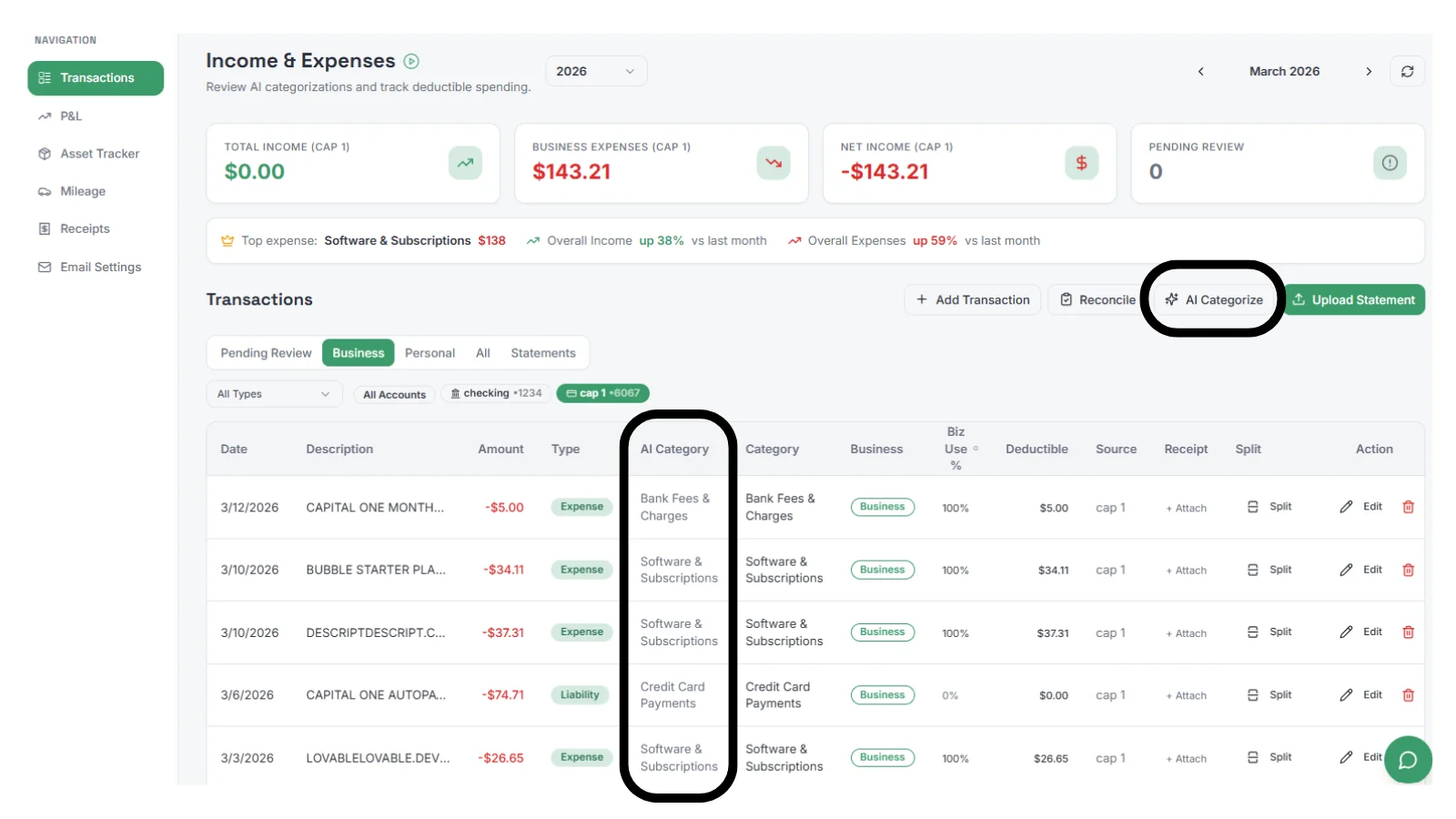
This is what "built by a bookkeeper" means in practice. SnapTax is not accounting software with a tax screen bolted on. It is the small set of things a freelancer will actually do each month, plus an estimate that keeps up with real income. The homepage says it plainly: it is "built for freelancers, not accountants" (SnapTax).
How did Harrison fund SnapTax?
In an October 2026 Inc. article, Harrison was reported to have spent about $5,000 on SnapTax, funding it through the cash and know-how of her bookkeeping business rather than investors or loans. That figure describes the reported spending at that point, not the value of her time or the product's ongoing operating costs (Inc.).
But the number on its own does not explain the product.
Two founders can point the same AI tools at the same problem. What they ship depends on what each one knows the tool should do, and which mistakes they have already seen cost someone money.
The alternative has a price too. Without a system, a freelancer pays for the cleanup later. For one of Harrison's clients, that was about $2,000 in bookkeeping time, on top of a week lost to hunting receipts (Thriving Through transcript).
So the low build cost and the deep expertise are one story, not two. The $5,000 went further because it was spent by someone who already understood which workflows mattered most to her intended users.
Try SnapTax
SnapTax is the tax-planning app Harrison built from that experience. Start with SnapTax's free quarterly-estimate plan, or explore paid plans starting at $4.99 per month. Paid plans offer a 30-day trial; review the current plan details and trial terms before signing up. There is no contract, so you can cancel any time (SnapTax).
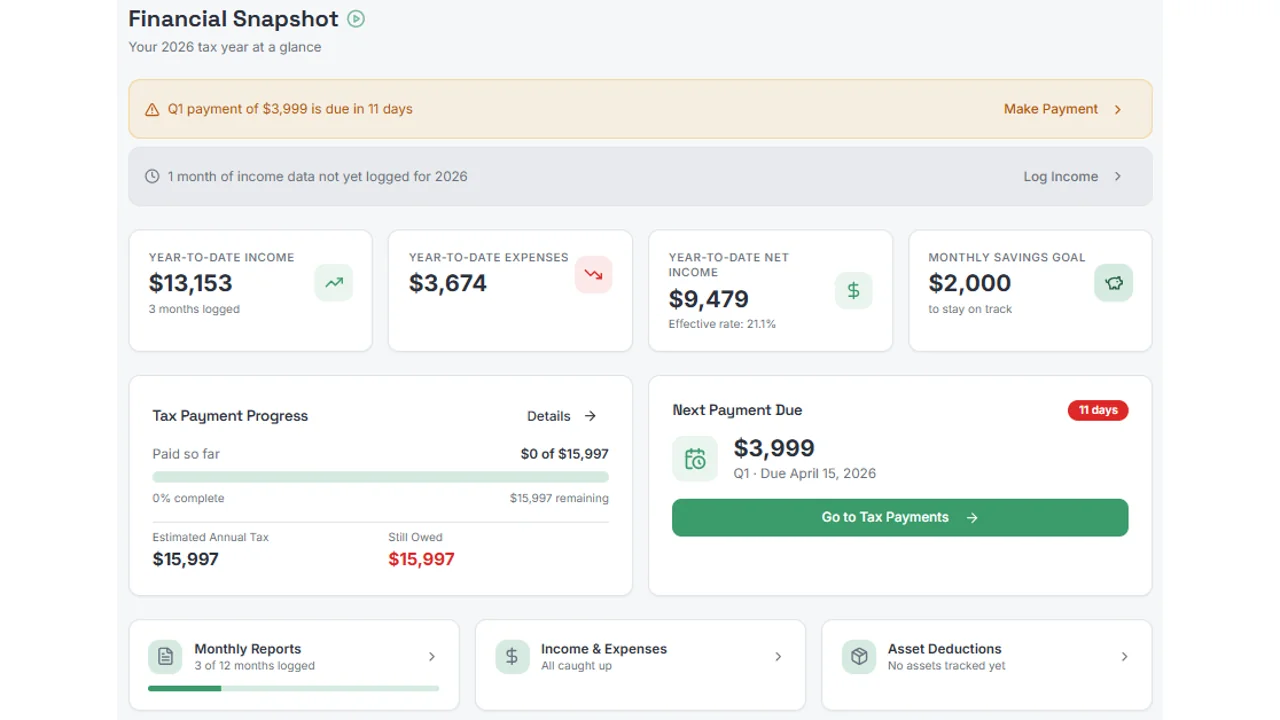
If you have spent years guessing your quarterly taxes and dreading April, start with the free plan at snaptaxapp.com.
Frequently Asked Questions
Who built SnapTax?
SnapTax was built by Crystal Harrison, a professional bookkeeper with more than two decades of experience and the founder of BookKeepXperts LLC (LinkedIn). She built it herself with AI and no-code tools, after watching the same freelancer tax mistakes repeat across two decades of practice.
Is SnapTax free to try?
Yes. SnapTax has a permanent free plan for basic quarterly estimates, and paid plans start at $4.99 a month with a 30-day trial (SnapTax). There is no contract, so you can cancel any time.
Does SnapTax replace a bookkeeper?
SnapTax helps freelancers manage routine records and tax planning themselves, but it does not replace professional judgment or every service a bookkeeper provides. Businesses with complex books, payroll, cleanup needs, or filing questions may still need a bookkeeper, CPA, or broader accounting system. SnapTax provides estimates; it does not file your tax return (SnapTax).
Does SnapTax work if I have a W-2 job and 1099 income?
Yes. It handles W-2 and 1099 income in one estimate, so a side hustle and a day job are calculated together (SnapTax).
What makes SnapTax different from other freelancer tax apps?
SnapTax's design reflects the problems Harrison repeatedly encountered in her bookkeeping practice: inconsistent records, mixed personal and business spending, and uncertainty about quarterly taxes (Thriving Through). It is built around a short monthly routine and tax projections that update as users add or revise their financial information (SnapTax).
