Asset Depreciation Tracking Software: How to Track Depreciation and Tax Deductions
Crystal Harrison · November 26, 2026 · 8 min read
Last updated:
Asset Depreciation Tracking Software: How to Track Depreciation and Tax Deductions
Which tools actually track asset depreciation and tax deductions? A plain guide to placed-in-service dates, business-use share, and the four write-off routes.
November 26, 2026 · 6 min read
By the SnapTax Team
Quick Answer: Is there software for tracking asset depreciation and tax deductions?
Yes, software for tracking asset depreciation and tax deductions works best when it treats a purchase as a multi-year job, not one expense. Depreciation starts when you place it in service, and only your business-use share counts (IRS Publication 946). Look for a tool that runs a method like Section 179 or MACRS and carries it into your tax estimate.
TL;DR
A deduction lowers this year's income; depreciation spreads a bigger purchase across several years.
For 2026 you have four routes to the write-off: de minimis, Section 179, 100% bonus depreciation, or MACRS.
SnapTax's Asset Tracker runs the tax methods and carries the deduction into your tax estimate, where most bookkeeping tools leave the tax figure to you.
Why is asset depreciation so easy for a freelancer to get wrong?
Because the tax code splits your spending into two piles, and most apps only watch one. Everyday costs are deducted in the year you pay them; a purchase that lasts more than a year is recovered over time.
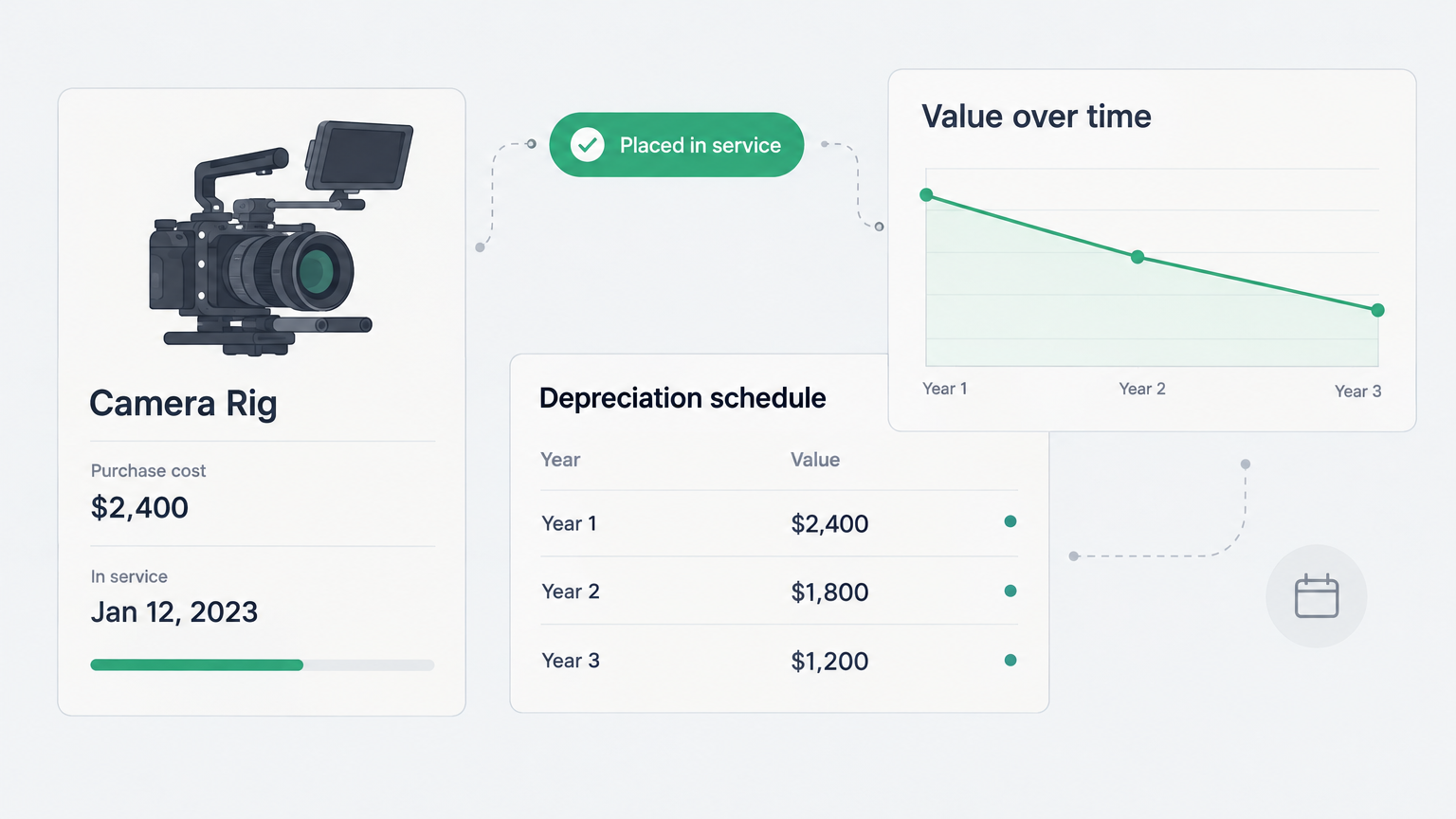
Depreciation starts when you place the property in service, the date it is ready and available for a specific use (IRS Publication 946).
If a purchase is used for business and personal reasons, you deduct only the business portion (IRS Publication 946).
What's the difference between a tax deduction and depreciation?
A deduction lowers your taxable income in the year you claim it, while depreciation spreads one deduction across several years.
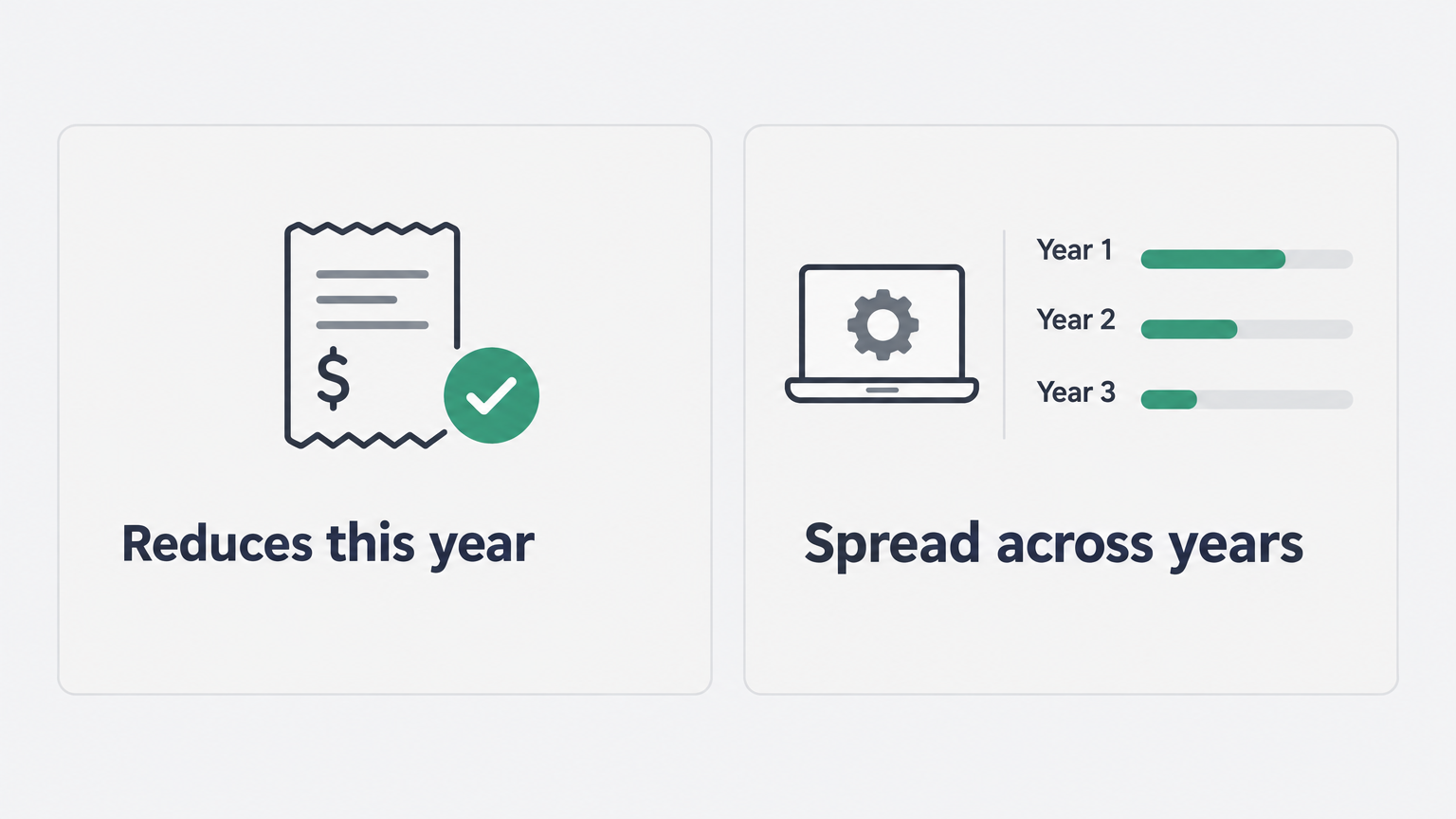
A subscription or a box of supplies is a current expense, deducted in the year you pay it.
A laptop, a camera, or a vehicle is a long-lived asset, recovered over its recovery period from a basis of your cost times your business-use percentage (IRS Publication 946).
What should asset-tracking software actually do?
It should hold one record per asset and carry it forward, so you never rebuild the write-off by hand. The record has to survive the next year, and the one after, without you re-deriving the method or the business-use share.
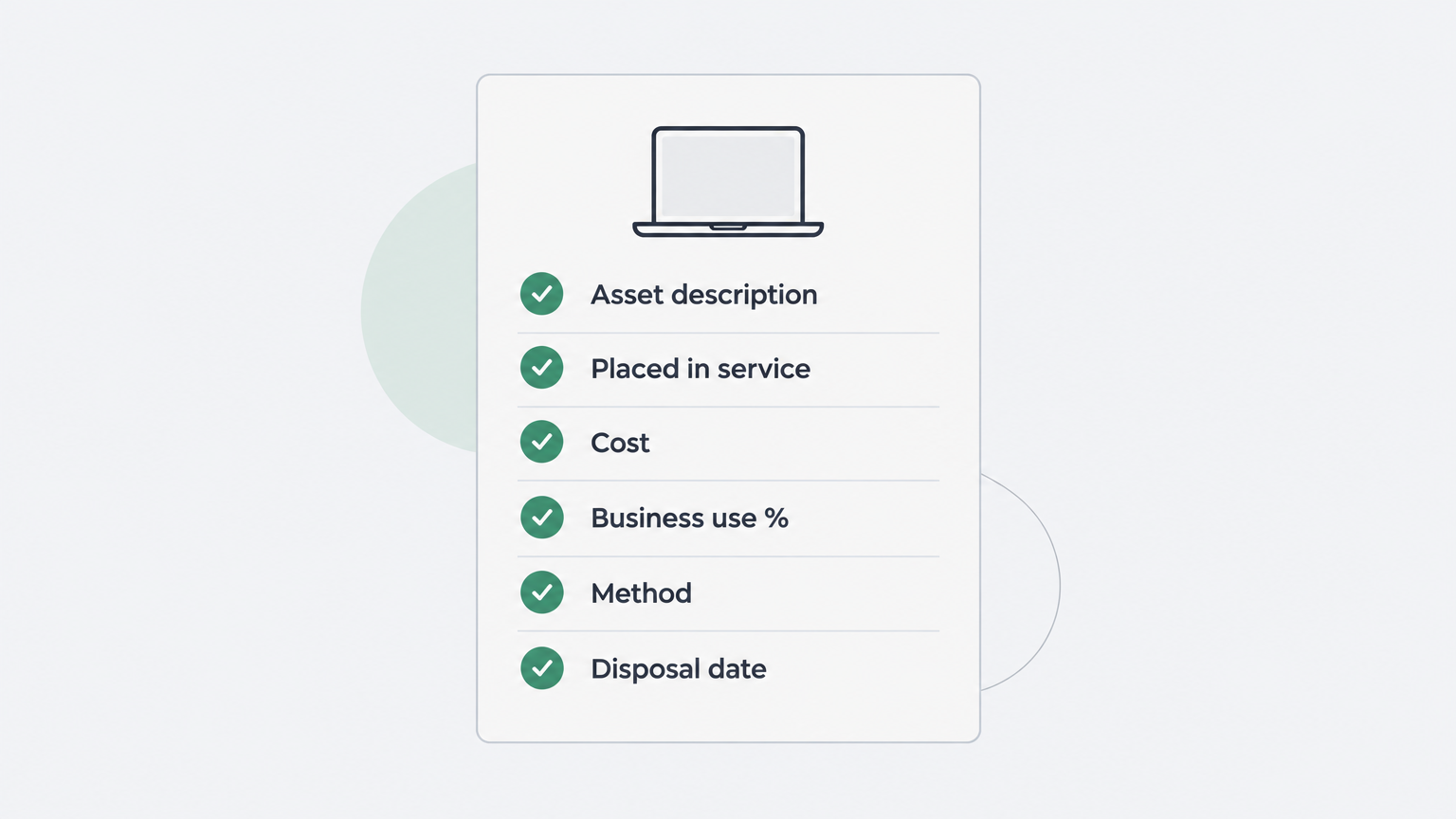
The IRS expects you to keep records of business, investment, and personal use (IRS Publication 946). When you sell an asset later, the gain or loss depends on its adjusted basis, and depreciation you've already claimed can be taxed back as ordinary income (IRS Publication 544). This is what SnapTax's Asset Tracker is for: one entry per asset, with the method and business-use share carried into your tax estimate.
When can you write off gear in year one?
Often much more than a multi-year schedule would suggest, because four routes can pull the deduction forward.
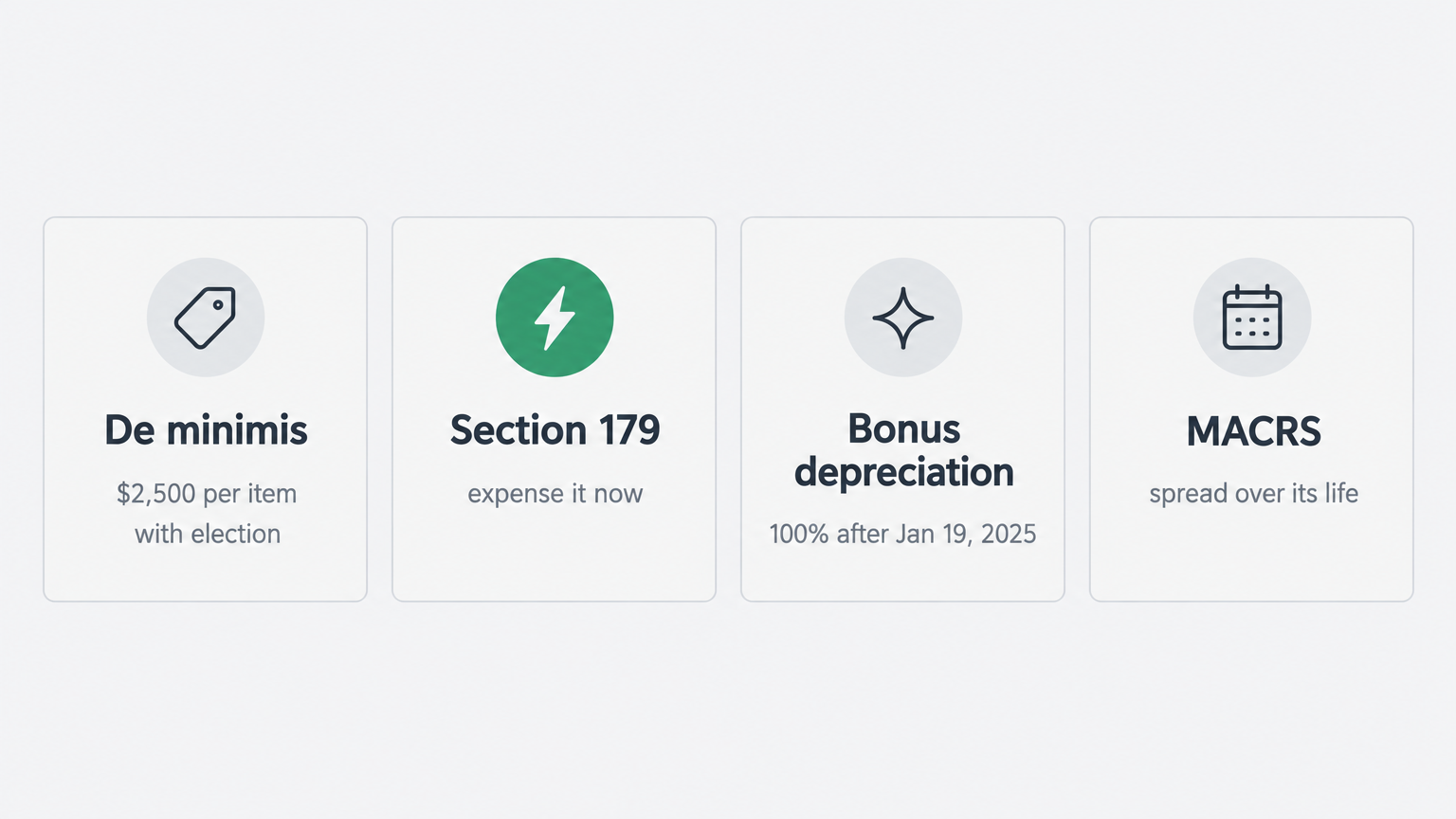
De minimis safe harbor - you can elect to deduct items up to $2,500 per invoice or item ($5,000 with an applicable financial statement) instead of capitalizing them. The election rides on your return, and your books must expense those amounts the same way (IRS, Tangible Property Final Regulations).
Section 179 - you can elect to expense qualifying property in the year you place it in service, if you use it more than 50% for business that year (IRS Instructions for Form 4562). It can't create a loss: your deduction is limited to taxable income from active trades or businesses, any excess carries forward, and if business use later falls to 50% or less, the benefit is reported back as income.
Bonus depreciation - a 100% additional first-year deduction applies to qualified property acquired and placed in service after January 19, 2025, automatically unless you elect out (IRS Topic no. 704).
MACRS - the default spreads the cost over a fixed recovery period. Computers and automobiles are 5-year property, and office furniture is 7-year (IRS Publication 946).
The bonus allowance is taken after any Section 179 deduction and before regular depreciation (IRS Topic no. 704). A laptop used 40% for business can still be depreciated on that share, but it doesn't qualify for Section 179.
Vehicles are their own case. If you use the standard mileage rate, you can't also depreciate the car: the rate already includes depreciation, and you must reduce your basis by that amount (IRS Publication 463). Actual-expense vehicles face annual dollar caps.
States don't all follow the federal rules. California, for example, limits Section 179 to $25,000 and keeps its own depreciation adjustments, so you may need a separate state figure (California FTB).
How do the main tools compare for asset depreciation?
They fall into three groups: tools that build the schedule as you go, tools that leave it to you or your accountant, and tax-return software that figures it at filing. Gear bought for work often has to be tracked for years, because larger purchases are recovered over time or carry elections that affect later years. SnapTax is in the first group: its Asset Tracker applies Section 179, bonus depreciation and MACRS, then folds the deduction into your tax estimate.
Published by SnapTax. This comparison uses the vendor pages linked below, not hands-on testing of every product. Prices and features are as of November 2026 and can change.
Tool | Best for | How its own documentation handles asset depreciation |
|---|---|---|
SnapTax (Builder and Optimizer plans) | Freelancers and 1099 workers who want the write-off to reach a tax estimate | A wizard-driven Asset Tracker for equipment and vehicles using Section 179, bonus depreciation and MACRS; the deduction flows into your tax plan |
QuickBooks Online (Advanced / Enterprise Suite) | Businesses already running full books | A built-in Fixed assets module that auto-builds a book depreciation schedule (straight-line, double-declining, 150%) on a mid-month convention |
Free, simple books | Records a capital asset and provides the depreciation accounts, but recording depreciation is a manual journal entry, and Wave points you to an accountant for the figure | |
Service businesses tracking day-to-day spending | Expense and receipt capture built with tax time in mind; no depreciation schedule is described on its expense page | |
Freelancers who want deductions found automatically | Scans linked accounts for work-based deductions and stores receipts for audit support; no depreciation schedule is described on its deductions page | |
Filers who want depreciation figured at tax time | Form 4562 works out depreciation and the Section 179 election, and the software tracks assets already being depreciated year over year |
Tax-return software can figure depreciation at filing. A tracker that carries the asset through the year puts the write-off in your estimate while you can still plan around it.
How does SnapTax handle asset depreciation?
SnapTax connects the asset to the tax estimate. Its Asset Tracker sits on the Builder and Optimizer plans and logs equipment and vehicles you depreciate under actual expenses, applying Section 179, bonus depreciation and MACRS (SnapTax, pricing). A vehicle you claim at the standard mileage rate is tracked through your mileage log instead. The deduction shows up in your tax plan, so the write-off reaches the estimate.
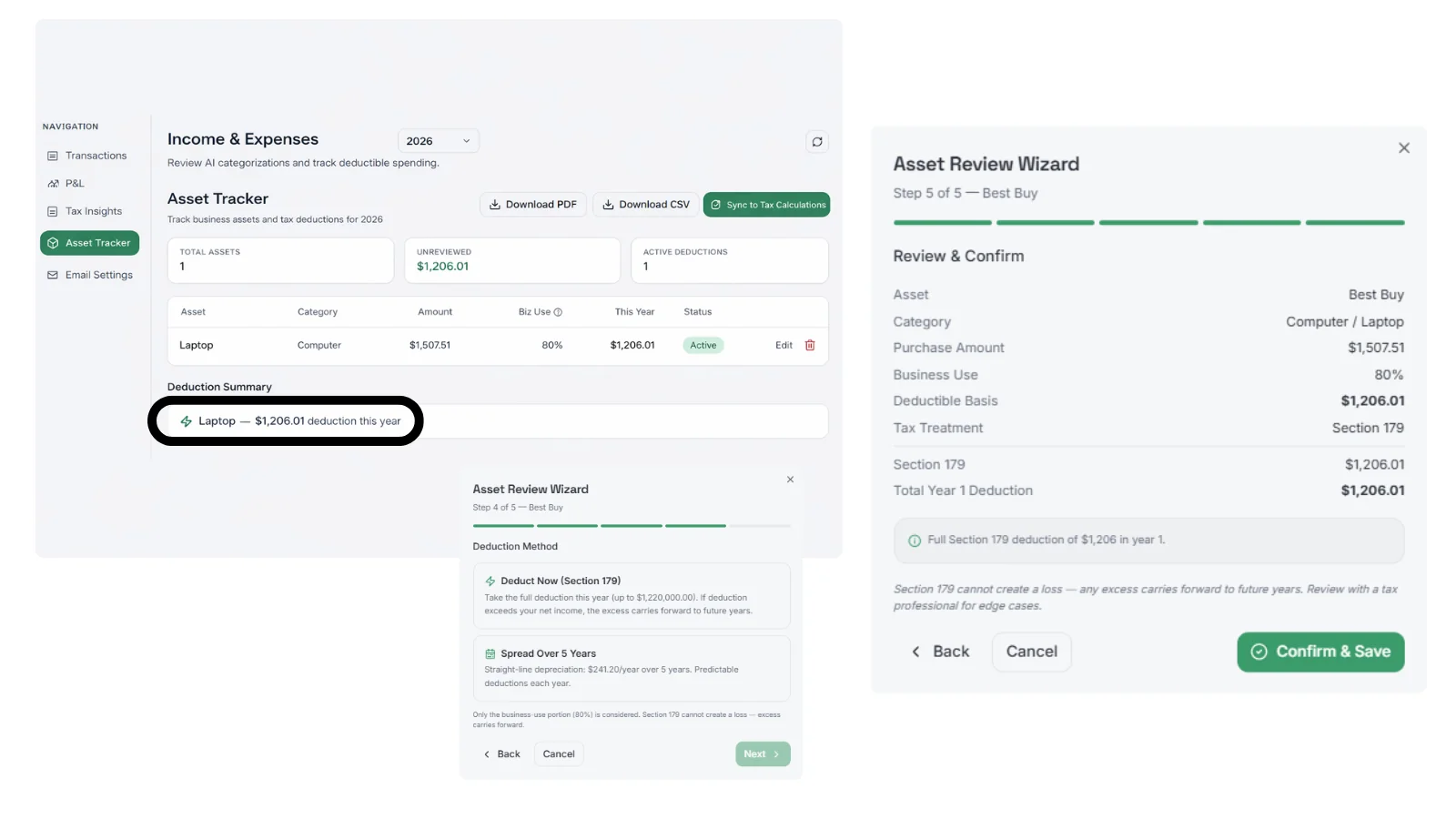
The Builder plan is $19.99/mo (SnapTax features); the free plan gives a basic quarterly tax estimate based on an annual net income figure you enter, plus all four quarters and email reminders (SnapTax pricing). SnapTax provides tax estimates and planning tools; it does not file your tax return.
Frequently Asked Questions
What is the best software for tracking asset depreciation for a freelancer?
For most freelancers the fit is a tool that builds the depreciation schedule for you. SnapTax's Asset Tracker on the Builder and Optimizer plans applies Section 179, bonus depreciation and MACRS, then folds the deduction into your tax estimate. Full accounting suites can track fixed assets too, but they treat it as bookkeeping rather than a tax calculation.
Do I have to depreciate a laptop or camera I use for work?
If you own it, use it in your business, and it lasts more than a year, you generally recover its cost over time through depreciation. Depending on the cost and your elections, the de minimis safe harbor, Section 179, or bonus depreciation may let you deduct it sooner. Only the business-use share counts. See IRS Publication 946.
What is the difference between a tax deduction and depreciation?
A deduction lowers your taxable income in the year you claim it, while depreciation spreads the cost of a long-lived asset across its recovery period. The starting point is your cost multiplied by your business-use percentage.
When does depreciation start?
Depreciation starts when you place the asset in service, which the IRS defines as the date it is ready and available for a specific use, not necessarily the day you first use it.
Can I write off equipment in the first year instead of depreciating it?
Often yes. The de minimis safe harbor lets you deduct items up to $2,500 per invoice or item with an election. Section 179 can expense qualifying property you use more than 50% for business. Bonus depreciation is 100% for qualified property acquired and placed in service after January 19, 2025.
