SnapTax New Features: Business Center, Sales Tax Tracking, Balance Sheets and Multi-Business Support (Early Release)
Crystal Harrison · November 26, 2026 · 13 min read
Last updated:
SnapTax New Features: Business Center, Sales Tax Tracking, Balance Sheets, and Multi-Business Support (Early Release)
SnapTax's newest release adds a Business Center, sales tax tracking, a cash-basis balance sheet, and multi-business support. See what is live now and what is in early release.
November 26, 2026 · 11 min read
By the SnapTax Team · 11 min read
Quick Answer: What's new in SnapTax?
SnapTax's newest release brings invoicing, customer and vendor management, sales tax tracking, account and liability tracking, and a cash-basis balance sheet into one place for Builder and Optimizer users. Multi-business support and team and accountant access are in early release for Optimizer, with full availability planned for December 21, 2026. You set the Business Center up under Business Management in Settings.
TL;DR
SnapTax's newest release adds the Business Center (customers, vendors, invoices, and 1099-NEC tracking), invoice payment matching, a Sales Tax Center, account and liability tracking, and a cash-basis balance sheet to Builder and Optimizer.
Because SnapTax uses cash-basis accounting, an unpaid invoice does not count as income until the payment lands in your account.
The Sales Tax Center tracks the sales tax you charge, collect, and pay; it is tracking, not automated sales tax calculation or filing.
Separate federal and state tax estimates (all paid plans) and SnapTax for Claude (every plan) are live, and the month-end close checklist now carries an account balances step.
Everything else in this release is live today; the two Optimizer-only pieces, multi-business support and team and accountant access are in early release and they both reach general availability on December 21, 2026.
What did SnapTax just release?
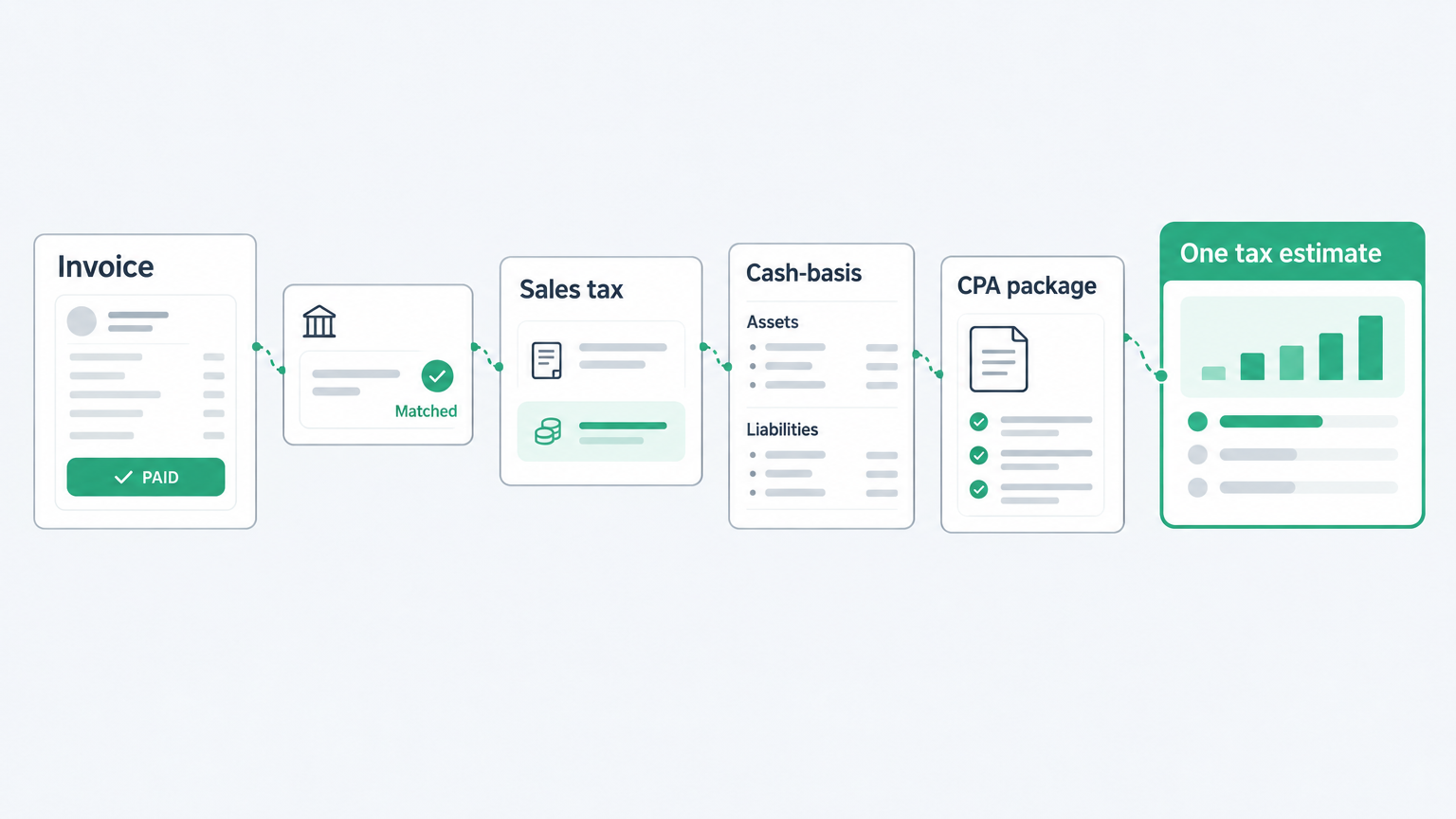
SnapTax's newest release folds invoicing, customer and vendor management, sales tax tracking, account balances, and business reporting into the same app that already calculates your quarterly tax estimate. Before this, those jobs lived in separate tools: an invoicing app for the customers, a spreadsheet for sales tax, and a second subscription or a bookkeeper for the rest.
SnapTax now holds the pieces of a small business that used to be scattered, and it feeds each one into a single real-time quarterly estimate, so you no longer have to stitch five tools together to see one number.
Here is the full list, with what each part does and who gets it.
New feature | What it does | Who gets it |
|---|---|---|
Business Center | Manage customers, vendors, invoices, and 1099-NEC tracking in one place | Builder and Optimizer |
Invoice payment matching | Match bank deposits to one or more invoices, including partial payments | Builder and Optimizer |
Sales Tax Center | Track sales tax charged, collected, paid, and still owed | Builder and Optimizer |
Account and liability tracking | Track cash and bank balances, credit cards, and loans | Builder and Optimizer |
Cash-basis balance sheet | See confirmed cash, tracked assets and liabilities, and Sales Tax Payable by state | Builder and Optimizer |
Business reports and CPA packages | Review income, expenses, category breakdowns, and monthly trends, and download a CPA package with receipts | Builder and Optimizer |
Smarter month-end close | Adds an "Update your account balances" step that completes itself once balances are confirmed - Ensures you complete al steps every month for an audit ready month close | Builder and Optimizer |
Separate federal and state estimates | Show federal and state estimated income tax amounts separately, each with a payment link | All paid plans |
SnapTax for Claude | Connect SnapTax to Claude and ask plain-English questions about your finances | Every plan |
Multi-business support | Manage several businesses with separate books in one account | Optimizer, early release |
Team and accountant access | Share access with your team or accountant | Optimizer, early release |
Capital Gains Tracker | Track capital gains for stocks/EFTs/Mutual Funds/Crypto and flow gains to the household Tax Center | Optimizer, early release |
Retirement Planner | Track retirement contributions and their impact on your household Tax Center | Optimizer, early release |
Deduction Optimizer | Finds deductions such as QBI and Augusta, tracks home office and Itemized deductions | Optimizer, early release |
What is the Business Center, and where do you set it up?
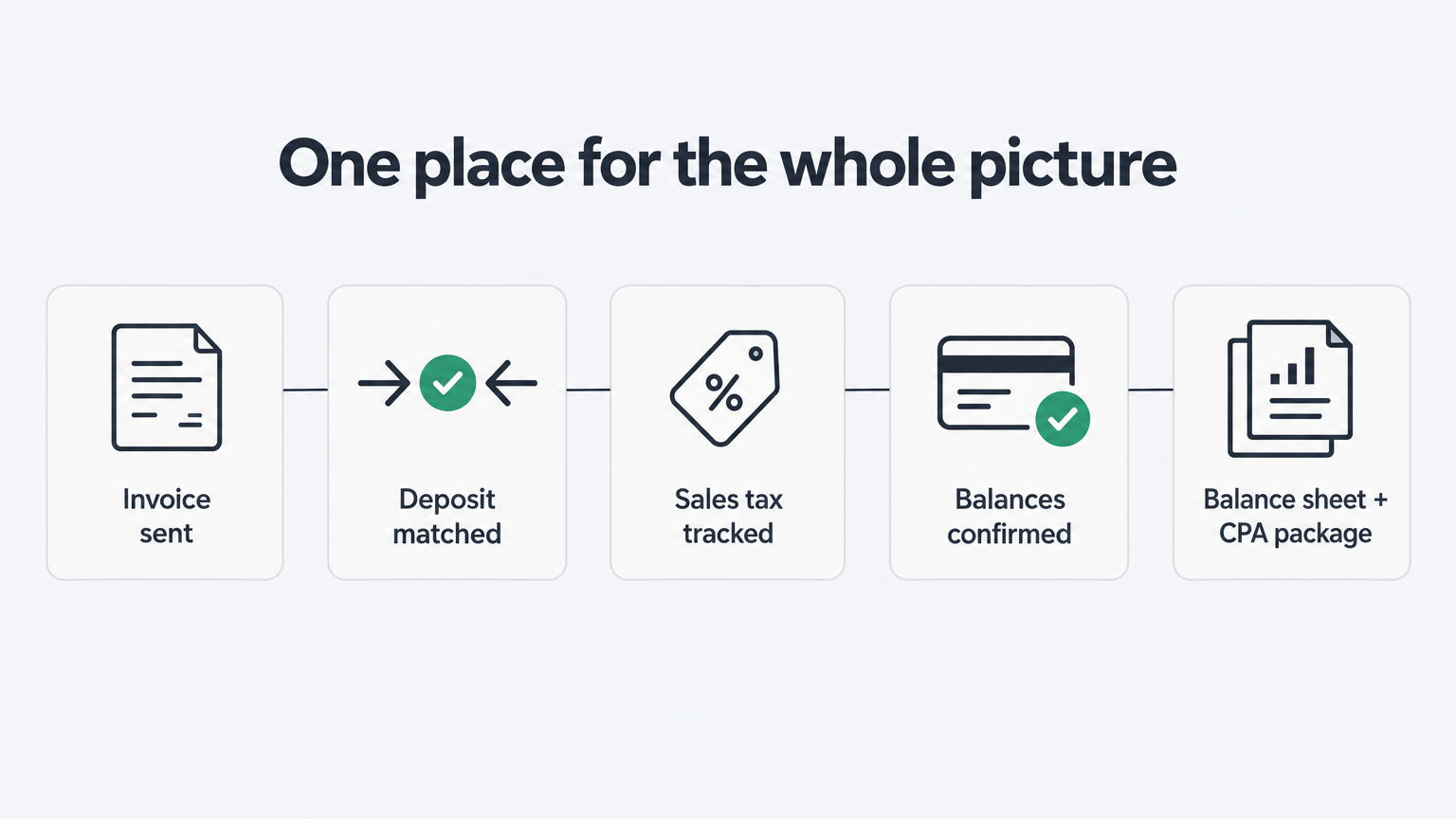
The Business Center is the new home inside SnapTax for four connected tools: customers and invoices, vendors and 1099s, sales tax tracking, and your balance sheet. You set it up under Business Management in Settings, then open the tools from the Business Center menu in the top bar, and it is included with Builder and Optimizer, not Starter, per SnapTax's Business Center page.
It gathers the jobs a solo business usually spreads across four apps:
A customer directory that shows names, companies, emails, phones, and outstanding balances at a glance.
Simple invoices with your logo, line items, sales tax, and notes, exported as a PDF, with Draft, Sent, Paid, and Overdue statuses.
A vendor registry that flags which vendors are 1099-eligible and totals what you have paid them.
A 1099 center that flags everyone you paid $2,000 or more in 2026 that is set up as a 1099 vendor, and generates recipient copies for 1099-NEC and 1099-MISC as print-and-mail PDFs.
SnapTax generates the recipient copies as print-and-mail PDFs; it does not e-file Copy A with the IRS for you. You file Copy A through Track1099 or the free IRS IRIS portal. You still send each vendor their recipient copy by the end of January, and for 2026 payments that deadline is February 1, 2027, because January 31, 2027 falls on a Sunday, per SnapTax's year-end checklist.
How does invoice payment matching work?
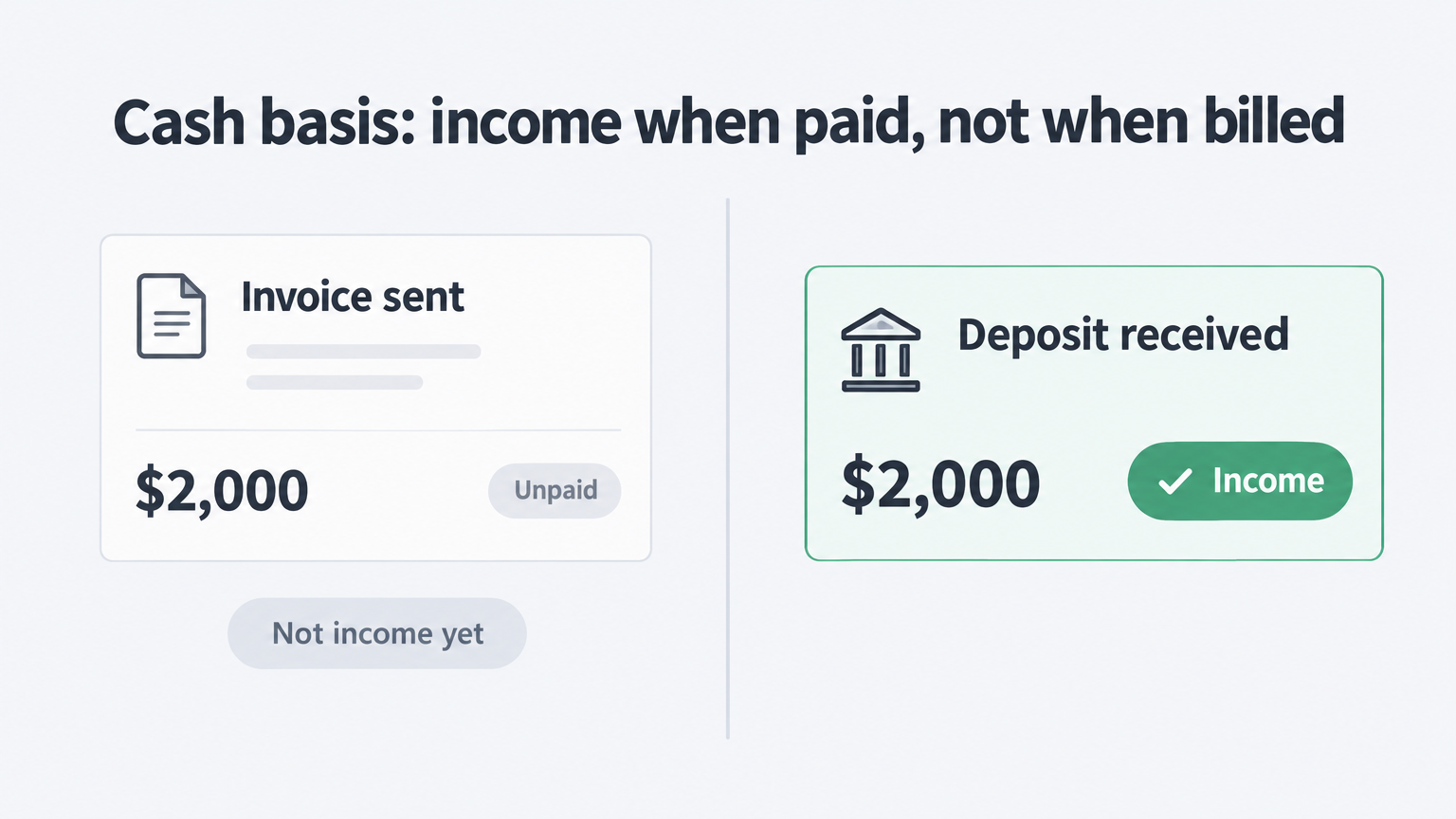
You match a bank deposit to one or more invoices, including partial payments, and SnapTax shows how much of each invoice is paid and how much is still open. Because SnapTax uses cash-basis accounting, an unpaid invoice does not count as income, so your tax estimate only moves when the money actually lands. That matters more than it sounds. A freelancer can send a large invoice in March and be paid in May, and the estimate should not budge until the deposit appears.
In short, the estimate follows your real cash, not your billing.
What does the Sales Tax Center track?
The Sales Tax Center tracks the sales tax you charge on invoices, the tax you collect, the payments you make to the state, and the collected tax you have not yet remitted, state by state. Because SnapTax is cash-basis, tax counts as collected when your customer actually pays, including on partial payments, while tax due on unpaid invoices is tracked separately so you can see what is coming, per SnapTax's Business Center page. Your state's reporting basis may differ, so confirm it before filing: the Center tracks balances, it does not determine your filing amount.
One limit is worth saying plainly. This is sales tax tracking, not automated sales tax calculation or filing. SnapTax pre-fills your state rate and estimated local tax rates on each invoice and lets you override it for your actual local city or county rates, but you still file the return your state requires.
The Center also keeps your books honest. Sales tax you collected and then remitted is marked as a liability called Sales Tax Payable, not a business expense, so it never inflates your deductions, because sales tax sitting in your bank account is not your revenue. Other state taxes, such as franchise tax, are handled separately, and vendor rules let you route each payment to the right category.
The Center keeps four running numbers:
Tax due on the invoices you have issued.
Tax collected from customer payments.
Payments you have made to the state.
The collected tax not yet remitted to the state.
How does account and liability tracking keep your books clean?
You track cash and bank balances, credit cards, and loans in SnapTax, and you confirm each statement balance against the real account. Once that is set up, SnapTax keeps loan principal and sales tax payments out of your business expenses, so paying down a loan does not read as a new cost and a tax remittance does not inflate your spending.
For a small business, this is the difference between a clean set of books and a set that quietly overstates expenses all year. Here is how the same payments sort out:
Payment | Counts as a business expense? |
|---|---|
Software subscription | Yes |
Loan principal | No, it reduces the loan balance; the interest portion may be deductible |
Sales tax sent to the state | No, it clears the liability you collected |
Credit card balance payment | No, it reduces what you owe; the purchases you made with the card are still business expenses |
What does the cash-basis balance sheet show?
The cash-basis balance sheet shows your confirmed cash balances, your tracked assets and liabilities, and a Sales Tax Payable line by state, with unpaid invoices left out so the report stays on a cash basis. SnapTax labels it as a cash-basis, tax-basis report prepared for your CPA, and it says it is not presented as GAAP financial statements, per SnapTax's Business Center page and balance sheet feature. It exports as a PDF or CSV your accountant can open right away.
On the balance sheet | Left out on purpose |
|---|---|
Confirmed cash and bank balances | GAAP financial statements |
Vehicles, equipment, buildings, and land | A fixed-asset ledger |
Loans, credit cards, and Sales Tax Payable | Multi-entity consolidation |
The honest limit: if you need GAAP statements, a full fixed-asset ledger, or multi-entity consolidation, you need a full accounting platform. SnapTax does not pretend otherwise. For a business that just needs to know what it owns and owes, this gives you the picture and a clean starting point for your accountant.
What reports and CPA packages can you download?
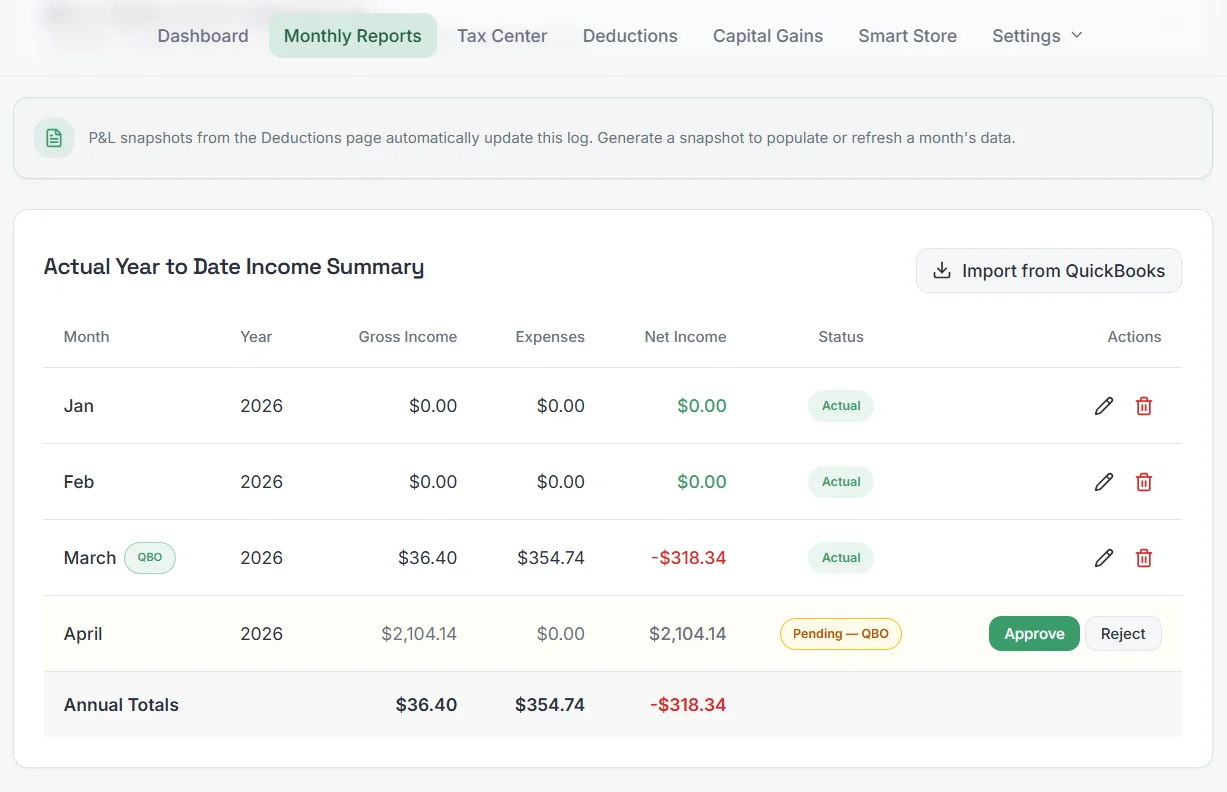
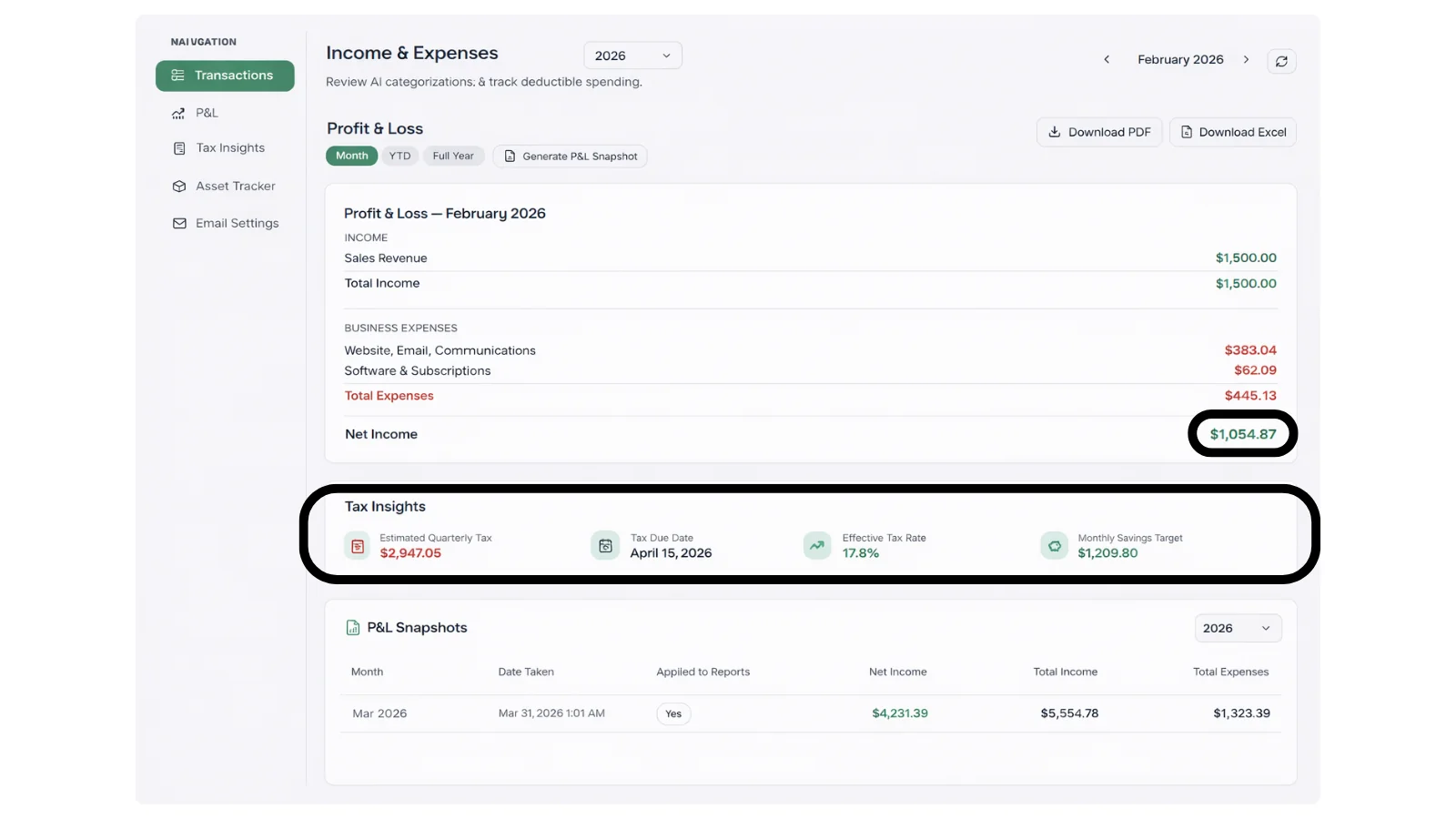
You can review income, expenses, category breakdowns, and monthly trends, and download a company-specific CPA package that bundles the financial reports with the supporting receipts. If some of your books live in QuickBooks, the Monthly Reports view below also imports a monthly Profit and Loss from QuickBooks, so those numbers sit in the same income summary as everything else. The reports and the balance sheet share the same numbers, so what you hand your accountant matches what you see in the app, per SnapTax's Builder features page.
How does the smarter month-end close work?
When Account Tracking is on, the month-end close checklist adds an "Update your account balances" step, and that step ticks itself off once your confirmed balances cover the month for every tracked statement account. What used to be a month-end guess is now a checklist item that only clears when the balances are real, per SnapTax's Builder features page.
It sits alongside the existing close steps, so the same checklist also confirms that statements are received, receipts are attached, mileage is logged, and the month's Profit and Loss snapshot is generated.
Can you see federal and state tax estimates separately?
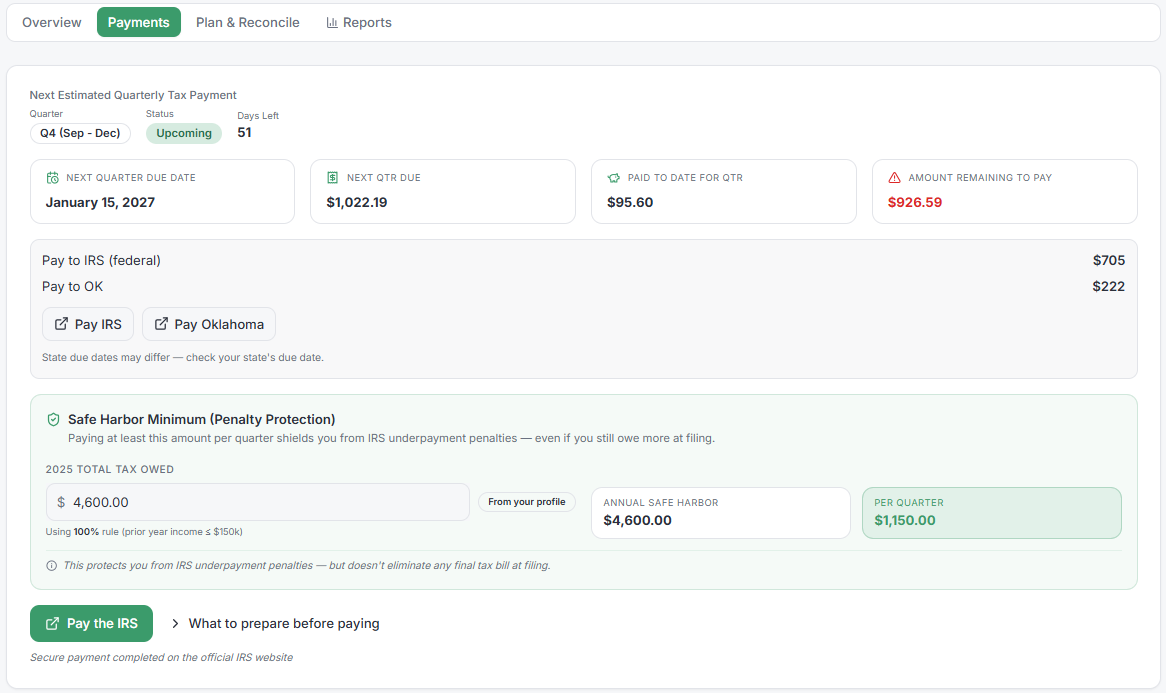
Yes. The estimate now shows federal and state estimated income tax amounts separately, each with a link to the site where you pay it, and this change is available on all paid plans, not only Builder and Optimizer. That removes the guesswork of splitting one blended number in your head when the two payments go to two different places.
What is SnapTax for Claude?
SnapTax for Claude connects your SnapTax account to Claude, so you can ask plain-English questions about your finances and get answers from your real numbers. It runs read-only, so Claude can see your income, expenses, estimates, and deductions but never changes them, and it works on every SnapTax plan, per SnapTax's MCP connector docs.
You ask things like "What's my biggest expense category this year?" and Claude answers from live data, with personal expenses excluded and business-use percentages already applied, as shown on SnapTax's Claude connector page. Connecting it is your choice: you switch it on yourself and authorize access by signing in to SnapTax, and the connection is read-only. It does share your financial data with a third-party assistant, so connect it only if you are comfortable with that.
What is in early release, and what is live now?
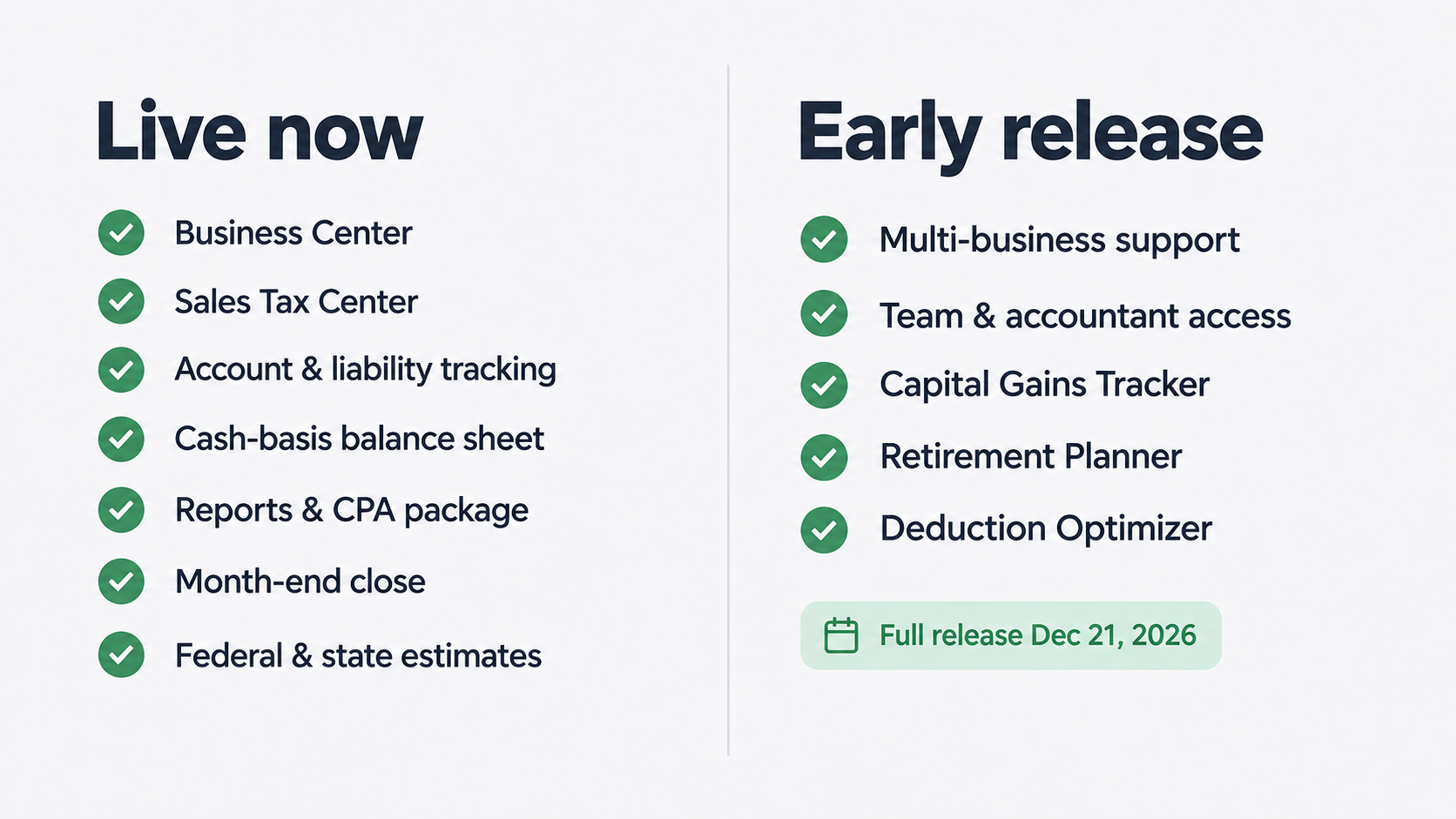
All features in Optimizer are in early release, including the newly released Multi-business support and team and accountant access. SnapTax plans to make all Optimizer features generally available on December 21, 2026, per SnapTax pricing and the Optimizer page; that date is the plan rather than a commitment.
Multi-business support keeps separate books, customers, vendors, invoices, sales tax tracking, and reports for each company in one account, as SnapTax's multi-business feature describes. When you export to TurboTax, you choose a single business or all businesses plus household.
Team and accountant access lets you share access with your team or your accountant so you can work inside SnapTax together.
That second half is the part that turns SnapTax from a personal planner into something an accountant or a small team can work in with you. One quarterly estimate still sits on top of it all.
Early release means the feature is built and tested and ready for use, but we are still looking for feedback on the features from our early users to ensure we have everything a small business would need before the final launch on December 21, 2026. Also still being worked are training video's to go along with all the new features.
SnapTax for your books, sales tax, and balance sheet
SnapTax now keeps the invoicing, the sales tax, the account balances, and the balance sheet beside the quarterly estimate it already produced, per SnapTax's Business Center page and its Builder and Optimizer features. The Business Center is included with Builder and Optimizer. The free plan gives you a basic quarterly-tax estimate based on an estimated annual net income figure you enter, which you can update any time, plus estimates for all four quarters and email reminders; paid plans start at $4.99/mo for Starter and $19.99/mo for Builder, with Optimizer at $39.99/mo and its own 30-day trial, per SnapTax pricing. You can cancel anytime, and SnapTax provides tax estimates and planning tools; it does not file your tax return.
Frequently Asked Questions
What is the SnapTax Business Center?
The Business Center is a set of live tools inside SnapTax for a small business: customers and invoices, vendors and 1099s, sales tax tracking, and a cash-basis balance sheet. You set it up under Business Management in Settings, and it is included with Builder and Optimizer, not Starter.
Does SnapTax count an unpaid invoice as income?
No. SnapTax uses cash-basis accounting, so an invoice only counts as income once the payment reaches your account, including partial payments. Until then it does not change your quarterly tax estimate.
Does the SnapTax Sales Tax Center file my sales tax return?
No. It tracks the sales tax you charge, collect, and pay, state by state, and links you to the state payment portal, but you still file the return your state requires. It also keeps a state payment as Sales Tax Payable rather than a deductible expense, so your Profit and Loss report stays accurate.
How much does SnapTax cost with the new features?
The free plan gives you a basic quarterly-tax estimate based on an estimated annual net income figure you enter, which you can update any time, plus estimates for all four quarters and email reminders. Paid plans start at $4.99/mo for Starter and $19.99/mo for Builder, with Optimizer at $39.99/mo, and each paid plan has a 30-day trial you can cancel anytime.
What is in early release, and when is it fully available?
All features in Optimizer including Multi-business support and team and accountant access are in early release now. SnapTax plans to make all Optimizer features generally available on December 21, 2026. See the multi-business feature for details.
